
Is Keiser M3i Good For Beginners?
Choosing your first indoor cycling bike can feel overwhelming. With so many options and features, it’s easy to get lost. The Keiser M3I is one of the most talked-about bikes in the fitness world. But is it a good choice if you’re just starting out? This article breaks down everything beginners need to know about the Keiser M3I, from its design and performance to its learning curve and value. You’ll get clear answers, practical advice, and some surprising insights that most first-time buyers miss. If you’re wondering whether the Keiser M3I fits your needs, you’re in the right place.
What Is The Keiser M3i?
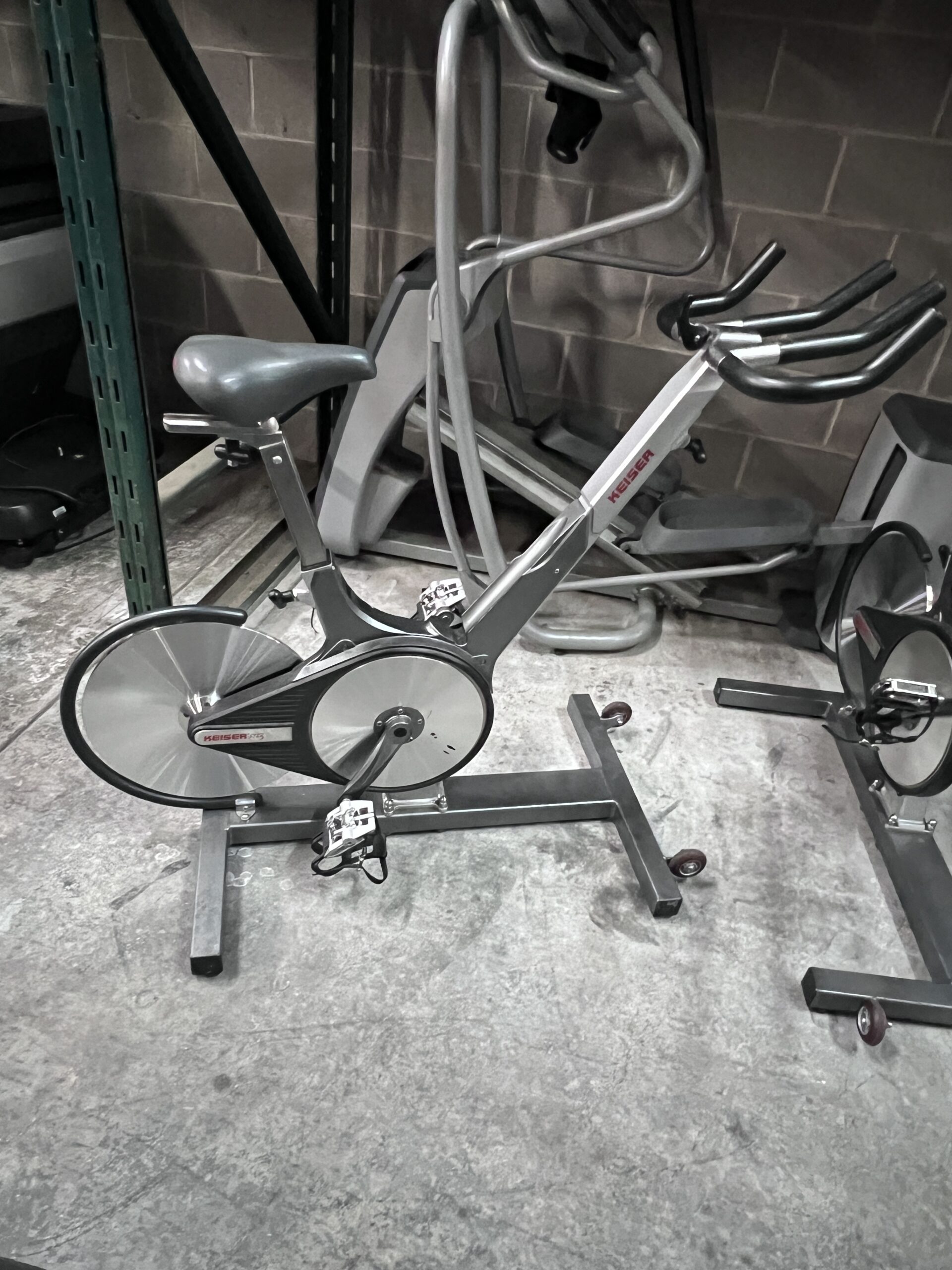
The Keiser M3I is a high-end indoor cycling bike, often used in gyms and homes. Built in the USA, it stands out for its smooth ride, quiet operation, and advanced technology. The bike uses a magnetic resistance system, which makes workouts almost silent and very consistent. Unlike many cheaper bikes, the M3I is made from strong materials and comes with Bluetooth connectivity, letting you track your progress with fitness apps.
Here are some quick facts:
- First introduced in 2013
- Weighs about 85 lbs (38 kg)
- Maximum user weight: 350 lbs (159 kg)
- Adjustable seat and handlebars
- Includes a backlit LCD display
- Compatible with popular apps like Zwift
The M3I’s reputation is based on its durability, reliability, and modern features. But are these features helpful for beginners, or do they make things more complicated?
First Impressions: Beginner-friendly Design
When you start using an exercise bike, the first thing you notice is how easy it feels to get set up and ride. The Keiser M3I offers several advantages for beginners:
- Step-through frame: The bike’s design makes it simple to get on and off, even if you’re not flexible or athletic.
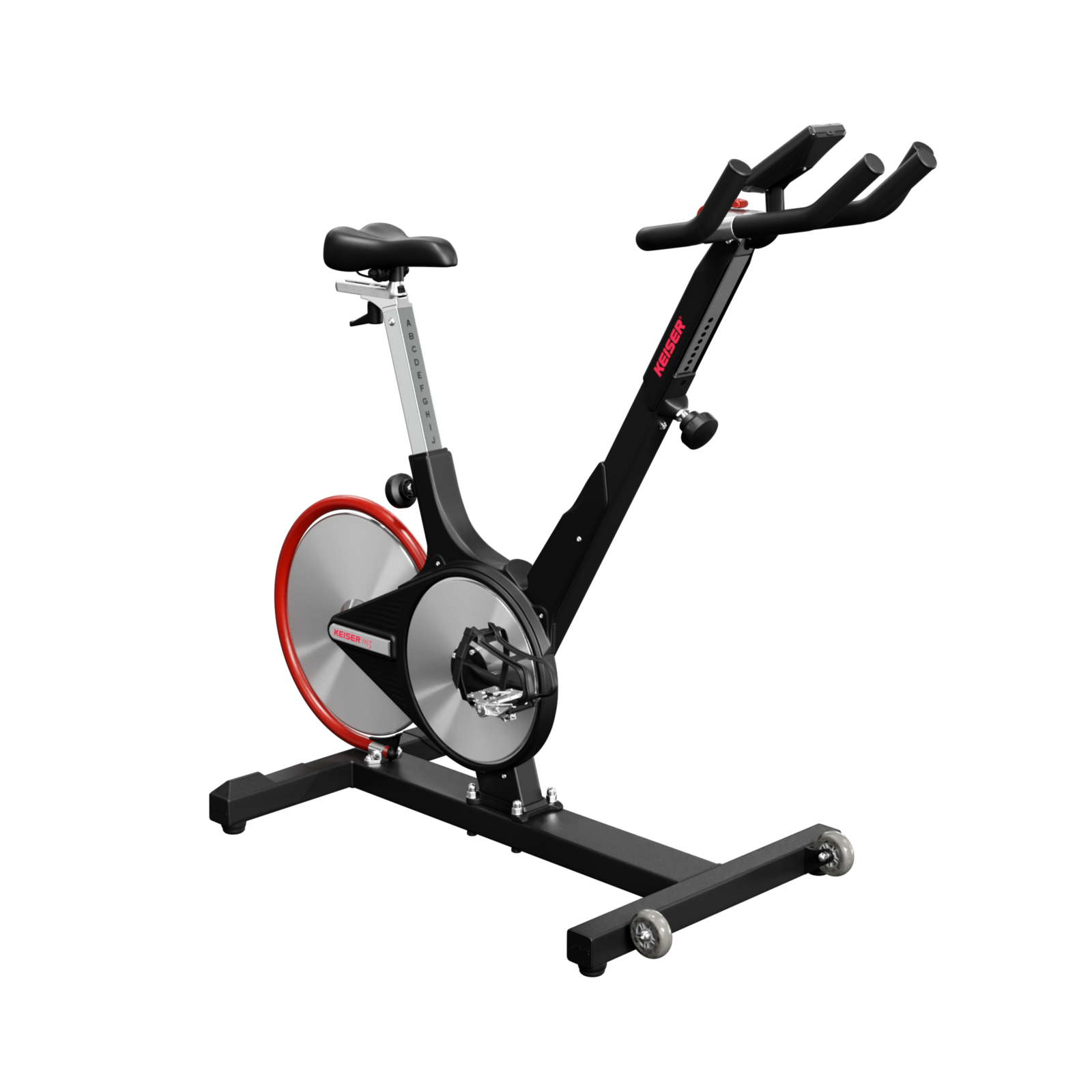
- Adjustable components: Both seat and handlebars can be moved up, down, forward, and backward. This helps you find the right position for comfort and safety.
- Clear display: The LCD screen shows cadence, power, time, and distance. Numbers are big and easy to read.
- Simple resistance control: There’s a lever you can move to change how hard it feels to pedal. The system is smooth, with no sudden jumps.
Unlike bikes with complicated screens or lots of buttons, the M3I keeps things straightforward. For someone new to cycling, this simplicity matters. You don’t need to read a long manual or learn special settings—just adjust the bike, hop on, and start pedaling.
Riding Experience: Smooth And Quiet
One of the biggest worries for beginners is whether the bike will be loud or uncomfortable. The Keiser M3I solves both problems. Thanks to magnetic resistance, the bike is almost silent. You can ride while watching TV, listening to music, or even having a conversation. There’s no whirring or clanking from parts.
Also, the M3I uses a belt drive system instead of a chain. This means:
- No need for oil or messy maintenance
- Smoother movement (no jerking)
- Less wear and tear
Most cheaper bikes use chains, which need regular care and can be noisy. The belt drive makes the M3I feel more professional and reliable.
Resistance Levels: Is It Too Advanced?
Some bikes have lots of resistance levels, which can confuse beginners. The Keiser M3I uses a magnetic resistance lever. There are 24 levels, but you don’t need to worry about picking the “right” one. Just move the lever until it feels good for you.
Here’s a quick guide for beginners:
- Start at a low level (1–3) for warm-up
- Move up to moderate (4–10) for steady riding
- Use higher levels (11–24) if you want more challenge
You can always adjust as you go. There’s no risk of “breaking” the bike or hurting yourself by picking a wrong setting. The resistance is smooth, not jerky, which is safer for your knees and joints.
Adjustability And Fit: Making It Comfortable
A big reason beginners quit indoor cycling is discomfort. If the seat is too high, the handlebars too far, or the pedals awkward, you’ll get sore and frustrated. The Keiser M3I helps avoid these issues with 4-way adjustment:
- Seat: Up/down and forward/back
- Handlebars: Up/down and forward/back
This lets you match the bike to your body shape. For example, if you’re shorter, you can bring the seat and handlebars close together. If you’re tall, you can stretch them out. The adjustments are quick—no need for tools.
Here’s how the M3I compares to similar bikes:
| Bike Model | Seat Adjustment | Handlebar Adjustment | Max User Height |
|---|---|---|---|
| Keiser M3I | Up/Down, Forward/Back | Up/Down, Forward/Back | 6’7″ |
| Peloton Bike | Up/Down, Forward/Back | Up/Down | 6’5″ |
| Schwinn IC4 | Up/Down, Forward/Back | Up/Down, Forward/Back | 6’6″ |
The M3I’s flexibility makes it easier for beginners to find a comfortable position. This reduces pain and keeps you motivated.
Tracking Progress: Simple Technology
For beginners, tracking progress can boost motivation. The Keiser M3I’s backlit LCD display shows:
- Cadence (RPM)
- Power (watts)
- Time
- Distance
- Heart rate (with a compatible monitor)
The screen is not overloaded with information. You see what matters for a workout, without confusion. If you want more, the bike’s Bluetooth lets you connect to apps like Zwift, Peloton Digital, and others.
Some beginners worry about tech overload. The M3I keeps things optional. You can use the bike without any apps, or connect your phone/tablet for extra features. This flexibility is rare in high-end bikes.

Assembly And Maintenance: Easy For Beginners
Getting started with a new bike can be stressful if assembly is complicated. The Keiser M3I comes mostly pre-assembled. You only need to attach the base, pedals, seat, and handlebars. Most people finish in under 30 minutes.
Here are some tips for easy assembly:
- Use the included tools (no need to buy extras)
- Follow the clear instructions (with diagrams)
- Make sure all bolts are tight, but don’t overtighten
Maintenance is simple. The belt drive and magnetic resistance mean there’s almost nothing to oil or adjust. Just wipe down the frame, check screws once a month, and keep the bike clean.
Price And Value: Worth It For Beginners?
The Keiser M3I is not cheap. At $2,000–$2,500, it costs more than entry-level bikes. Is it worth the investment for beginners?
Let’s look at the value:
| Feature | Keiser M3I | Typical Entry-Level Bike |
|---|---|---|
| Price | $2,000–$2,500 | $300–$900 |
| Warranty | 3 years (parts & frame) | 1 year |
| Noise Level | Very Quiet | Moderate/Loud |
| Durability | High | Medium |
| Adjustability | Seat & Handlebar (4-way) | Seat only (2-way) |
The M3I’s price covers long-term reliability, user comfort, and quiet operation. If you plan to use the bike often, the investment pays off. Beginners who buy cheap bikes often upgrade after a year, spending more in the long run.
Real-world Feedback: Beginner Experiences
Reviews from new riders show the M3I is popular among beginners. Many mention:
- “Smooth ride, easy to adjust”
- “Didn’t need help to set up”
- “Quiet—can use in apartment”
However, a few beginners say:
- “Wish it had a touchscreen like Peloton”
- “Expensive compared to other bikes”
- “Took time to understand resistance levels”
Most feedback is positive, especially about comfort and quietness. Some beginners miss flashy screens, but others prefer the simple display.
Non-obvious Insights For Beginners
Many first-time buyers overlook these points:
- Pedal system: The M3I uses SPD clips and toe cages. If you don’t own cycling shoes, you can use regular sneakers. But if you upgrade, the bike is ready for advanced footwear.
- Bike placement: The M3I’s small footprint (26″ x 51″) fits easily in bedrooms or living rooms. You don’t need a huge space.
- App compatibility: Unlike some bikes locked into one ecosystem, the M3I works with many apps. You’re not forced to pay monthly for a single service.
These features help beginners avoid common mistakes—like buying a bike that needs special shoes, or one that won’t fit in your home.
Comparing The Keiser M3i To Other Beginner Bikes
It’s useful to see how the M3I stacks up against popular choices for beginners. Below is a comparison of three bikes often mentioned:
| Bike | Resistance Type | Display | App Support | Noise | Price |
|---|---|---|---|---|---|
| Keiser M3I | Magnetic | LCD | Bluetooth, multiple apps | Very Quiet | $2,000–$2,500 |
| Peloton Bike | Magnetic | Touchscreen | Peloton only | Quiet | $1,445 + $44/month |
| Schwinn IC4 | Magnetic | LCD | Bluetooth, multiple apps | Quiet | $999 |
While the M3I is more expensive, its flexibility and durability give it an edge for beginners who want a bike that grows with them.
Common Beginner Mistakes And How To Avoid Them
Buying your first indoor bike can lead to mistakes. Here’s how to avoid the most common ones:
- Ignoring fit: Many beginners buy bikes with poor adjustability. This leads to back pain and knee issues. The M3I’s 4-way adjustment solves this.
- Underestimating noise: Cheap bikes can be loud, making workouts stressful. The M3I’s magnetic system keeps things quiet.
- Missing app compatibility: Some bikes only work with one app. The M3I connects to multiple, giving you choice.
- Skipping maintenance: Bikes with chains need oil and care. The M3I’s belt drive is low-maintenance, saving time.
- Not checking warranty: A short warranty can mean costly repairs. The M3I’s long coverage protects your investment.
If you’re unsure, ask yourself: Will you use the bike often, and do you want something that lasts? If yes, the M3I is a smart choice.
Who Should Choose The Keiser M3i?
The Keiser M3I is great for:
- Beginners who want a comfortable, quiet, and easy-to-use bike
- People planning to use the bike regularly
- Those who want flexibility with fitness apps
- Anyone with limited space at home
It may not be ideal for:
- Beginners on a tight budget
- People who want a built-in touchscreen and live classes
- Those who prefer a simple bike without tech features
If you value quality, comfort, and quietness, the M3I is a strong pick. For more budget-friendly options, consider bikes like the Schwinn IC4 or entry-level models.
Practical Tips For Beginners Using The Keiser M3i
Here are some tips to make your first ride smooth:
- Test adjustments: Spend time finding the right seat and handlebar position. This prevents soreness.
- Start slow: Use lower resistance levels until you feel comfortable.
- Try different apps: Explore free trials of Zwift, Peloton Digital, and others. See which motivates you.
- Check pedal settings: If using sneakers, make sure the toe cages are tight.
- Track progress: Use the LCD screen or an app to record your rides. Seeing improvement keeps you motivated.
Remember, indoor cycling is about finding what works for you. The M3I’s flexibility lets you experiment and grow.
Frequently Asked Questions
Is The Keiser M3i Difficult To Set Up For A Beginner?
No, the M3I comes mostly pre-assembled. You only attach the base, seat, handlebars, and pedals. Most beginners finish assembly in about 30 minutes. The instructions are clear, with diagrams, and the tools are included.
Does The Keiser M3i Require Special Cycling Shoes?
No, you can use regular sneakers thanks to the toe cages. If you want more performance, you can use SPD-compatible cycling shoes, but it’s not required for beginners.
Can I Use The Keiser M3i With Fitness Apps?
Yes, the M3I connects via Bluetooth to apps like Zwift, Peloton Digital, and others. You can track your progress, join virtual rides, or simply use the bike without any apps.
Is The Keiser M3i Suitable For Short Or Tall Users?
Yes. The bike offers 4-way adjustments for both seat and handlebars. It fits users from about 4’10” up to 6’7”, making it comfortable for nearly everyone.
What Makes The Keiser M3i Better Than Cheaper Bikes For Beginners?
The M3I’s quiet ride, durable build, easy adjustability, and app compatibility set it apart. While the price is higher, you get a more comfortable, reliable, and flexible experience that supports your fitness journey as you improve.
The Keiser M3I stands out as a beginner-friendly indoor bike, offering comfort, simplicity, and room to grow. While it’s an investment, its features prevent common beginner frustrations—like noise, discomfort, or tech confusion. If you’re ready to start indoor cycling and want a bike that supports your progress, the M3I is a smart, future-proof choice. For more information and detailed specs, visit the official Keiser website.

