
If you use the Concept2 BikeErg, you know it’s a reliable indoor bike. But even the best machines have problems sometimes. Whether you’re training at home, coaching athletes, or running a gym, knowing how to fix issues fast can save time and money.
This guide will help you troubleshoot the most common Concept2 BikeErg problems. You’ll learn how to identify faults, fix them, and prevent future trouble. Along the way, I’ll share practical tips and insider advice that most beginners miss.
Understanding Your Concept2 Bikeerg
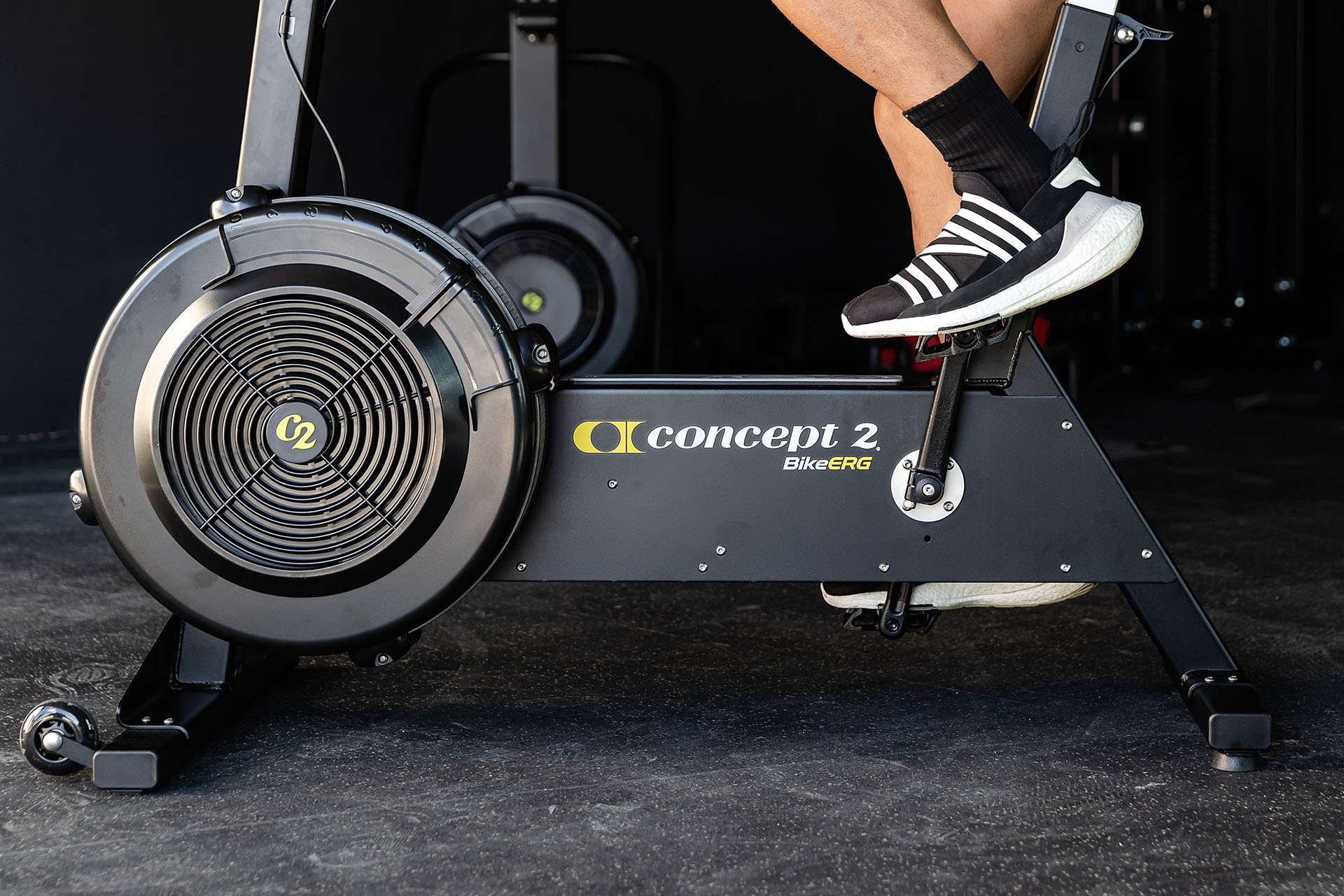
The Concept2 BikeErg is known for its durability and precise performance tracking. It uses a flywheel and damper system, similar to Concept2 rowers and ski machines. The Performance Monitor (PM5) records your workout data, giving you feedback for improvement. If you want to keep your BikeErg running smoothly, it helps to know these parts and how they interact.
Bikeerg Key Components
- Flywheel: Generates resistance.
- Damper: Adjusts airflow, changing resistance.
- Performance Monitor (PM5): Tracks time, distance, calories, and more.
- Drive Belt: Transfers force from pedals to flywheel.
- Pedals & Cranks: Where you apply power.
- Frame & Seat: Supports your body and ensures comfort.
- Chain/Belt Guard: Protects moving parts.
If you understand these, you’ll quickly spot where problems begin. For example, if the resistance feels wrong, the issue could be damper, flywheel, or drive belt. If workout data is missing, check the PM5 and its batteries.
Common Concept2 Bikeerg Issues And Solutions
Most BikeErg problems are simple to fix if you know what to look for. Here are the main issues users face and how to solve them.
1. Performance Monitor (pm5) Not Turning On
A silent PM5 frustrates many users. Usually, it’s a power issue.
Solutions:
- Check batteries: The PM5 uses two D-cell batteries. Replace them if the screen is blank.
- Battery contacts: Look for corrosion or dirt in the battery compartment. Clean gently with a cotton swab.
- Loose connections: Make sure the monitor is firmly attached to the BikeErg.
If the PM5 still doesn’t turn on, try a different set of batteries. If it works, you know the old batteries were dead. If not, the monitor may be faulty—contact Concept2 support.
2. Inaccurate Data Or No Data
Sometimes, the PM5 shows incorrect numbers or fails to record your session.
Solutions:
- Firmware update: Outdated firmware can cause errors. Connect your PM5 to a computer and update using Concept2’s Utility software.
- Sensor check: Make sure the flywheel sensor is clean and not blocked by dust or debris.
- Cable connections: Loose cables between the flywheel and PM5 can cause data loss.
3. Resistance Feels Wrong
The BikeErg’s resistance should feel smooth and adjustable. If it’s too hard, too easy, or jerky, something’s off.
Solutions:
- Damper setting: Adjust the damper lever. If it’s stuck, clean the damper area and check for obstructions.
- Flywheel cleaning: Dust can build up inside the flywheel, reducing resistance. Use compressed air or a soft brush to clean.
- Drive belt tension: If the belt is loose, resistance may feel weak. Tighten according to Concept2’s instructions.
4. Unusual Noises
A well-maintained BikeErg should run quietly. If you hear clunks, squeaks, or rattles, it’s time for maintenance.
Solutions:
- Lubricate moving parts: Use silicone spray for the drive belt and cranks.
- Check for loose bolts: Inspect the frame, seat post, pedals, and cranks. Tighten any loose parts.
- Inspect chain/belt guard: Make sure the guard isn’t hitting the chain or belt.
5. Pedal Or Crank Problems
If the pedals wobble or the cranks feel unstable, it affects your workout and can be dangerous.
Solutions:
- Pedal installation: Make sure pedals are screwed in tightly. Use a pedal wrench if needed.
- Crank bolts: Tighten crank bolts to recommended torque.
- Inspect for cracks: Look for any damage in the pedals or cranks.
6. Seat Issues
A loose or uncomfortable seat can ruin your ride.
Solutions:
- Seat post clamp: Tighten the clamp so the seat doesn’t shift during use.
- Seat adjustment: Adjust height and angle for comfort.
- Inspect for wear: If the seat padding is torn, replace it.
7. Connectivity Problems
The PM5 connects to apps and heart rate monitors via Bluetooth and ANT+. If connections fail:
Solutions:
- Device compatibility: Check if your phone/tablet is compatible with the PM5.
- Bluetooth reset: Turn Bluetooth off and on again on your device.
- PM5 pairing: Follow Concept2’s pairing instructions. Sometimes, you need to “forget” and re-pair the device.
Step-by-step Troubleshooting Guide
When your BikeErg isn’t working as expected, use this process:
- Identify the symptom: What’s not working—monitor, resistance, noise, etc. ?
- Check basics: Look for loose parts, dead batteries, or blocked sensors.
- Test adjustments: Change damper settings, move the seat, or tighten bolts.
- Clean and inspect: Remove dust, check for wear, and clean components.
- Try a reset: Restart the PM5 or unplug/replug connections.
- Contact support: If you can’t solve the problem, reach out to Concept2.
Here’s a comparison of common BikeErg issues and their solutions:
| Issue | Likely Cause | Quick Fix | When to Call Support |
|---|---|---|---|
| PM5 not turning on | Dead batteries | Replace batteries | If new batteries don’t work |
| No resistance | Loose belt | Tighten belt | If belt adjustment fails |
| Noisy flywheel | Dust buildup | Clean flywheel | If noise persists |
| Inaccurate data | Sensor issue | Clean sensor | If data is still wrong |
Preventive Maintenance Tips
Solving problems is good, but preventing them is even better. Here’s how to keep your BikeErg in top shape.
Regular Cleaning
Dust is the enemy of indoor fitness machines. Clean your BikeErg weekly:
- Use a damp cloth for the frame.
- Clean the flywheel and damper with compressed air.
- Wipe the seat, handlebars, and pedals.
Monthly Checks
- Inspect bolts and screws. Tighten if loose.
- Check belt tension.
- Examine pedal and crank for damage.
Annual Service
- Lubricate moving parts.
- Replace worn seat or pedal.
- Update PM5 firmware.
Storage Advice
Keep your BikeErg in a dry, cool place. Avoid direct sunlight, which can damage plastic parts. If you move the machine often, check for loose bolts after each move.

Troubleshooting The Pm5 Monitor In Detail
The PM5 is the “brain” of your BikeErg. When it’s not working, your workout tracking suffers. Here’s a deeper look at PM5 problems.
Common Pm5 Issues
- Blank screen: Usually dead batteries. Try new D-cells.
- Frozen display: Remove batteries for 30 seconds, then reinstall.
- Buttons not responding: Check for dirt under buttons; clean gently.
Advanced Monitor Troubleshooting
If your PM5 won’t connect to external apps or devices, try these steps:
- Firmware update: Download the latest firmware from Concept2’s website.
- Data transfer issue: Use a USB flash drive to move workout data.
- Heart rate monitor not pairing: Make sure the monitor uses Bluetooth or ANT+, not older technology.
Pm5 Error Codes
Sometimes the PM5 shows an error code. Here are the most common:
| Error Code | Meaning | Action |
|---|---|---|
| Err 10 | Flywheel sensor problem | Check sensor cable |
| Err 15 | Battery issue | Replace batteries |
| Err 22 | Firmware issue | Update firmware |
If you see another code, check Concept2’s official documentation or contact their support.
Troubleshooting Resistance And Drive System
The resistance system is what makes the BikeErg unique. If it doesn’t feel right, your workout suffers.
Damper Problems
If the damper is stuck or doesn’t change resistance:
- Remove dust and debris.
- Move the lever through its full range.
- If it’s physically broken, order a replacement part.
Drive Belt Issues
The drive belt transfers power from the pedals to the flywheel. If it slips or squeaks:
- Check tension. Follow Concept2’s instructions for tightening.
- Inspect for cracks or fraying. Replace if damaged.
Flywheel Cleaning
A dirty flywheel can cause resistance problems and noise. To clean:
- Remove the flywheel cover.
- Use compressed air to blow out dust.
- Wipe with a dry cloth.
Here’s a quick data comparison of maintenance intervals:
| Task | Frequency | Time Needed | Difficulty |
|---|---|---|---|
| Clean flywheel | Monthly | 10 minutes | Easy |
| Check belt tension | Monthly | 15 minutes | Medium |
| Lubricate cranks | Annually | 20 minutes | Medium |

Seat, Pedal, And Frame Troubleshooting
Seat Adjustment And Stability
If your seat wobbles or slides:
- Tighten the seat post clamp.
- Set the seat height to match your leg length.
- If the seat is damaged, replace it.
Pedal And Crank Issues
Loose pedals or cranks can cause injuries:
- Use a pedal wrench to secure pedals.
- Tighten crank bolts with a torque wrench.
- Inspect for cracks or bends.
Frame Inspection
Look for:
- Rust, especially in humid areas.
- Loose bolts or screws.
- Worn paint (cosmetic, but can reveal deeper problems).
Connectivity And App Troubleshooting
The BikeErg’s PM5 connects to apps for tracking and sharing workouts. If you have trouble:
Bluetooth And Ant+ Problems
- Check compatibility: Use Concept2’s list of compatible devices.
- Reset Bluetooth: Turn Bluetooth off/on. Forget and re-pair devices.
- App updates: Make sure your app is updated.
Data Syncing Tips
- Sync workouts after every session.
- Use USB flash drive for backup.
- If syncing fails, restart both devices.
Common Mistakes
Many beginners miss these:
- Ignoring firmware updates: Outdated PM5 software causes errors.
- Not cleaning sensors: Dust blocks data transfer.
- Over-tightening bolts: Can damage the frame or threads.
When To Contact Concept2 Support
Some problems need expert help. Contact Concept2 if:
- The PM5 won’t turn on after battery replacement.
- The drive belt is damaged and you can’t replace it.
- The frame is cracked.
- Error codes persist after troubleshooting.
Concept2’s support team is responsive. If you need more info, visit their official help center: Concept2 Service Center.
Non-obvious Insights For Bikeerg Owners
Here are two things most beginners don’t realize:
- Regular firmware updates prevent most monitor issues. Many PM5 problems vanish after updating the software.
- Dust inside the flywheel can silently affect both resistance and data accuracy. Cleaning monthly is not just for noise—it improves performance.
Another tip: Always use the correct torque when tightening crank bolts. Too loose, and you risk injury. Too tight, and you can strip the threads.
Frequently Asked Questions
How Do I Update The Pm5 Firmware?
To update, download Concept2 Utility software from their website. Connect your PM5 via USB, open the software, and follow on-screen instructions. Updates fix bugs and add new features.
Why Does My Bikeerg Feel Harder To Pedal Than Before?
Check the damper setting and flywheel for dust. If the drive belt is too tight, resistance increases. Clean the flywheel, adjust the damper, and check belt tension.
My Pm5 Won’t Pair With My Phone. What Should I Do?
Turn Bluetooth off and on. Make sure your phone’s app is compatible. Try “forgetting” the PM5 and re-pairing. If it still fails, update the PM5 firmware.
Can I Use Third-party Pedals With The Bikeerg?
Yes, the BikeErg uses standard pedal threads. You can install compatible pedals. Make sure to tighten securely and check for proper fit.
What Should I Do If My Bikeerg Makes A Loud Noise?
Clean the flywheel and lubricate moving parts. Check for loose bolts. If noise continues, inspect the drive belt and chain guard. Persistent loud noise may mean a damaged part—contact Concept2.
The Concept2 BikeErg is designed for years of reliable use. With smart troubleshooting and regular maintenance, you’ll keep your workouts smooth and your data accurate. If you run into bigger issues, Concept2’s support is there to help. Remember, a little care goes a long way—clean, check, and update regularly, and your BikeErg will keep spinning strong.

