
The Cubii Jr1 is a compact under-desk elliptical machine that lets you exercise while sitting. Many people use it at home or in the office to stay active, especially if they have a desk job or limited mobility. But to get the most benefit, you need to use it correctly. This guide will show you how to use Cubii Jr1 properly—from setup and positioning to technique, workouts, and safety tips. Whether you’re a beginner or want to improve your results, you’ll find everything you need right here.
Understanding The Cubii Jr1
The Cubii Jr1 is designed for low-impact, seated exercise. It’s different from full-sized elliptical machines because you use it while sitting in a chair. The pedals move smoothly in an elliptical pattern, which is gentle on your joints. The Jr1 model is popular due to its simplicity, quiet operation, and affordable price compared to other Cubii models.
Many users choose Cubii Jr1 to:
- Burn calories while sitting
- Improve leg strength and mobility
- Increase daily movement without leaving their chair
- Support rehabilitation after injury
It’s especially useful for people who work at a desk for hours or have limited space for exercise equipment.
Unboxing And Initial Setup
Before you start exercising, it’s important to set up your Cubii Jr1 correctly. The machine is shipped partly assembled, but you’ll need to attach the pedals and secure a few screws.
- Unpack all parts and lay them out. You should have the main body, two pedals, screws, and a screwdriver (usually included).
- Attach the pedals to the main body using the screws provided. Make sure the pedals are on the correct side (left/right) and fully tightened.
- Place the Cubii Jr1 on a flat, stable surface. Carpets, low-pile rugs, or hard floors all work. Avoid thick, uneven surfaces.
- Check the display. The Jr1 has a basic LCD monitor showing calories burned, strides, distance, and time. Insert the battery (often included) and confirm the display works.
Pro tip: Save the original packaging. If you ever need to move or store the Cubii Jr1, the box protects it from damage.
Choosing The Right Chair And Location
Your chair and location make a big difference in comfort and safety.
- Use a sturdy chair with no wheels. Office chairs with wheels can move as you pedal, making it harder to maintain good form. Dining chairs or stationary office chairs are best.
- Sit at a comfortable distance. Place the Cubii Jr1 far enough in front of you so your knees don’t hit the desk or table. Your feet should rest naturally on the pedals.
- Good posture is key. Sit upright with your back supported. This helps you engage your core and prevents back strain.
- Stable flooring matters. On hard floors, consider placing a non-slip mat under the Cubii to keep it from sliding.
Here’s a quick comparison of common chair types for Cubii Jr1 use:
| Chair Type | Pros | Cons |
|---|---|---|
| Stationary Office Chair | Stable, supportive, usually the right height | None if wheels are locked |
| Dining Chair | Very stable, easy to find in most homes | No adjustable height |
| Office Chair with Wheels | Common in workplaces | Can roll away during use |
If your chair has wheels and you cannot switch, try placing it against a wall to prevent movement.
Adjusting Resistance And Using The Display
The Cubii Jr1 offers eight resistance levels. Adjusting resistance lets you control how hard you work and the results you get.
- Low resistance (levels 1–3): Best for beginners, rehabilitation, or long sessions while working.
- Medium resistance (levels 4–6): Good for moderate workouts or when you want to burn more calories.
- High resistance (levels 7–8): Suitable for short, intense bursts or when building leg strength.
To adjust, turn the resistance knob on the front of the Cubii. Start low, then increase as you become comfortable.
The display cycles through:
- Time: How long you’ve been using the Cubii in the current session
- Calories: Estimated calories burned (keep in mind, these are approximate)
- Strides: Number of pedal movements
- Distance: Distance covered, usually in miles or kilometers
Pro tip: Reset the display before each session for accurate tracking.
Proper Pedaling Technique
Using the right technique is crucial for safety and results. Here’s how to pedal properly on the Cubii Jr1:
- Sit tall with your back straight and both feet on the pedals.
- Pedal forward in a smooth, steady motion. Avoid stomping or bouncing your legs.
- Keep your knees aligned with your feet. Your knees shouldn’t flare out or cross inward.
- Use the full range of motion. Let your legs fully extend and flex with each pedal.
- Switch direction. Pedal backward for a few minutes to work different muscles and reduce monotony.
It’s common for beginners to pedal too fast or only use their toes. Make sure your whole foot stays on the pedal, pressing down evenly. If you feel discomfort, slow down and check your form.
Creating An Effective Cubii Jr1 Workout Routine
You can use the Cubii Jr1 in many ways, depending on your goals. Here are a few sample routines:
For Beginners
- Start with 10–15 minutes at low resistance.
- Gradually increase to 30 minutes per session, 3–5 days a week.
- Take breaks if you feel tired.
For Weight Loss
- Aim for 30–60 minutes daily at moderate resistance.
- Try interval training: 2 minutes fast pedaling, 2 minutes slow, repeat.
- Track your calories burned and set weekly goals.
For Rehabilitation Or Seniors
- Use the lowest resistance.
- Focus on smooth, slow movements.
- Try 2–3 sessions of 10 minutes each day instead of one long session.
For Building Leg Strength
- Increase resistance to 6–8.
- Do short, intense sessions: 5 minutes pedaling hard, then 1–2 minutes rest, repeat.
- Add backward pedaling for variety.
Here’s a table to help you compare routine types:
| Goal | Session Length | Resistance Level | Frequency |
|---|---|---|---|
| General Fitness | 20–30 min | 3–5 | 3–5 times/week |
| Weight Loss | 30–60 min | 4–6 | 5–7 times/week |
| Rehabilitation | 10–15 min | 1–2 | Daily, as tolerated |
| Strength Building | 5–20 min | 6–8 | 3–4 times/week |
Tip: Listen to your body. If you feel pain (not just muscle fatigue), stop and check your technique.
Tracking Progress And Staying Motivated
Tracking your progress is important for long-term success. The Cubii Jr1’s LCD display is basic, but you can use it to set and reach goals.
- Record your sessions. Write down time, calories, and distance after each workout.
- Set weekly targets. For example, increase your total strides or calories burned each week.
- Celebrate milestones. Did you pedal every day this week? Hit a new resistance level? Reward yourself (not with unhealthy snacks! ).
- Try using a fitness app or a simple spreadsheet for more detailed tracking.
Some users connect their Cubii to external apps using fitness trackers or smartwatches, although the Jr1 itself doesn’t have Bluetooth. If you want an app-connected experience, consider upgrading to Cubii’s higher models.
Common Mistakes And How To Avoid Them
Even with a simple device like the Cubii Jr1, users can make mistakes that limit results or cause discomfort. Here are some common errors:
- Wrong chair choice: Using a rolling chair without locking it can lead to poor posture and even minor accidents.
- Pedaling too fast: Trying to go as fast as possible can cause the Cubii to slide and may lead to knee pain.
- Leaning back too far: Sitting in a reclined position reduces leg engagement and strains the lower back.
- Only using toes: Some users pedal with just their toes, tiring the feet instead of working the legs.
- Ignoring resistance: Always using the lowest setting doesn’t challenge your muscles over time.
Non-obvious insight: Many people forget to hydrate while using under-desk ellipticals because it feels less intense than traditional exercise. Drink water before, during, and after your session.
Maximizing Results With Good Habits
To get the best results, combine Cubii Jr1 use with other healthy habits:
- Stand and stretch every 30–60 minutes if you’re at a desk all day. The Cubii helps, but standing is also important.
- Eat balanced meals to support your energy needs and muscle recovery.
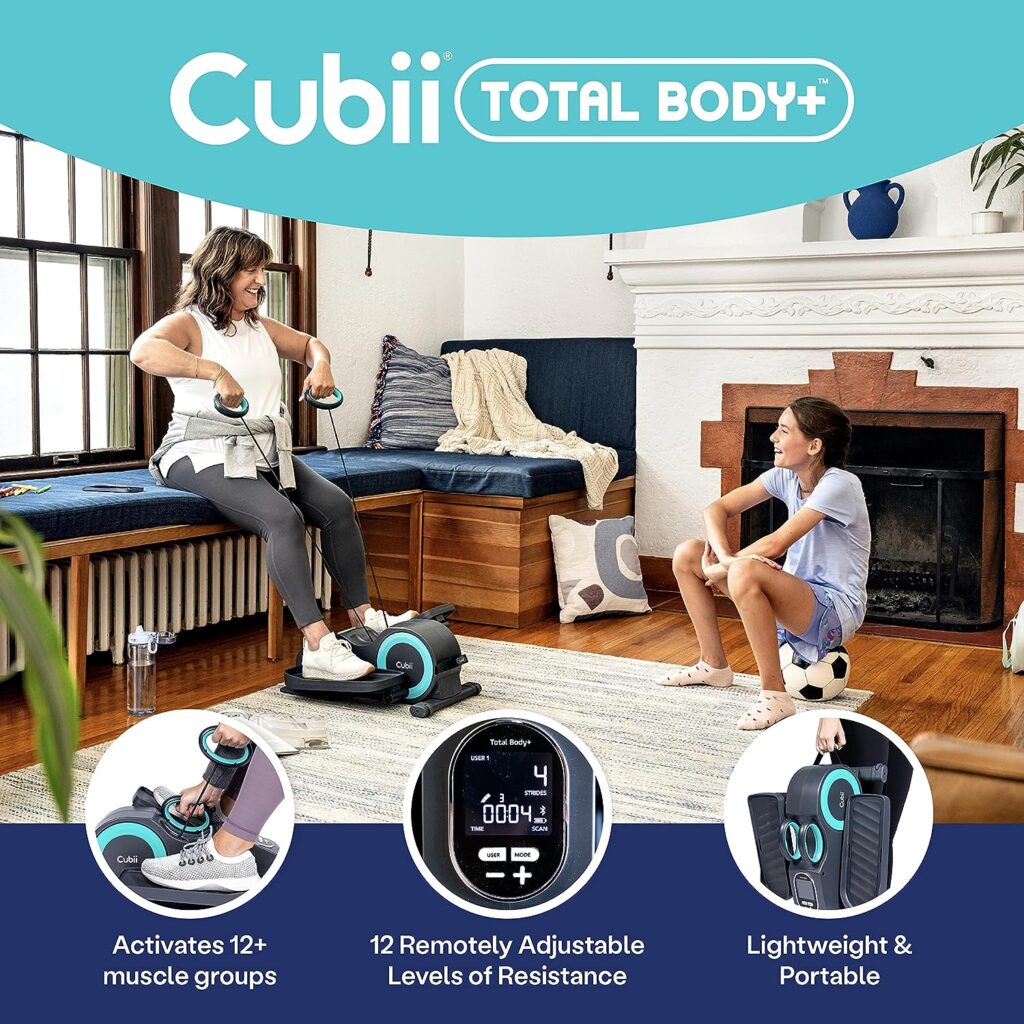
- Add upper body movements (like light dumbbells or resistance bands) for a full-body workout while seated.
- Invite a friend or coworker to join you. Friendly competition or shared goals boost motivation.
Another insight: Consider using the Cubii Jr1 during activities like watching TV, attending online meetings, or reading. This helps you make exercise a natural part of your routine.
Safety Tips And Maintenance
Safety is essential, especially for seniors or those with health concerns. Here’s how to stay safe:
- Consult your doctor before starting if you have heart, joint, or balance issues.
- Start slow and increase time and resistance gradually.
- Avoid multitasking that takes your attention away from your form, especially at higher resistances.
- Wear comfortable shoes with a good grip. Bare feet or slippers can slip off the pedals.
- Keep the Cubii clean. Wipe down after each use. Dust and sweat can build up, affecting performance.
For maintenance:
- Check pedal screws every few weeks to ensure they’re tight.
- Replace the display battery as needed (usually lasts several months).
- Store the Cubii in a dry place to avoid rust or electrical issues.
Here’s a quick maintenance checklist:
| Task | Frequency | Why It Matters |
|---|---|---|
| Wipe down surfaces | After each use | Prevents dirt and sweat buildup |
| Check pedal screws | Monthly | Ensures safety and smooth function |
| Replace battery | As needed | Keeps the display working |
| Inspect for damage | Every 3–6 months | Prevents accidents |

Who Should (and Should Not) Use The Cubii Jr1
The Cubii Jr1 is suitable for most adults, but it’s not for everyone.
Best for:
- Office workers who sit for long hours
- Seniors wanting gentle exercise
- Those in rehabilitation for knees, hips, or ankles (with doctor approval)
- People with limited space for exercise equipment
Not recommended for:
- Children under 12 (the pedal motion may not fit their leg length)
- People with severe balance or coordination problems (risk of falling when getting on/off chair)
- Those needing high-intensity cardio (a full-sized elliptical or bike offers more challenge)
If you’re not sure, ask your doctor or physical therapist if the Cubii Jr1 is right for you.
Comparing Cubii Jr1 To Other Under-desk Ellipticals
The Cubii Jr1 is not the only under-desk elliptical, but it is one of the most popular. Here’s how it compares to a few common alternatives:
| Model | Resistance Levels | Display | Bluetooth/App | Noise Level |
|---|---|---|---|---|
| Cubii Jr1 | 8 | Basic LCD | No | Very quiet |
| Cubii Pro | 8 | Basic LCD | Yes | Very quiet |
| Sunny Health SF-E3872 | 8 | Basic LCD | No | Quiet |
| Stamina InMotion | Adjustable | Basic LCD | No | Moderate |
The Jr1 stands out for its smooth, quiet motion and reliable build. However, if you want app integration, look at the Cubii Pro or Cubii Go.
Environmental And Lifestyle Benefits
Using an under-desk elliptical like the Cubii Jr1 has more benefits than just burning calories. It can help you:
- Reduce sedentary time. Sitting for long hours is linked to health risks like diabetes and heart disease.
- Boost mental health. Light activity increases endorphins, helping you feel more alert and positive.
- Improve productivity. Some users report better focus and energy when moving while working.
- Lower your environmental impact. You don’t need to drive to the gym or use large equipment.
A study by the CDC found that even small amounts of movement during the workday can improve overall health and reduce the risk of chronic disease. For more on the health benefits of regular activity, check resources such as the CDC Physical Activity page.
Frequently Asked Questions
How Many Calories Can I Burn With The Cubii Jr1?
The number of calories burned depends on your weight, resistance level, speed, and session length. On average, users burn 100–150 calories per hour at moderate resistance. Heavier users or those using higher resistance will burn more.
Can I Use Cubii Jr1 Under Any Desk?
Most desks and tables work, but you need enough space for your knees to move up and down. Measure from your seat to the bottom of the desk—at least 25 inches is recommended for most people. Very low desks may not be comfortable.
Is Cubii Jr1 Noisy? Will It Disturb Others?
The Cubii Jr1 is very quiet due to its magnetic resistance system. You can use it during meetings or while watching TV without making noise. The loudest sound is usually your feet on the pedals.
Can I Use Cubii Jr1 If I Have Knee Or Hip Problems?
Many people with knee or hip pain find the Cubii Jr1 helpful because it offers low-impact movement. However, always check with your doctor or physical therapist before starting, especially if you’re recovering from surgery or have arthritis.
How Do I Keep The Cubii Jr1 From Sliding?
If your Cubii Jr1 slides during use, place it on a non-slip mat or use it with a chair that doesn’t move. On slippery floors, a yoga mat or carpet square works well.
Using the Cubii Jr1 properly can transform the way you stay active while sitting. With the right setup, technique, and routines, you can enjoy better health, more energy, and even a little fun—all without leaving your chair.

