
Peloton bikes have changed how people exercise at home, offering engaging classes, advanced tracking, and a sleek design. But to keep your bike working smoothly, regular maintenance is essential. Many riders focus only on workouts, forgetting that a well-kept Peloton bike lasts longer, feels better to ride, and needs fewer repairs.
Whether you’re a new owner or a longtime user, proper care can prevent annoying issues and keep your fitness routine on track.
This guide shows you how to maintain your Peloton bike step by step. You’ll learn how to clean, check, and fix key parts, so your ride always feels like new. You’ll also get practical advice that most beginners miss, plus common mistakes to avoid.
With these tips, you can protect your investment, enjoy safer workouts, and get the best performance from your Peloton bike.
Cleaning Your Peloton Bike
Keeping your bike clean is one of the easiest ways to maintain it. Sweat, dust, and grime can build up quickly, affecting both appearance and function.
Daily Cleaning
After every ride, use a soft cloth to wipe down the frame, seat, handlebars, and screen. Sweat contains salt, which can cause corrosion if left on metal parts. Avoid using harsh chemicals; a damp microfiber cloth works best. For the touchscreen, use a screen-safe cleaner to prevent streaks or damage.
Weekly Deep Clean
Once a week, take a few extra minutes to clean hard-to-reach areas. Move the pedals and wheels to check for hidden dirt. Clean under the seat and around the flywheel, where dust often gathers. A small brush or compressed air can help remove debris.
If you notice sticky spots, use a mild soap mixed with water and dry thoroughly.
Avoiding Common Cleaning Mistakes
Many beginners use too much water or spray directly onto electrical parts. Always spray onto the cloth, not the bike. Never use abrasive pads, as they can scratch surfaces. Also, don’t ignore sweat stains—they can become permanent and damage paint or metal.
Lubricating Moving Parts
Lubrication is critical for a smooth, quiet ride. The main parts that need attention are the chain or belt drive, pedal threads, and seat adjustment areas.
How Often To Lubricate
Peloton bikes use a belt drive rather than a chain, so they need less frequent lubrication. Still, every 3-6 months, check for signs of dryness or squeaking. If your pedals or seat adjustment start to feel stiff, add a few drops of silicone-based lubricant.
Applying Lubricant Correctly
Before applying lubricant, clean the area thoroughly. Place a towel under the part to catch any drips. Use a small amount—too much can attract dust and make things worse. After applying, move the part several times to spread the lubricant evenly.
Common Mistakes
Don’t use WD-40 or oil meant for cars or bikes with chains. These can break down the belt or damage plastic parts. Always check the manual or Peloton’s website for recommended products.
Inspecting And Tightening Key Components
Loose parts can cause noise, unsafe rides, and costly repairs. Regular inspection helps catch problems early.
Checking The Pedals
Every month, use a wrench to check that the pedals are tight. Loose pedals may cause injury or damage the crank arms. Look for cracks or wear on the pedal surface, especially if you use cycling shoes.
Inspecting The Seat And Handlebars
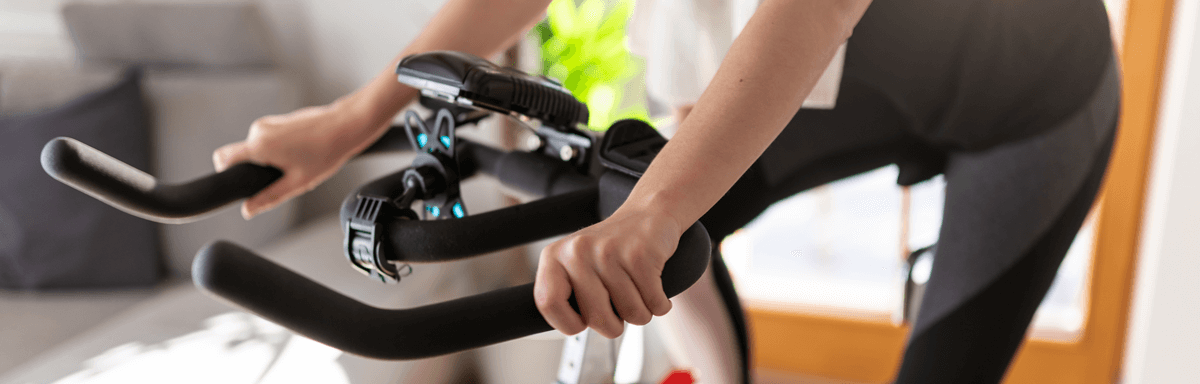
Seats and handlebars should feel stable and secure. Test for wobbling by gently rocking each part. Tighten bolts as needed, but avoid over-tightening, which can strip threads or break clamps.
Monitoring The Flywheel And Drive
The flywheel is the heart of your Peloton bike. Make sure it spins smoothly, with no clicking or grinding sounds. If you notice resistance issues, check the drive belt for wear. If the belt looks frayed or stretched, contact Peloton support for replacement.
Table: Common Issues And Solutions
Here’s a quick reference for frequent maintenance problems and how to fix them:
| Issue | Possible Cause | Solution |
|---|---|---|
| Squeaky pedals | Dry threads | Apply silicone lubricant |
| Wobbly seat | Loose bolts | Tighten with wrench |
| Screen flickering | Dirty connectors | Clean with dry cloth |
| Resistance problems | Belt wear | Inspect/replace belt |
Caring For The Touchscreen And Electronics
The touchscreen is central to the Peloton experience. Proper care prevents glitches and keeps your workouts running smoothly.
Cleaning The Screen
Use a soft, lint-free cloth. Never use ammonia-based cleaners, as these can damage the coating. If you see fingerprints or smudges, gently wipe with a damp cloth. Avoid pressing hard, which can harm the screen.
Protecting Cables And Connectors
Check cables for signs of wear, especially near the base. Make sure connections are snug but not forced. Once a month, unplug the bike and inspect the power cable for fraying or loose ends.
Updating Software
Peloton updates improve performance and fix bugs. Connect your bike to Wi-Fi regularly and accept updates when prompted. If you ignore updates, you might miss new features or security improvements.
Table: Screen Maintenance Checklist
Use this quick checklist to keep your touchscreen in top shape:
| Task | Frequency | Notes |
|---|---|---|
| Wipe screen | After each ride | Use microfiber cloth |
| Check cables | Monthly | Look for wear |
| Update software | As needed | Connect to Wi-Fi |
Adjusting And Maintaining Resistance
Resistance control is what makes Peloton workouts challenging and effective. Proper adjustment ensures accuracy and avoids mechanical problems.
Calibrating Resistance
Every 6-12 months, calibrate your bike to keep resistance levels accurate. Peloton provides instructions for calibration, which involves turning the resistance knob and following prompts on the screen. If resistance feels too hard or too easy, calibration can fix the issue.
Checking The Resistance Knob
The resistance knob should turn smoothly. If it feels loose or sticks, clean around the base and add a tiny bit of silicone lubricant. Make sure to avoid spilling on electronics.
Recognizing Resistance Issues
If you notice resistance jumps or drops during a ride, check for software updates and recalibrate. Sometimes, debris can get inside the mechanism—remove the knob and gently clean.
Maintaining Pedals And Cleats
Pedals and cleats take a lot of abuse, especially during intense workouts.
Inspecting Pedals
Look for cracks, loose parts, or worn-out surfaces. Peloton pedals are designed for indoor use but can wear out after a year or two. Replace damaged pedals immediately to avoid injuries.
Cleat Care
Clean your cycling shoes and cleats regularly. Dirt and debris can affect the grip and cause slips. Tighten cleat bolts if you notice looseness or squeaking.
Replacing Pedals
If you need to change pedals, use a pedal wrench and follow Peloton’s instructions. Make sure the threads match—using the wrong size can damage the crank arms.

Keeping The Bike Stable
A stable bike is safer and quieter. Uneven floors or loose feet can cause wobbling and noise.
Leveling The Bike
Check the leveling feet under the bike. If your floor is uneven, adjust each foot until the bike sits firmly. Use a bubble level for precision.
Checking Floor Mats
A quality exercise mat protects your floor and absorbs vibrations. Clean the mat regularly and check for wear or tears. Replace if needed.
Preventing Movement During Workouts
If you notice the bike shifts during sprints, check the feet and mat. Tighten bolts as needed and consider using anti-slip pads.
Protecting Against Sweat And Moisture
Sweat is a major cause of corrosion and wear. Protecting your bike can extend its life.
Using A Sweat Guard
A sweat guard is a simple cover that sits over the frame and flywheel. It catches drips and keeps moisture away from sensitive parts. Many riders skip this step, but it’s a smart investment.
Wiping Down After Every Ride
Make this a habit. Even a quick wipe can make a big difference. Pay attention to the base and flywheel, where sweat often collects.
Ventilating Your Workout Area
Proper airflow helps evaporate moisture. Use a fan or open a window during workouts. High humidity can speed up corrosion, so keep your room dry.
Checking The Drive Belt
The drive belt is what connects your pedals to the flywheel. Unlike chains, belts need less maintenance but still wear out over time.
Signs Of Wear
Listen for unusual noises—clicking, squeaking, or grinding. If you feel slipping during sprints, the belt may be stretched.
Inspecting The Belt
Remove the side cover and look for cracks or fraying. The belt should feel tight and smooth. If you see damage, contact Peloton for a replacement.
Replacing The Belt
Only attempt belt replacement if you have mechanical experience. Otherwise, schedule a service visit. Incorrect installation can cause expensive damage.
Managing Bike Software And Connectivity
Modern Peloton bikes rely on software for performance tracking and class streaming.
Keeping Software Updated
Regular updates fix bugs and add features. Connect to Wi-Fi and accept updates as soon as available. Outdated software can cause lag, resistance issues, and connectivity problems.
Troubleshooting Connectivity
If you lose connection during a ride, restart the bike and router. Check cables and make sure nothing is loose. If problems persist, contact Peloton support.
Table: Connectivity Troubleshooting
Here’s a quick guide for solving connectivity issues:
| Problem | Quick Fix | When to Contact Support |
|---|---|---|
| Bike won’t connect to Wi-Fi | Restart bike/router | After 2 failed attempts |
| Classes won’t load | Update software | If updates fail |
| Screen lags | Check cables | If lag continues |
Maintaining Appearance
A well-kept bike looks good and motivates you to ride. Appearance maintenance goes beyond simple cleaning.
Polishing The Frame
Use a bike-safe polish once a month. Avoid waxes or products with silicone that can make surfaces slippery. Buff gently to avoid scratches.
Keeping The Bike Dust-free
Dust can affect electronics and moving parts. Use a small vacuum or compressed air to clean around the base and flywheel.
Caring For Accessories
Wipe down water bottle holders, weights, and other accessories. Replace worn grips or covers as needed.
Scheduling Professional Service
Even with regular care, some tasks require expert help.
When To Call For Service
If you notice persistent issues—strange noises, resistance problems, or screen malfunctions—schedule a service visit. Peloton offers professional repairs for complex problems.
Annual Checkup
Once a year, have a technician inspect your bike. They’ll check the belt, flywheel, electronics, and frame. This can catch problems early and extend your bike’s life.
Warranty Coverage
Peloton bikes come with a limited warranty. Understand what’s covered and keep records of service visits. If something breaks, warranty repair can save you money.
Practical Tips Most Owners Miss
Many Peloton owners overlook small details that make a big difference.
- Check bolts after moving the bike: If you relocate your bike, bolts can loosen. Always inspect before your next ride.
- Record maintenance dates: Keep a simple log of cleaning, lubrication, and repairs. This helps track patterns and prevents missed tasks.
- Adjust seat height regularly: Seats can slip, especially with heavy use. Double-check height and tightness each month.
- Monitor ride feel: If your ride feels rough or noisy, don’t ignore it. Early action prevents expensive repairs.
- Avoid over-tightening: Too much force can damage threads and clamps. Use moderate pressure and check the manual for specs.
Comparing Peloton Bike Maintenance With Other Indoor Bikes
Peloton bikes are known for their quality, but how do their maintenance needs compare to other popular indoor bikes?
| Bike Type | Maintenance Frequency | Key Tasks | Durability |
|---|---|---|---|
| Peloton | Monthly/Quarterly | Cleaning, calibrating, lubricating | High |
| Standard Spin Bike | Weekly/Monthly | Chain oiling, bolt tightening | Medium |
| Magnetic Resistance Bike | Quarterly | Cleaning, magnet checks | High |
| Budget Exercise Bike | Monthly | Cleaning, basic tightening | Low |
As shown, Peloton bikes require less frequent maintenance than chain-driven bikes, but regular care is still important for peak performance.
Common Mistakes And How To Avoid Them
Many riders make simple errors that can lead to bigger problems.
- Ignoring small noises: Even quiet squeaks can signal mechanical issues. Investigate early.
- Using harsh cleaners: Chemicals damage paint and electronics. Stick with mild soap and water.
- Skipping calibration: Resistance accuracy affects your workout. Calibrate every 6-12 months.
- Neglecting pedal tightness: Loose pedals are dangerous. Check monthly.
- Letting sweat build up: Corrosion happens fast. Wipe down after every ride.
The Role Of Environmental Factors
Your workout environment affects bike maintenance more than you think.
Humidity And Temperature
High humidity speeds up corrosion and damages electronics. Keep your bike in a cool, dry room. Avoid placing near windows or vents where moisture can collect.
Sunlight Exposure
Direct sunlight fades paint and heats up electronics. Place your bike away from sunny spots.
Dust And Air Quality
Dust settles on moving parts and screens. Clean floors, use air filters, and vacuum regularly.
Accessories That Help Maintenance
Some accessories can make maintenance easier and protect your bike.
Sweat Guards
A simple cover prevents corrosion and keeps your frame dry.
Cleaning Kits
Bike-specific cleaning kits include brushes, cloths, and safe cleaners.
Floor Mats
Mats absorb vibration and protect floors, making cleaning easier.
Lubricants
Use only recommended lubricants for indoor bikes—avoid all-purpose oils.
Peloton Bike Maintenance Schedule
Creating a schedule helps you stay consistent and avoid forgotten tasks.
- Daily: Wipe down frame, seat, handlebars, and screen.
- Weekly: Deep clean hard-to-reach areas, check mat and feet.
- Monthly: Inspect pedals, seat, handlebars, cables, and bolts.
- Quarterly: Lubricate moving parts, calibrate resistance, update software.
- Yearly: Professional checkup, possible belt replacement.
Non-obvious Insights For New Owners
Many new owners don’t realize how much maintenance affects ride quality.
- Small changes matter: Adjusting seat height or tightening bolts can fix discomfort and prevent injuries.
- Maintenance affects data accuracy: Proper calibration ensures your stats reflect real performance, which is crucial for tracking progress.
- Warranty depends on care: Neglecting maintenance may void your warranty, leading to expensive repairs.
- Routine builds motivation: A clean, well-maintained bike encourages regular workouts.
Frequently Asked Questions
How Often Should I Lubricate My Peloton Bike?
Lubricate every 3-6 months, or whenever parts start to squeak or feel stiff. Focus on pedal threads and seat adjustment areas. Avoid using chain oil or WD-40, as these can harm the belt drive.
What’s The Best Way To Clean The Touchscreen?
Use a soft, lint-free cloth with a screen-safe cleaner. Avoid ammonia-based products and don’t press too hard. Clean after every ride to prevent buildup and streaks.
How Do I Know If My Drive Belt Needs Replacing?
Listen for strange noises like clicking or squeaking, and check for slipping during sprints. Remove the side cover and inspect the belt for cracks or fraying. If you see damage, contact Peloton for a replacement.
Can I Use Regular Bike Pedals On My Peloton?
Peloton bikes use standard thread sizes, so most road bike pedals fit. Always check compatibility before switching. Install with care—wrong threads can damage crank arms.
Where Can I Find Official Maintenance Instructions?
Visit the official Peloton Support site for detailed guides, recommended products, and troubleshooting help.
Peloton bikes are built to last, but only if you care for them. Regular maintenance not only protects your investment, but also ensures safe, enjoyable workouts. With these tips, you can avoid common pitfalls, solve problems early, and keep your Peloton bike running like new for years to come.
Maintenance may seem simple, but attention to detail makes all the difference. Take pride in your bike, follow a routine, and enjoy the ride.

