
When you invest in a Schwinn IC4 indoor cycling bike, you expect smooth rides, accurate stats, and dependable performance. But like any complex piece of exercise equipment, issues sometimes pop up—whether you’re a daily rider or just starting. Problems can range from a screen that won’t turn on, to resistance that feels stuck, to Bluetooth that refuses to connect.
The good news? Most of these hiccups have practical fixes you can handle at home, without waiting days for a technician.
This guide breaks down the four most common issues with the Schwinn IC4, and gives you clear, step-by-step troubleshooting advice. You’ll also find tips that even experienced users often miss, plus tables and FAQs to make solutions easy to understand. Let’s get you back in the saddle—without the stress.
Understanding Your Schwinn Ic4: Key Features
Before diving into troubleshooting, it’s helpful to know what makes the Schwinn IC4 unique. This bike stands out in the home fitness market for several reasons:
- Magnetic resistance system: Delivers 100 adjustable levels for a smooth, quiet ride.
- LCD display: Shows time, speed, calories, distance, RPM, and heart rate.
- Bluetooth connectivity: Syncs with popular apps like Peloton®, Zwift®, and Explore the World™.
- Sturdy frame and adjustable seat/handlebars: Supports a wide range of riders (up to 330 lbs).
Many issues can be traced back to these features. For example, Bluetooth connection errors often relate to app compatibility or device settings. Problems with resistance may be due to sensor misalignment or firmware. By understanding these core elements, you’ll troubleshoot with more confidence.
Common Schwinn Ic4 Problems: Overview
Most Schwinn IC4 users face at least one of these four issues during their bike’s lifetime:
- Console or display problems
- Resistance not working or feeling wrong
- Bluetooth connectivity issues
- Unusual noises or mechanical problems
Each issue has its own causes and solutions. Let’s break them down one by one.
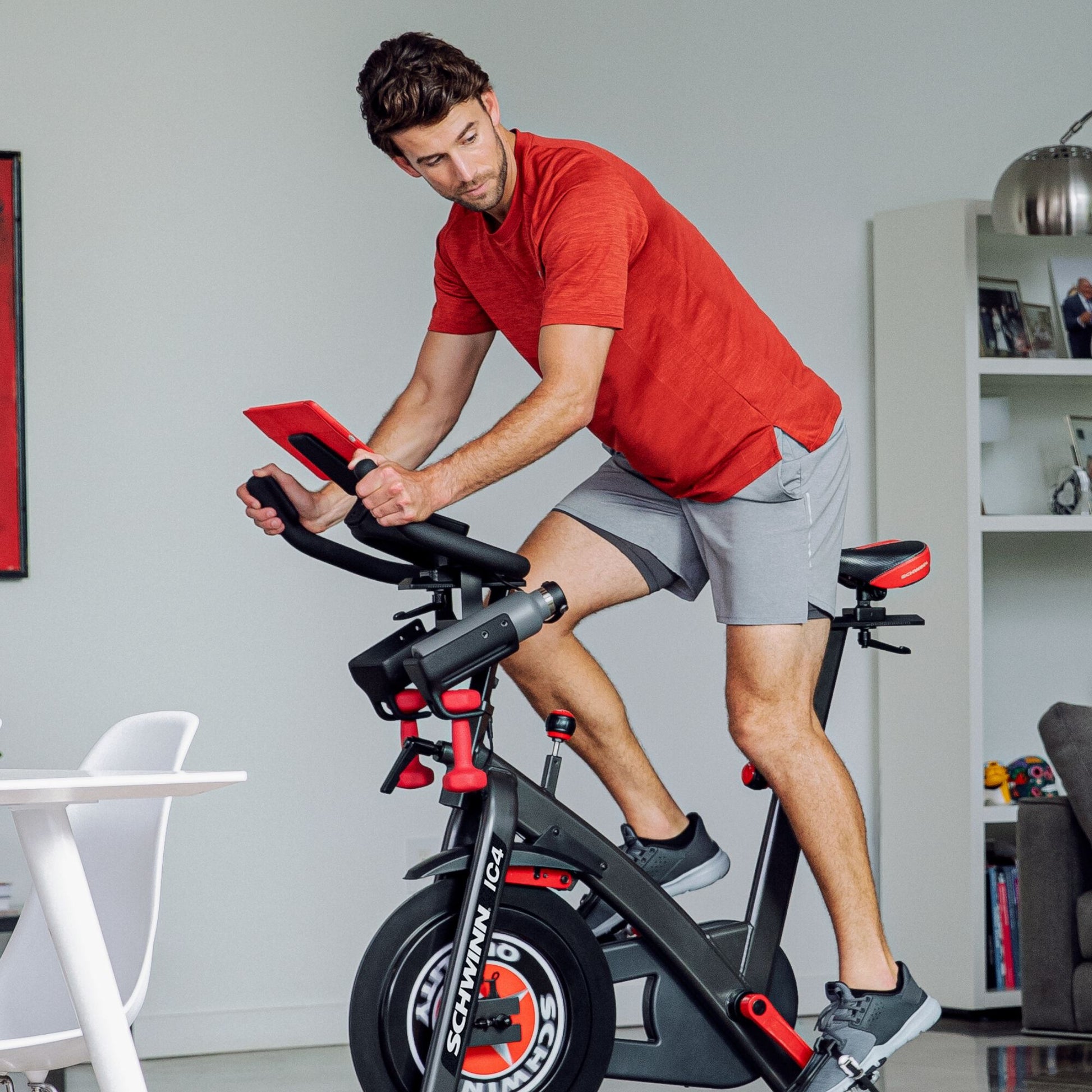
Console Or Display Problems
A blank or flickering screen is frustrating—especially if you want to track your progress or use interactive apps. The IC4’s display is simple, but it relies on good connections and power. Here’s how to troubleshoot.
Display Won’t Turn On
Start with the basics. Make sure your bike is plugged in and that the power adapter is firmly connected to both the outlet and the bike. If the LCD is still dead:
- Check the power adapter: Use another device to test the outlet. If the outlet works, try a different compatible adapter (if you have one).
- Inspect the power cable: Look for frayed wires or bent pins. Damaged cables should be replaced immediately for safety.
- Reconnect the console: Unplug the cable from the back of the display and plug it back in securely.
If these steps don’t help, the console itself may be faulty. Contact Schwinn support for a replacement part.
Display Flickers Or Shows Wrong Data
Flickering displays or random numbers can be caused by:
- Loose wiring: Gently wiggle the connection at the back of the console. If the display changes, the cable may be loose.
- Weak batteries: While the IC4 is powered, some consoles have battery backup. Replace batteries if your model uses them.
- Interference: Strong electronics nearby (like routers or microwaves) can cause brief glitches. Try moving your bike away from other electronics.
Display Buttons Not Responding
If the buttons don’t work:
- Check for debris: Sweat or dust can clog button gaps. Use a dry cloth or compressed air to clean.
- Reset the console: Unplug the bike, wait 30 seconds, then plug it in again.
Troubleshooting Display Problems: Quick Reference
| Issue | Possible Cause | Action |
|---|---|---|
| Display won’t turn on | Power issue | Check adapter, outlet, cable connections |
| Flickering or random data | Loose cable, interference | Check/reseat cables, move electronics |
| Buttons unresponsive | Debris, minor crash | Clean buttons, reset console |
Non-obvious insight: Sometimes, display issues are caused by power surges. Plugging your Schwinn IC4 into a surge protector can prevent future problems.
Resistance Not Working Or Feeling Wrong
If your ride feels too easy or impossibly hard, the magnetic resistance system could be at fault. This system is usually reliable, but when things go wrong, it’s often due to calibration or sensor misalignment.
No Resistance Or Stuck At One Level
If turning the resistance knob doesn’t change how the bike feels:
- Check for obstructions: Remove the sweat guard (if safe) and look for anything blocking the magnets.
- Inspect the resistance knob: Sometimes, the knob can detach from the internal shaft. Gently pull up to see if it’s loose. If so, press it back down firmly.
- Power cycle the bike: Turn it off and on again to reset the electronics that control the resistance sensor.
Resistance Feels “off” Or Doesn’t Match The Display
If the resistance level on screen doesn’t match what you feel:
- Recalibrate the bike: Some IC4 bikes allow you to reset calibration via a button sequence in the console (check your manual for steps).
- Sensor alignment: The sensor that reads resistance levels can get misaligned during shipping or after heavy use. Usually, you’ll need to remove the side panel and gently realign the sensor near the flywheel magnets.
Resistance Changes Suddenly During Ride
Sudden jumps in resistance can be dangerous:
- Check for loose wires: Movement can cause cables inside the frame to wiggle free. Tighten all visible connections.
- Firmware bugs: Rarely, a software glitch can cause erratic resistance. Check Schwinn’s website for firmware updates.
Resistance Troubleshooting: Causes And Fixes
| Problem | Likely Cause | Solution |
|---|---|---|
| No resistance change | Knob or cable detached | Check knob, reseat cable |
| Resistance feels wrong | Sensor misaligned | Realign sensor |
| Sudden resistance changes | Loose wires, firmware | Tighten connections, update firmware |
Pro tip: Don’t overtighten the resistance knob. Forcing it can strip gears or damage the sensor, leading to costly repairs.
Bluetooth Connectivity Issues
One of the main attractions of the Schwinn IC4 is its ability to connect to apps like Peloton or Zwift via Bluetooth. But Bluetooth can be finicky, and many users struggle to get a stable connection.
Bike Won’t Pair With Device
If your phone or tablet can’t find the bike:
- Restart both bike and device: Turn off Bluetooth on your device, power cycle the IC4, then try again.
- Check app compatibility: Some apps only support certain versions of Bluetooth or require specific steps to pair. Make sure you’re using the latest version of the app.
- Distance matters: Stay within 10 feet of the bike. Walls or other wireless devices can weaken the signal.
Data Not Syncing Or Dropping Out
If your workout stats freeze or disconnect:
- Avoid interference: Wi-Fi routers, microwaves, and even some LED lights can disrupt Bluetooth signals. Move the bike if needed.
- Update firmware and apps: An outdated app or bike firmware can cause syncing errors.
- Limit paired devices: Make sure only one device is trying to connect at a time. Disconnect any old or unused devices from your Bluetooth settings.
Trouble Connecting To Third-party Apps
Some users expect full integration, but not all features work with every app:
- Read the app’s support page: For example, Zwift only reads cadence, not resistance, from the IC4. Peloton app users must adjust resistance manually.
- Try a different device: Sometimes, pairing works better on a different phone or tablet.
Bluetooth Troubleshooting Tips
| Bluetooth Problem | Quick Fix |
|---|---|
| Not pairing | Restart devices, check app version |
| Data drops | Reduce interference, update firmware |
| App issues | Check compatibility, use recommended device |
Non-obvious insight: The Schwinn IC4 only broadcasts certain data (like cadence and heart rate) over Bluetooth. If you want more features, consider using a dedicated cadence or power meter for your apps.
For more on Bluetooth standards and troubleshooting, the Bluetooth SIG offers detailed resources.
Unusual Noises Or Mechanical Problems
A quiet ride is one of the IC4’s selling points. But if you notice squeaks, knocks, or grinding sounds, it’s time for a closer look.
Squeaking Or Creaking Sounds
These noises usually come from:
- Loose bolts or screws: Over time, vibration can loosen hardware. Use the included tools to tighten all visible bolts—especially around the seat, handlebars, and pedals.
- Dry contact points: Apply a small amount of bike lubricant (not WD-40) to the seat post, pedal threads, and adjustment levers.
Knocking Or Clicking
Persistent knocks or clicks often mean:
- Pedals not properly installed: Pedals must be screwed in tightly, and the left pedal has a reverse thread. Double-check installation.
- Crank arms loose: The crank arms that hold the pedals can loosen after heavy use. Tighten the bolts with a wrench.
Grinding Or Resistance Issues
If the flywheel makes grinding sounds:
- Check for debris: Dust, hair, or other material can get caught between the flywheel and magnetic resistance pads.
- Inspect bearings: Rarely, bearings inside the flywheel can wear out. If you hear metal-on-metal grinding, contact Schwinn support.
Frame Or Handlebar Wobble
A wobbly ride isn’t just annoying—it’s unsafe.
- Level the bike: Use the adjustable feet to make sure the bike sits flat.
- Tighten all connections: Pay special attention to the stem (where handlebars meet the frame) and seat post.
Common Mechanical Issues: Quick Comparison
| Noise/Problem | Source | Solution |
|---|---|---|
| Squeak/creak | Loose bolts, dry joints | Tighten bolts, lubricate |
| Knock/click | Pedals/crank arms | Reinstall pedals, tighten crank |
| Grinding | Flywheel debris, bad bearings | Clean, contact support |
| Wobble | Unleveled feet, loose frame | Adjust feet, tighten connections |
Pro tip: Always use the correct tool size for bolts and screws. Stripping a bolt head can make future adjustments difficult.
Preventive Maintenance: Keeping Your Ic4 In Top Shape
Most troubleshooting can be avoided with simple, regular care:
- Wipe down after every ride to remove sweat, which causes corrosion.
- Check and tighten bolts monthly—especially after moving the bike.
- Lubricate moving parts every 2-3 months, using bike-specific lubricants.
- Inspect the power adapter and cables for damage regularly.
- Update firmware and apps as soon as updates are available.
These small steps often prevent bigger issues. Many first-time owners overlook maintenance, leading to avoidable breakdowns.
When To Contact Schwinn Support
Some problems require professional help. Contact Schwinn if you experience:
- Persistent display failures after basic troubleshooting
- Grinding noises from the flywheel that don’t stop after cleaning
- Broken or missing parts (like pedals or seat posts)
- Error codes on the display that won’t clear
Keep your model and serial number handy when you call or email for faster service.

Frequently Asked Questions
What Do I Do If My Schwinn Ic4 Won’t Turn On At All?
First, check that the power cord is plugged in tightly and the outlet is working. Try a different outlet or adapter if possible. If the bike still doesn’t power up, inspect the cord for damage. If none of these steps work, the console or internal wiring may be faulty—contact Schwinn support.
How Do I Reset Or Calibrate The Resistance On My Ic4?
Most IC4 bikes can be recalibrated through a combination of button presses on the console. Check your user manual for the exact sequence. If recalibration doesn’t solve the issue, the resistance sensor may need realignment, which might require removing the side cover.
Why Does My Ic4 Lose Bluetooth Connection During Rides?
Bluetooth can drop due to interference from other wireless devices, low battery on your tablet/phone, or outdated firmware. Keep your device close to the bike, reduce other wireless signals nearby, and update both your bike and app software.
What Should I Do If My Bike Makes A Loud Grinding Noise?
Stop using the bike immediately. Check for debris around the flywheel and clean as needed. If the grinding continues, the bearings could be damaged. Contact Schwinn support—using the bike further could cause more damage.
How Often Should I Perform Maintenance On My Schwinn Ic4?
Wipe down the bike after every use, check bolts monthly, and lubricate moving parts every two to three months. Inspect cables and update software regularly. Good maintenance helps prevent most common issues.
Getting the most from your Schwinn IC4 indoor cycling bike means knowing how to spot and solve problems quickly. With these troubleshooting steps and a bit of regular care, you’ll keep your ride smooth, your stats accurate, and your workouts on track. Don’t let small issues sideline your fitness—most fixes are simple and can be done in minutes. If you ever feel out of your depth, reach out to Schwinn’s customer support—they’re there to help. Happy cycling!

