
The Keiser M3I Indoor Cycle is a favorite among fitness lovers and gyms worldwide. Its reputation is built on smooth performance, high-quality engineering, and smart features like Bluetooth connectivity and a digital display. But even the best machines can have problems over time, especially with regular use. If you’re having trouble with your Keiser M3I, don’t worry. Many issues are easy to fix at home, and understanding common problems can save you time, money, and frustration.
This guide will help you troubleshoot the most common Keiser M3I Indoor Cycle issues. You’ll learn how to spot problems, fix them, and keep your bike running smoothly for years. Whether you’re a gym owner, a home user, or a maintenance technician, you’ll find practical advice, real examples, and useful tips that go beyond the basics.
Understanding Your Keiser M3i Indoor Cycle
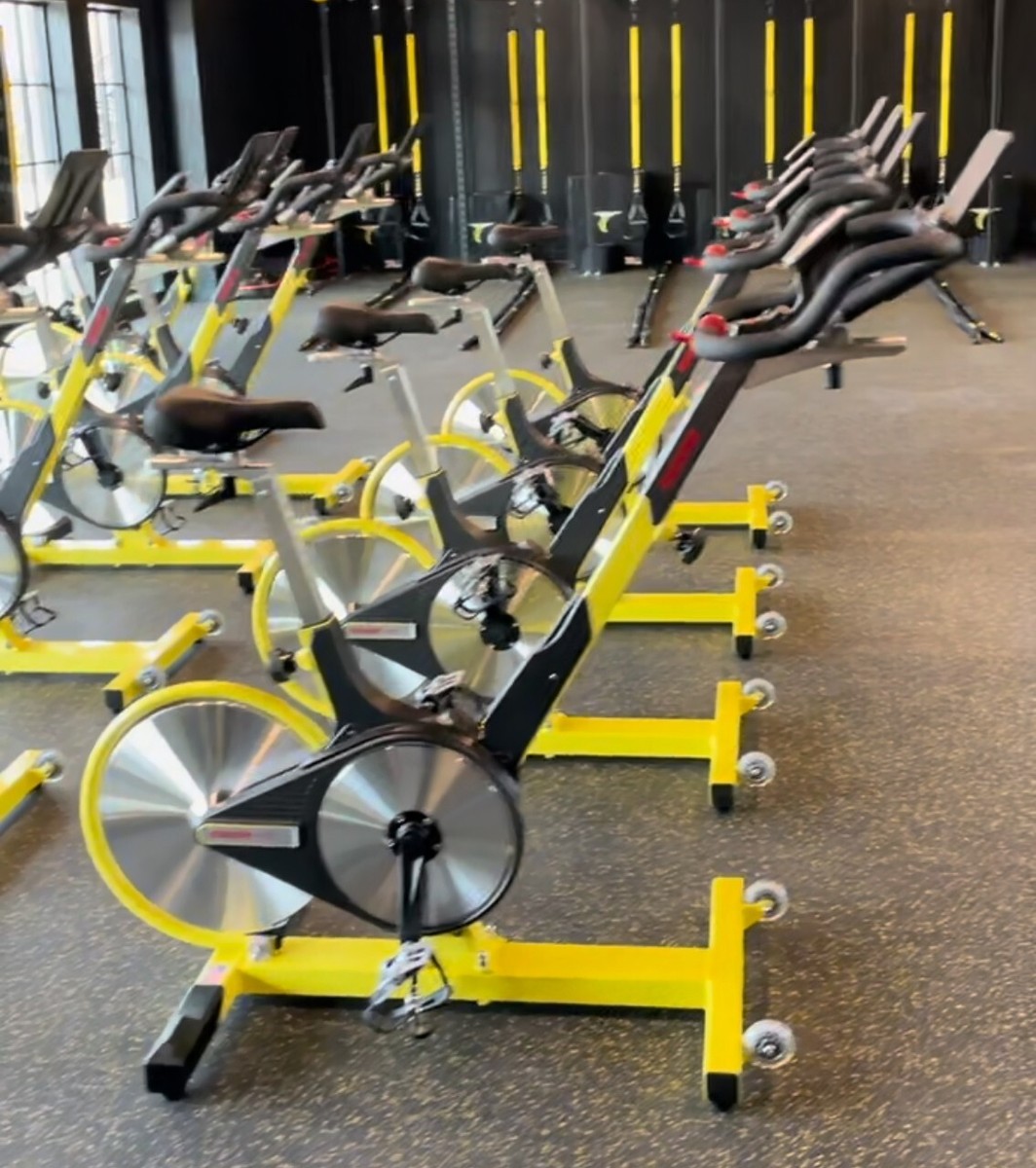
Before jumping into repairs, it helps to know how your Keiser M3I works. The bike uses a magnetic resistance system, a rear flywheel, and a simple drive belt. Its digital console tracks your speed, power, RPM, and more. The frame is made of durable materials, and the pedals, seat, and handlebars can all be adjusted for comfort.
Some key features include:
- Magnetic resistance (no pads to wear down)
- Bluetooth connectivity for data tracking
- Backlit digital display
- Poly-V belt drive for quiet operation
- Lightweight frame (around 92 lbs)
- Weight capacity of up to 300 lbs
Understanding these basics will help when you identify where a problem might start.
Common Problems And How To Fix Them
Most issues with the Keiser M3I fall into a few categories: noise, resistance, electronics, mechanical wear, and connectivity. Here’s how to troubleshoot each area.
Noise Issues
Unusual sounds can be distracting and often mean something needs attention. The most common noises are clicking, squeaking, or grinding.
Clicking Or Tapping Sounds
A rhythmic click with each pedal stroke usually means something is loose or out of alignment.
- Check pedal tightness: Use a pedal wrench to tighten both pedals. Pedals can loosen over time, especially if the bike is used often.
- Crank arms: Make sure both crank arms are tight. Use an Allen wrench to check the bolts.
- Seat and handlebar posts: Sometimes these make noise if not tight. Clean and lightly grease the contact points, then retighten.
Squeaking Or Creaking
Squeaks often come from dry joints or worn parts.
- Lubricate moving parts: Apply bike grease to the seat post, handlebar post, and adjustment levers.
- Check the belt: If the sound comes from inside, the drive belt may be dry. The Keiser M3I uses a Poly-V belt that rarely needs attention, but a professional can check tension if needed.
- Inspect the pedals: Worn pedal threads or poor lubrication can also squeak.
Grinding Or Rubbing
This is less common but usually means a part is rubbing where it shouldn’t.
- Check flywheel alignment: Make sure the flywheel spins without touching the frame or magnets.
- Inspect for debris: Sometimes small objects get stuck in the moving parts, especially in busy gym environments.
Resistance Problems
If your resistance doesn’t change or feels wrong, the issue is usually mechanical or electronic.
Resistance Won’t Adjust
If turning the resistance lever doesn’t change the feel:
- Magnet gap: The magnets may be stuck or misaligned. Remove the plastic cover and check if the magnets move as you adjust the lever.
- Cable connection: The cable connecting the lever to the magnets might be loose or broken. Reattach or replace as needed.
- Lever mechanism: If the lever itself feels loose, the internal components may be worn.
Resistance Feels Uneven
If resistance jumps or feels rough:
- Flywheel wobble: Check if the flywheel is true (straight). A bent flywheel can cause inconsistent resistance.
- Magnet debris: Dust or metal shavings near the magnets can make resistance feel uneven. Clean the area carefully.
Console And Display Problems
The digital console is a highlight of the Keiser M3I, but it can have issues like no power, incorrect readings, or Bluetooth problems.
Console Won’t Turn On
If the display stays dark:
- Battery check: The console uses two AA batteries. Replace them with fresh, high-quality batteries.
- Battery contacts: Look for corrosion or loose contacts in the battery compartment. Clean with a cotton swab and a little vinegar if needed.
- Wiring: Check the wire from the sensor to the console. Make sure it’s plugged in and not damaged.
Incorrect Data (speed, Distance, Power)
If the numbers look wrong:
- Sensor alignment: The sensor near the flywheel may be misaligned. It should sit close (1–2 mm) without touching.
- Magnet position: Ensure the magnet on the flywheel passes directly over the sensor.
- Calibration: The Keiser M3I can be calibrated to fix data issues. Hold the “gear” and “reset” buttons together for several seconds to enter calibration mode, then follow the on-screen instructions.
Bluetooth Not Connecting
If your bike won’t pair with apps:
- Console version: Only newer consoles support Bluetooth. Check your model number.
- App compatibility: Make sure your app is compatible with Keiser’s Bluetooth system.
- Distance: Stay within a few feet of the console when connecting.
- Reset: Turn the console off and on, then try again.
Mechanical Wear And Tear
Even with careful use, some parts will wear out over time.
Loose Or Wobbly Parts
- Tighten all bolts: Use the correct tools to check and tighten the seat, handlebars, and adjustment levers.
- Inspect hardware: Replace any stripped or damaged bolts.
Pedal And Crank Problems
Pedals and cranks take a lot of force and can wear out.
- Replace worn pedals: If the threads are stripped or the pedal body is cracked, install new pedals.
- Crank arm wear: If the crank arm is loose or bent, replace it. Riding with a damaged crank is unsafe.
Belt Issues
The Poly-V belt is durable, but signs of trouble include slipping or squeaking.
- Slipping belt: If you feel the pedals skip, the belt may be stretched. Belt tension can be adjusted, but this is best done by a professional.
- Belt replacement: After many years, the belt might need to be replaced. This is rare and usually only needed after heavy use.
Connectivity And App Issues
Many users enjoy syncing their Keiser M3I with fitness apps. Problems can happen with connections, data sync, or app features.
Data Not Syncing
- App permissions: Make sure your app is allowed to access Bluetooth and location.
- Update firmware: Update the console if a new firmware version is available.
- Re-pair device: Delete the bike from your app and pair it again.
Inaccurate Data In Apps
- Calibration: Recalibrate the bike as described earlier.
- App settings: Double-check that your app is set to recognize the Keiser M3I.
Troubleshooting By Symptom
It helps to think about the problem based on what you see or feel. Here’s a quick comparison of symptoms and likely causes:
| Symptom | Likely Cause | Solution |
|---|---|---|
| Clicking noise | Loose pedal or crank | Tighten with wrench |
| Squeaking sound | Dry joints, pedal threads | Lubricate with bike grease |
| No resistance change | Magnet misalignment, cable issue | Check lever, cable, magnets |
| Console not working | Dead batteries, wiring issue | Replace batteries, check wires |
| Bluetooth not connecting | App compatibility, distance | Use supported app, stay close |
Preventive Maintenance For Your Keiser M3i
Prevention is better than repair. Regular care can stop most problems before they start.
Weekly Maintenance
- Wipe down the frame, seat, and handlebars to remove sweat and dust.
- Check bolts and adjustment levers for tightness.
- Inspect pedals for wear.
Monthly Maintenance
- Lubricate seat post, handlebar post, and adjustment levers with light bike grease.
- Clean around the flywheel and magnets.
- Check the drive belt for tension (have a pro do this if unsure).
Yearly Maintenance
- Replace batteries in the console, even if they still work.
- Inspect all hardware for signs of rust or wear.
- Get a professional tune-up if you use the bike heavily.
A simple maintenance schedule like this can add years to your bike’s life.
When To Call A Professional
Some repairs are best left to the experts. Call a professional or Keiser service center if you notice:
- Major frame damage (cracks, broken welds)
- Bent or damaged flywheel
- Serious belt issues (slipping, fraying)
- Repeated console failures that don’t respond to battery or wiring checks
Attempting major repairs without training can make things worse or void your warranty. Always check your warranty policy before making big changes.
Comparing Keiser M3i To Other Indoor Cycles
Sometimes, you may wonder how the Keiser M3I stacks up against other popular bikes. Here’s a quick comparison based on key maintenance and troubleshooting factors:
| Feature | Keiser M3I | Peleton Bike | Schwinn IC4 |
|---|---|---|---|
| Resistance Type | Magnetic | Magnetic | Magnetic |
| Drive System | Poly-V Belt | Belt | Belt |
| Display Console | Backlit, Bluetooth | Touchscreen, Wi-Fi | LCD, Bluetooth |
| Maintenance Needs | Low | Medium | Low |
| Common Issues | Noise, Bluetooth | Screen, belt | Console, pedal |
The Keiser M3I stands out for its low maintenance and ease of troubleshooting. Its open Bluetooth system also makes it more flexible for different apps.

Real-world Examples And Extra Tips
Sometimes, beginner users overlook small but important details that affect their experience. Here are two non-obvious insights that can make a big difference:
- Many users forget to regularly check pedal tightness. Pedals can slowly unscrew with use, and riding with a loose pedal can damage the crank arm threads. Make it a habit to check both pedals every month.
- Console data issues are often caused by a simple sensor alignment problem. If your numbers seem off, the sensor under the flywheel might be just a millimeter too far away. Adjusting it closer can restore accurate readings.
Another tip: If your bike is in a humid or dusty room, electronics and moving parts will wear faster. Consider using a bike cover or air purifier to protect your investment.
Warranty And Support
Keiser offers a strong warranty on the M3I:
- Frame: 10 years
- Parts: 3 years
- Wear items: 90 days
Always register your bike with Keiser after purchase. If a part fails under warranty, contact Keiser support with your serial number and a clear description of the issue. Keep your proof of purchase handy.
For out-of-warranty repairs, Keiser sells replacement parts directly. Their official site offers guides and videos for common repairs. For more details, you can visit the Keiser Support page.

Frequently Asked Questions
How Do I Reset My Keiser M3i Console?
To reset the console, remove the batteries, wait 30 seconds, then reinstall them. This clears minor software glitches and can fix display problems.
Why Does My Keiser M3i Make Noise When I Pedal?
Noise usually comes from loose pedals, dry joints, or worn parts. Check pedal tightness, lubricate adjustment points, and make sure all bolts are secure.
Can I Replace The Drive Belt Myself?
Replacing the Poly-V belt is possible, but it requires special tools and bike knowledge. If you’re not experienced, it’s safer to let a professional handle this job.
What Apps Work Best With The Keiser M3i?
The M3I works with many fitness apps, including Keiser’s own app, Zwift, and Peloton Digital. Always check for compatibility before downloading an app.
How Often Should I Perform Maintenance?
Wipe down the bike after each use, check bolts weekly, lubricate monthly, and replace console batteries yearly. Heavy users or gyms may need more frequent checks.
Taking care of your Keiser M3I Indoor Cycle doesn’t need to be complicated. With a little knowledge and regular attention, you can prevent most problems and fix small issues before they become big headaches. This keeps your rides smooth, your workouts productive, and your investment safe for years to come.

