
Smartwatches have become a big part of daily life for many people. You see them on wrists at gyms, in offices, and even on runners in the park. These small, powerful devices can show your messages, track your health, and even answer phone calls. But there’s one question many new users have: Can smartwatches work without internet? If you’re thinking about buying a smartwatch, or you already own one, you might wonder how much you can actually do when you’re offline. This article will dive deep into this topic, break down what works without internet, what doesn’t, and how smartwatches compare to regular watches and smartphones when it comes to being independent.
Understanding How Smartwatches Connect
To answer if a smartwatch can work without internet, it’s important to understand how these devices connect. Most smartwatches can connect in three main ways:
- Bluetooth: This lets your smartwatch talk to your phone. Most features like notifications, music control, and call answering use Bluetooth when both devices are close (usually less than 10 meters).
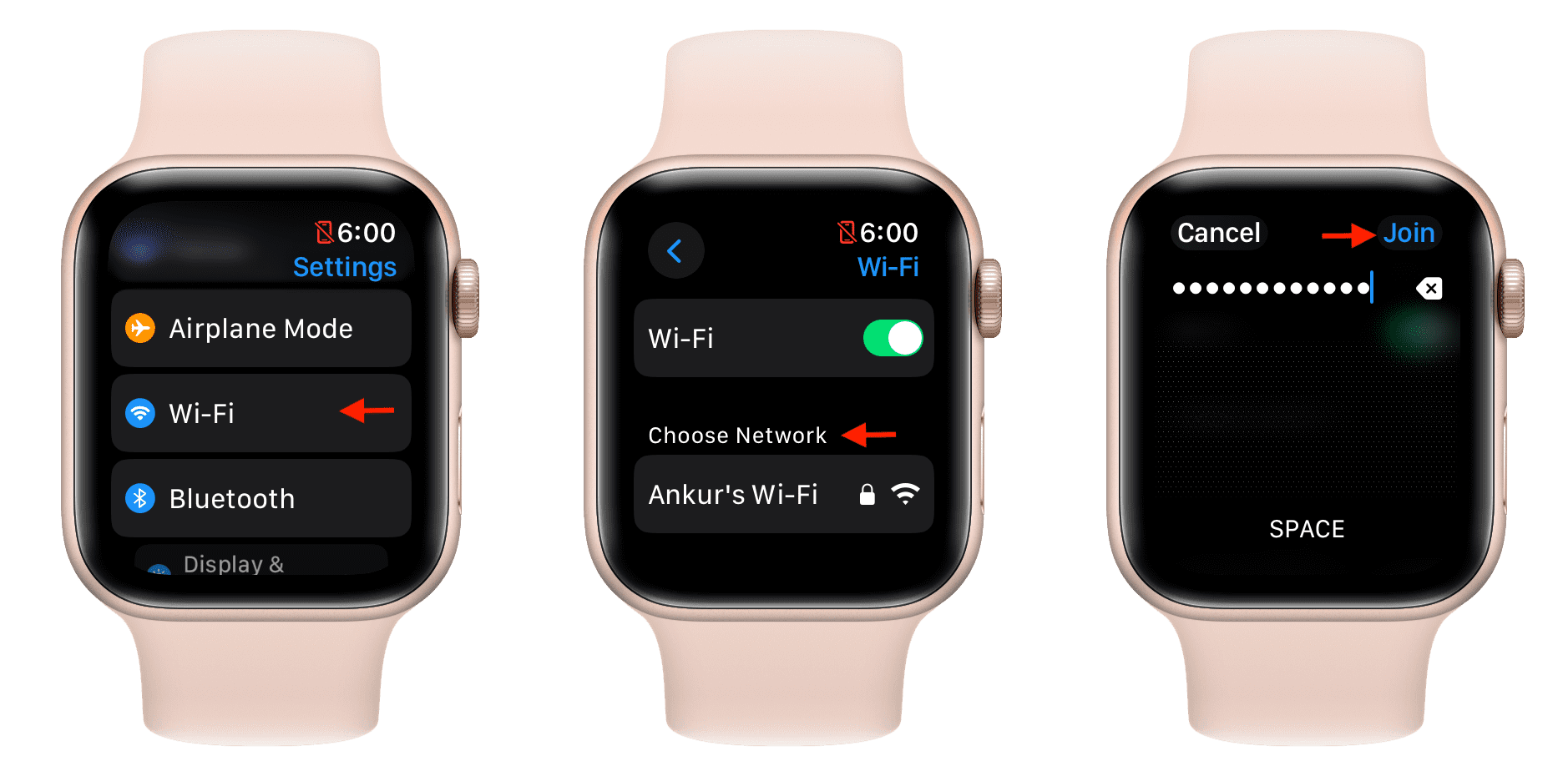
- Wi-Fi: Some smartwatches connect directly to Wi-Fi networks. This can help them download apps or receive messages even if your phone isn’t nearby.
- Cellular (LTE/4G): A few advanced models have their own SIM cards or eSIMs. They can connect to the mobile network directly, even if your phone is far away.
But here’s the key point: Internet is not always needed for many smartwatch features. Let’s see what you can do with and without it.
What Smartwatches Can Do Without Internet
People often think smartwatches need to be online at all times. That’s not true. In fact, most basic functions work perfectly well offline.
Timekeeping And Alarms
At their core, smartwatches are still watches. They:
- Show you the time and date
- Set alarms and timers
- Use stopwatch functions
These features are built into the watch’s operating system. No internet, Wi-Fi, or phone is needed for these.
Fitness And Health Tracking
One of the main uses of smartwatches is health and fitness tracking. Even without internet, most smartwatches can:
- Count your steps and distance
- Monitor your heart rate
- Track your sleep patterns
- Measure calories burned
For example, if you go on a long walk in the mountains with no phone signal or Wi-Fi, your smartwatch will still record your steps and heart rate. Later, when you connect to your phone or the internet, it will sync your data.
Some advanced features, like VO2 max or ECG readings, might need a connection to your phone for full analysis, but the basic measurements are done offline.
Gps And Location Tracking
Many smartwatches have built-in GPS. This means you can:
- Record your running route
- Track your cycling path
- Log your outdoor hikes
No internet is required for GPS. The watch uses satellites to find your location. This is especially useful for athletes who train in remote areas or for travelers in foreign countries without mobile data.
Music Playback
Most smartwatches let you store music directly on the device. You can:
- Download songs and playlists when you’re online
- Play music with Bluetooth headphones while offline
- Control playback without your phone
For example, you can run with just your watch and wireless earbuds, listening to your favorite tracks even if you left your phone at home.
Contactless Payments
Some watches support NFC payments (like Apple Pay, Google Pay, or Samsung Pay). Many payment systems let you use your watch offline for a short time. The device stores a small number of payment tokens securely. You can pay at stores even if you have no mobile signal or Wi-Fi. However, after several transactions, you will need to reconnect to the internet to refresh your payment tokens.
Calendar And To-do Lists
If you have saved events or reminders on your watch, you can view and manage them offline. Editing or adding new events will sync with your phone or cloud once you reconnect.
Downloaded Apps And Games
Some simple apps and games work without internet. For example, calculators, offline timers, or basic puzzle games can be used anywhere.
Emergency Sos Features
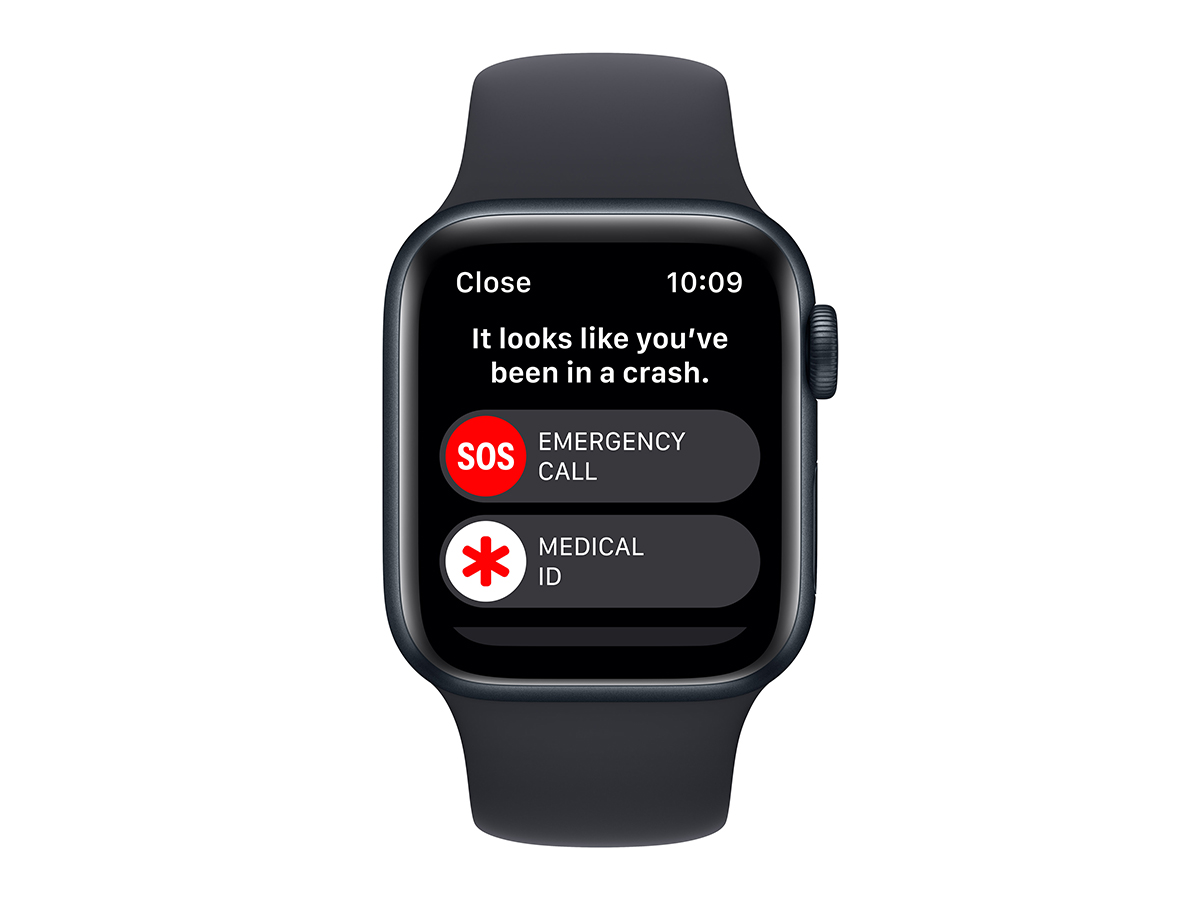
A few smartwatches can send out emergency alerts or show your medical info even when offline. However, if an alert needs to contact someone, it may require a phone connection or mobile signal.

What Smartwatches Cannot Do Without Internet
While many features work offline, there are clear limits. Here’s what typically doesn’t work without a connection:
Notifications And Messaging
Most notifications (like WhatsApp, email, or SMS) need a connection. If your watch is only connected by Bluetooth to your phone, you will get notifications as long as both devices are close. If you’re far from your phone and have no Wi-Fi or cellular on your watch, you won’t receive new messages or calls.
Cloud Services
Many smartwatches sync data with the cloud (like Apple Health, Google Fit, or Samsung Health). If you’re offline, your watch will store data locally, but it won’t upload it until you reconnect.
App Updates And Downloads
To install or update apps, you need an internet connection. Many apps also need internet to fetch fresh content, like news, weather, or maps.
Voice Assistants
Smart features like Siri, Google Assistant, or Alexa need internet to process your voice and give answers. If you try to ask your watch a question offline, it will usually say “can’t connect. ”
Streaming Music Or Podcasts
If you want to stream music from Spotify, Apple Music, or YouTube Music, your watch needs internet. However, if you’ve downloaded playlists for offline use, you can play them without a connection.
Location Sharing
If you want to share your live location with friends or family, your watch needs a data connection to send updates. GPS alone doesn’t share your position; it only tracks it locally.
Offline Vs. Online: How Different Smartwatch Brands Compare
Not all smartwatches are the same. Some brands offer more offline features than others. Let’s look at how popular models handle offline use:
| Brand/Model | Offline Music | Offline GPS | Offline Payments | Works Without Phone |
|---|---|---|---|---|
| Apple Watch | Yes (Apple Music, Spotify) | Yes (built-in GPS) | Yes (Apple Pay, limited uses) | Yes (for many features) |
| Samsung Galaxy Watch | Yes (Spotify, MP3s) | Yes | Yes (Samsung Pay, limited) | Yes |
| Garmin | Yes (some models) | Yes | Yes (Garmin Pay, limited) | Yes |
| Fitbit | Yes (Premium models) | Yes | Yes (Fitbit Pay, limited) | Yes |
| Wear OS (Google) | Yes (Spotify, YouTube Music) | Yes | Yes (Google Pay, limited) | Yes |
Insight: Not all cheaper smartwatches offer full offline features. For example, some fitness trackers can only show the time and count steps when offline. Always check the details before buying.
Standalone Smartwatches Vs. Paired Smartwatches
There are two major types of smartwatches:
- Standalone smartwatches: These have their own SIM/eSIM and can connect to mobile networks by themselves.
- Paired smartwatches: These need to be connected to your phone via Bluetooth or Wi-Fi for full features.
Let’s compare them:
| Feature | Standalone Smartwatch | Paired Smartwatch |
|---|---|---|
| Make/receive calls without phone | Yes | No |
| Send/receive messages without phone | Yes | No |
| Works fully offline | Partially (basic features) | Partially (basic features) |
| Needs phone nearby | No | Yes |
| Cellular data option | Yes | No |
Non-obvious insight: Even standalone watches have limits offline. For example, if you use an LTE Apple Watch but turn off all connections (cellular, Wi-Fi, Bluetooth), you still lose notifications and calls. Only core offline features remain.
Real-life Scenarios: Using A Smartwatch Without Internet
Let’s look at how different people use smartwatches offline.
Traveling Abroad
Many travelers turn off their phone’s mobile data to avoid high roaming charges. A smartwatch can:
- Show the time in different time zones
- Track daily steps and sleep
- Wake you up with a silent alarm
- Play downloaded music on the go
But you won’t get new messages or cloud notifications until you connect to Wi-Fi.
Runners And Outdoor Athletes
A runner might leave their phone at home to travel light. With a GPS smartwatch, they can:
- Record their route and pace
- Listen to offline music
- Set interval timers
After the workout, the data syncs with their fitness app when back online.
Office Workers
During meetings, many people put their phones away. Smartwatches can:
- Show the time and calendar events
- Run a timer for the meeting
- Vibrate to remind you of breaks
If connected by Bluetooth, you’ll get notifications; if not, only offline features work.
Students
In exam halls or classrooms, internet may be blocked. You can:
- Use the stopwatch for tests
- View pre-loaded notes or reminders
- Check the date and time
But you can’t access cloud files or search online with your watch.
How To Maximize Offline Use On Your Smartwatch
If you plan to use your smartwatch offline often, here are some tips:
- Download music and podcasts ahead of time. Most apps let you store songs on your watch for offline listening.
- Install offline apps like calculators, note pads, and games.
- Set up calendars and reminders before you go offline. Sync everything while you’re still online.
- Update apps and firmware while connected to Wi-Fi.
- Enable offline maps if your watch supports them. Some watches let you save map data for hiking or travel.
- Learn which features need internet and which don’t. This avoids surprises when you’re offline.
Hidden pitfall: Many people forget to download music or maps before leaving home. Then, when they’re offline, they realize they can’t access these features. Always plan ahead.
Common Misunderstandings About Smartwatches And Internet
Many beginners believe that:
- Smartwatches are useless without internet. (False. Many features still work.)
- All notifications require internet. (Partly false. Notifications can arrive via Bluetooth if your phone is nearby and online.)
- GPS needs internet. (False. GPS works offline; only map downloads or location sharing need internet.)
- All smartwatches work the same offline. (False. Features vary by brand and model.)
Understanding these details helps you make the most of your device.
Privacy And Security When Offline
Some users worry about privacy. When your watch is offline:
- Personal data stays on the watch until you reconnect and sync.
- No new data is sent to the cloud.
- You have more control over what gets uploaded.
But remember: if you lose your watch while offline, unsynced data could be lost unless your watch encrypts local storage.
Limitations And Future Trends
While offline features are already strong, they are still limited compared to online use. Here’s what we might see in the future:
- Better offline maps: Some watches may soon let you download entire city maps for offline navigation.
- On-device AI: More features, like voice commands or health analysis, could work fully offline using built-in processors.
- Secure offline payments: As mobile payment tech improves, using your watch for payments without internet will become smoother and safer.
- Improved battery life: Less reliance on internet means less battery drain, which is good for long trips.
Choosing A Smartwatch For Offline Use
If you want a smartwatch that works well offline, consider these factors:
- Built-in GPS: Needed for tracking runs and hikes without your phone.
- Offline music storage: Check how much music or podcasts you can store.
- NFC payments: Look for watches that support offline contactless payments.
- Battery life: Longer battery is important if you can’t recharge often.
- App support: Some brands have more offline apps and tools.
- Durability: For outdoor use, consider water resistance and rugged design.
Pro tip: Read the specs carefully before buying. Some cheaper models advertise GPS or music, but need your phone to work.
When Do You Really Need Internet On A Smartwatch?
While you can do a lot offline, you’ll need internet for:
- Downloading new apps or updates
- Syncing health and fitness data to the cloud
- Receiving instant messages and emails
- Using voice assistants or translation tools
- Streaming music or podcasts
If you want a “set and forget” experience, set up your watch while online, then use core features offline as needed.
How Smartwatches Compare To Smartphones And Regular Watches Offline
It’s easy to see smartwatches as “mini smartphones,” but they’re not the same.
- Smartphones: Most features need internet (maps, social media, streaming).
- Regular watches: Only tell time, maybe date and stopwatch.
- Smartwatches: Sit in the middle — many core features work offline, but advanced features need connection.
| Device | Offline Features | Online Features |
|---|---|---|
| Smartphone | Camera, local music, some games | Messaging, social media, streaming, maps |
| Smartwatch | Time, alarms, offline music, GPS, fitness tracking | Notifications, voice assistant, streaming, app updates |
| Regular Watch | Time, sometimes date/alarm | None |
Frequently Asked Questions
Can I Use A Smartwatch Without Ever Connecting It To The Internet?
Yes, you can use basic features like time, alarms, step counting, and offline music without ever connecting to the internet. However, to set up the watch, install apps, or sync health data, you will need internet at least once. Some watches require an initial connection to activate all features.
Will My Smartwatch Track My Steps And Heart Rate If I Am Offline?
Absolutely. Most smartwatches count steps and measure heart rate using built-in sensors. This works even if you are in airplane mode or far from Wi-Fi and mobile networks. The data is stored locally and can be synced later.
Can I Receive Calls Or Messages On My Smartwatch Without The Internet?
If your smartwatch is connected to your phone via Bluetooth, you can receive calls and messages as long as your phone is online. If you are out of range and your smartwatch has its own cellular connection, you can still receive calls and SMS.
But without any internet or mobile connection, you cannot get new calls or messages.
Is It Possible To Make Payments Offline With A Smartwatch?
Yes, some smartwatches support offline payments using NFC. They store a few payment tokens locally, so you can tap to pay at stores even without internet. After several uses, you will need to reconnect to refresh these tokens.
Which Smartwatch Is Best For Offline Use?
Watches with built-in GPS, offline music storage, and NFC payments are best for offline use. Examples include the Apple Watch Series, Samsung Galaxy Watch, and Garmin sports watches. Always check the specs before buying for offline features.
In summary, smartwatches can do a lot without internet—much more than many people think. You can keep track of your fitness, listen to music, pay at stores, and more, all while offline. However, for the smartest features, a connection is still needed. Knowing the limits and planning ahead lets you get the most from your smartwatch, whether you’re online or off. For more technical details about smartwatches, you can check this Wikipedia article.

