
Thinking about buying a smartwatch? Or maybe you want to upgrade your current one. It’s not easy to decide, is it? There are so many options, brands, and features. Each promises to make your life easier, healthier, or more connected.
But what really matters in a smartwatch? Which features are useful, and which are just gimmicks? This article will guide you through all the important features a good smartwatch should have. Whether you want a device for fitness, work, safety, or just convenience, you’ll learn what to look for—and what beginners often miss.
Let’s get started and make sure you choose the right smartwatch for your needs.
Compatibility With Your Smartphone
One of the first things to check is compatibility. Your smartwatch must work well with your phone. Most smartwatches use Bluetooth to connect, but not all models support every phone.
For example, the Apple Watch only works with iPhones. Many Samsung or Wear OS watches work with both Android and iOS, but some features might be limited on iOS. If you use a Huawei phone, some brands like Fitbit or Garmin may not support all functions.
If you pick a smartwatch that is not fully compatible, you may not receive notifications, or certain apps won’t work. Beginners often forget to check the operating system and end up disappointed. Always check whether the smartwatch supports your phone’s operating system and version.
Display Quality And Type
The display is where you interact with your smartwatch every day. It’s important for readability, battery life, and your overall experience.
Most smartwatches today use AMOLED or LCD screens. AMOLED screens are brighter, show deeper blacks, and save battery when using dark themes. LCD screens are still common in cheaper models, but they can be harder to see outdoors.
Screen size and resolution also affect how easy it is to read messages or see maps. A higher pixel density means sharper text and images. Touchscreen responsiveness is another factor—if the screen lags, you’ll get frustrated quickly.
Beginners sometimes overlook the type of glass used. Watches with Gorilla Glass or sapphire crystal are more resistant to scratches, which is valuable if you’re active or outdoors often.
Battery Life And Charging
No one wants a smartwatch that dies before the end of the day. Battery life is a critical feature, especially if you use GPS, heart rate monitoring, or always-on displays.
Some smartwatches last only 1-2 days, especially models with bright, colorful screens. Others, like some Garmin or Amazfit models, can last a week or longer on a single charge. If you travel or forget to charge devices, longer battery life is a huge advantage.
Consider charging methods too. Magnetic chargers are common, but some watches now support wireless charging. A few even have fast-charging that gives you hours of use with only 10-15 minutes of charging.
A common mistake is to believe the manufacturer’s “up to X days” claim. Real-world usage—like using GPS, listening to music, or tracking workouts—will reduce battery life. Check reviews and user reports for honest feedback.
Fitness And Health Tracking
One of the main reasons people buy smartwatches is health and fitness tracking. But not all watches track the same things, or track them with the same accuracy.
Here are the main health features to look for:
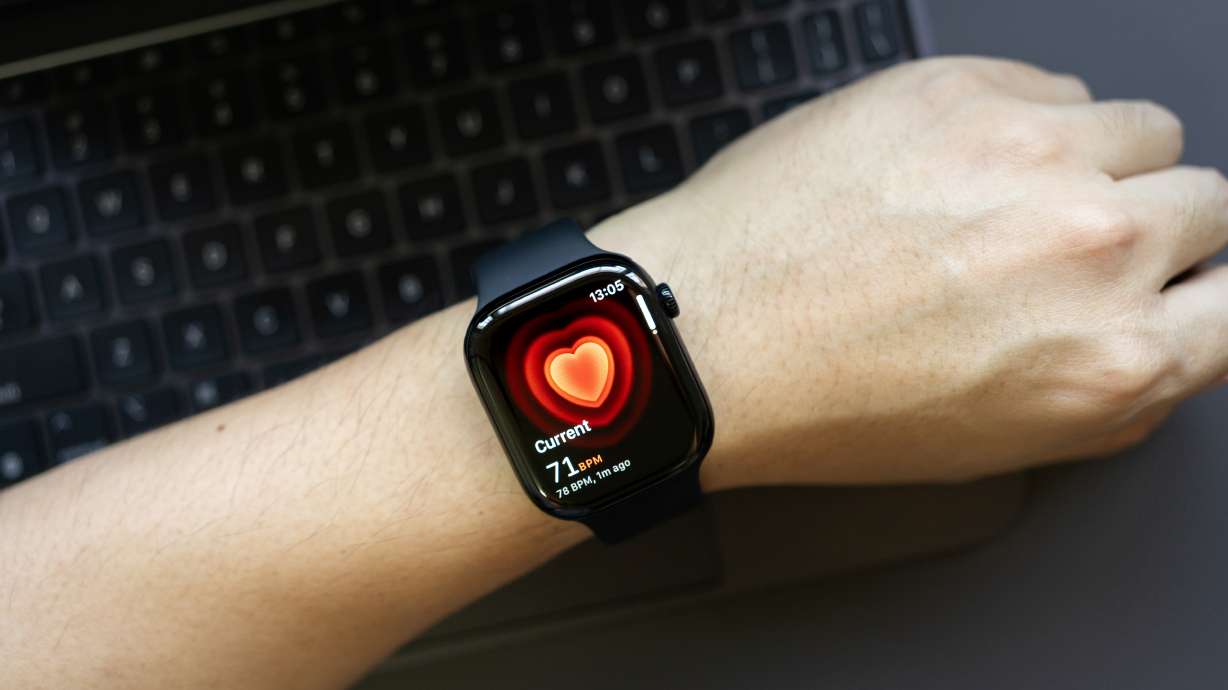
- Heart Rate Monitoring: Most smartwatches have this, but accuracy varies. Look for continuous monitoring rather than just spot checks.
- Step and Activity Tracking: Basic, but still important for general fitness.
- Sleep Tracking: Useful for understanding sleep quality. Advanced models can even track sleep stages.
- Blood Oxygen (SpO2) Monitoring: Helpful for athletes and people with breathing issues.
- ECG (Electrocardiogram): High-end watches can detect irregular heartbeats or atrial fibrillation.
- Stress and Recovery Tracking: Some watches measure stress based on heart rate variability and give breathing exercises.
- Menstrual Cycle Tracking: Useful for women to monitor cycles and symptoms.
- Skin Temperature and Hydration: Newer features, but not essential for everyone.
Accuracy depends on sensor quality and software. Professional athletes or those with medical conditions should not rely only on smartwatch data—always consult your doctor if you notice unusual results.
Sports And Activity Modes
Beyond basic fitness, many smartwatches have sports modes. These help you track different workouts with more detail.
Common modes include:
- Running (indoor/outdoor)
- Cycling
- Swimming (pool/open water)
- Hiking
- Strength training
- Yoga
- Rowing
Some watches auto-detect activity, while others require manual selection. Advanced models track metrics like VO2 max, cadence, lap times, and route maps for runners and cyclists.
If you swim, make sure the watch is water-resistant and has swim tracking features. Not all “water-resistant” watches are suitable for swimming.
Outdoor adventurers should look for altimeter, barometer, and compass (sometimes called ABC sensors), as well as offline maps and waypoint navigation.
Gps And Location Tracking
GPS is essential if you want to track runs, bike rides, or hikes without carrying your phone. Some watches have built-in GPS, while others use your phone’s GPS.
Built-in GPS is more convenient and accurate for mapping your route. Some high-end models include GLONASS or Galileo for better coverage, especially in cities or forests.
For parents or caregivers, some smartwatches offer location sharing or “find my watch” features for safety.
A common misconception is that all GPS is equal. In reality, cheap models can be slow or inaccurate, especially in bad weather or remote areas. Read reviews to see real-world GPS performance.
Notifications And Communication
A big advantage of smartwatches is receiving notifications without checking your phone. You can see messages, calls, calendar reminders, emails, and app alerts.
The best smartwatches let you reply to messages, answer calls, or even use voice assistants (like Siri, Google Assistant, or Alexa). Some models have built-in speakers and microphones; others only show notifications.
If you want to leave your phone behind, look for watches with cellular connectivity (LTE/4G). These can make calls, send texts, and stream music on their own—but usually require a separate data plan.
One thing beginners miss: not all watches allow full replies or support third-party messaging apps. Check what’s possible with your preferred messaging services (like WhatsApp, WeChat, or Line).
App Ecosystem And Third-party Support
Some smartwatches offer just basic features, while others have a rich app ecosystem—meaning you can add more functions through apps.
For example, the Apple Watch and Wear OS watches have thousands of apps for music, productivity, news, travel, and more. Garmin and Fitbit offer fewer apps but focus more on fitness and health.
A strong app ecosystem means your watch can evolve as your needs change. If you want to use your watch for navigation, payments, or smart home control, check which apps are supported.
A key insight: Not all apps are available in every country or on every watch model. Also, newer brands may promise “more apps coming soon,” but don’t always deliver.
Build Quality And Materials
A smartwatch is something you wear every day. Build quality is important for comfort, durability, and style.
Most watches use aluminum, stainless steel, or plastic for the case. High-end models might use titanium or ceramic. The strap material matters too—silicone is sporty and sweat-resistant, while leather or metal is more formal.
Pay attention to weight. Heavy watches can feel tiring after long use, especially for sleep tracking. If you have sensitive skin, check for hypoallergenic materials.
Scratch resistance is another factor. Sapphire glass is very tough but usually costs more. Beginners often choose based on looks, but comfort and durability are just as important.
Water Resistance
If you sweat, swim, or get caught in the rain, water resistance is essential. But not all ratings mean the same thing.
Here’s a quick look at common ratings:
| Water Resistance | What It Means |
|---|---|
| IP67/IP68 | Can handle splashes and brief immersion (not for swimming) |
| 5 ATM (50m) | Good for swimming in a pool or showering |
| 10 ATM (100m) | Suitable for snorkeling and high-speed water sports |
If you want to swim, look for at least 5 ATM. For diving, you need a specialist watch.
A common mistake is to confuse “water-resistant” with “waterproof. ” No smartwatch is completely waterproof—over time, seals can wear out.
Customization And Personalization
Smartwatches are also fashion accessories. You should be able to customize the look to match your style.
Key options include:
- Changeable straps: Swap silicone for leather, or metal for fabric, depending on the occasion.
- Watch faces: Choose digital, analog, minimalist, or data-rich faces.
- Case colors and sizes: Many models come in different finishes and sizes.
Some brands offer designer editions or collaborations with fashion brands. Beginners may not realize that replacement straps can be expensive, especially for unique connectors (like the Apple Watch’s system).
Personalization goes beyond looks. Some watches let you customize widgets or shortcuts for faster access to your favorite functions.
Payment Features
Contactless payments are becoming more common. Smartwatches with NFC (Near Field Communication) allow you to pay at stores, transit stations, or vending machines with a tap of your wrist.
Apple Pay, Google Pay, Samsung Pay, Garmin Pay, and Fitbit Pay are some options. Support varies by country and bank, so check before buying.
If you travel or want to leave your wallet behind, this feature is very convenient. Beginners sometimes forget to check if their local banks and cards are supported.
Music And Media Controls
Music is a big part of daily life. With the right smartwatch, you can control music playback on your phone, or even store music on the watch itself.
High-end models let you download Spotify playlists, podcasts, or audiobooks for offline listening—ideal for workouts without your phone. Others only let you skip tracks or adjust volume.
Some watches have built-in speakers, but most need Bluetooth headphones for the best sound. If you use services like Apple Music, Deezer, or Pandora, check if they are supported.
A detail many miss: storage space. Not all watches have enough memory for lots of music or apps, so check the specs if this matters to you.
Safety And Emergency Features
Safety features are becoming more important, especially for older users or people who exercise alone.
Key safety options include:
- Fall detection: The watch senses if you’ve fallen and can alert contacts or emergency services.
- SOS/emergency calling: Press a button to call for help or send your location.
- Medical ID: Store health info for first responders.
- Location sharing: Let family track your location in real time.
Some watches require cellular connectivity for emergency calls. Beginners may not know that these features can save lives, especially for seniors or people with health risks.
Voice Assistants
Many smartwatches now include voice assistants like Siri, Google Assistant, or Alexa. These let you set reminders, check the weather, send messages, or control smart home devices with your voice.
If you have smart lights or speakers at home, this feature can be very useful. Some watches need a phone connection for full functionality; others (with LTE) work on their own.
A detail to check: language support. Not all voice assistants support every language or accent, so make sure your preferred language is included.
Software Updates And Support
Technology changes quickly. A good smartwatch should receive software updates for new features, security, and bug fixes.
Apple and Samsung usually provide updates for several years. Cheaper or lesser-known brands may not update their watches after one year.
Buying a watch with strong support means it will stay safe, work with new phones, and get better over time. Beginners sometimes buy based only on price, then find their watch is outdated after a year.
Price And Value
Smartwatches range from under $50 to over $1,000. Price depends on features, materials, and brand reputation.
Here’s a comparison of what you typically get at different price points:
| Price Range | Features | Examples |
|---|---|---|
| Below $100 | Basic tracking, simple notifications, few apps | Amazfit Bip, Xiaomi Mi Band |
| $100-$300 | Good fitness features, better screens, some apps | Fitbit Versa, Samsung Galaxy Watch Active |
| $300-$600 | Premium build, advanced health, strong app support | Apple Watch, Garmin Forerunner |
| Above $600 | Luxury materials, specialist sports, limited extra value | Tag Heuer Connected, Apple Watch Ultra |
The best value depends on your needs. Don’t pay for extra features you won’t use. Beginners often believe more expensive means better, but mid-range watches offer the best balance for most users.
Ease Of Use And User Interface
A smartwatch should be easy to use, even if you’re new to technology. Look for a clear, simple interface, with readable fonts and logical menus.
Some watches use touchscreens, others use physical buttons or rotating crowns. If you exercise often, buttons can be easier to use with sweaty fingers or gloves.
Fast, smooth performance matters. Cheap watches may lag or crash, making daily use frustrating. Try the watch in a store or watch video demos before buying.
A non-obvious tip: some watches allow you to rearrange apps or menus to match your habits. This saves time and makes the device feel personal.
Warranty And Customer Support
Even high-quality devices can have problems. A good warranty and accessible customer support provide peace of mind.
Check the warranty period (usually 1-2 years). Find out if you can get local repairs, or if you must ship the watch overseas.
If you travel often, global warranty coverage is helpful. Read user reviews about customer service—some brands have poor support, making repairs difficult or slow.
Don’t skip this step. A cheap watch with bad support may end up costing more in the long run.
Environmental And Ecosystem Considerations
More buyers care about the environmental impact of their devices. Some brands use recycled materials or offer trade-in programs for old devices.
If you already use other devices from a brand (like Apple, Samsung, or Garmin), their watches may work better with your existing ecosystem—sharing data, notifications, and apps.
This “ecosystem effect” is easy to miss. For example, you might get better integration with your smart home, fitness apps, or cloud services by sticking with one brand.
Regular Software Features That Really Matter
Besides health and fitness, a smartwatch should help with daily life.
Key features to look for include:
- Calendar and reminders: Stay on top of meetings and tasks.
- Weather updates: Get forecasts at a glance.
- Alarm and timers: Useful for workouts, cooking, or waking up.
- Find my phone: Locate your misplaced smartphone with a tap.
- Stopwatch: Handy for timing events.
These small features add up and can make your watch much more useful.
Security And Privacy
A smartwatch collects a lot of personal data—location, health, contacts. Security and privacy are essential.
Look for watches with:
- Data encryption: Protects your information from hackers.
- App permissions: Lets you control what data each app can access.
- Secure pairing: Prevents others from connecting to your watch without permission.
If you use payment features, make sure transactions are secure and require authentication (like a PIN or fingerprint).
It’s smart to read the privacy policy of the watch brand. For example, Apple and Garmin have strong privacy reputations, while some unknown brands may share data with third parties.

Future-proofing
Technology moves fast, and you want your smartwatch to last. Features that help future-proof your purchase include:
- Strong brand support: Brands known for updates and accessories.
- Replaceable straps and batteries: So you can refresh the look or extend the life.
- Expandable storage or memory: Rare, but useful for adding music or apps.
Some features (like ECG or blood oxygen monitoring) may become more important as health tech evolves. Choosing a model with a wide range of sensors ensures you won’t outgrow it quickly.
Examples Of Top Smartwatches And Their Features
To give you a sense of what’s available, here’s a quick look at some popular models and their standout features:
| Model | Key Features | Best For |
|---|---|---|
| Apple Watch Series 9 | ECG, SpO2, App Store, LTE, Apple Pay, strong integration with iPhone | iPhone users, health and lifestyle |
| Samsung Galaxy Watch 6 | AMOLED display, ECG, sleep tracking, Google Assistant, Samsung Pay | Android users, fitness, notifications |
| Garmin Forerunner 265 | Super-long battery, advanced sports metrics, GPS, offline maps | Serious athletes, runners, outdoor |
| Fitbit Versa 4 | Sleep tracking, SpO2, stress tracking, lightweight design | Fitness beginners, wellness tracking |
For more details and reviews, check out the official CNET smartwatch guide.

Frequently Asked Questions
What Is The Most Important Feature In A Smartwatch?
The answer depends on your needs. For most people, compatibility with your phone and battery life are essential. If you want health features, look for accurate heart rate and sleep tracking. For sports, GPS is important. If you want to leave your phone at home, cellular connectivity is key.
Can I Use A Smartwatch Without My Phone?
Some smartwatches (like those with LTE/4G) can make calls, send texts, and stream music without a phone nearby. However, most watches still need a phone for setup, app downloads, and some features.
Are Smartwatches Safe For Health?
Smartwatches use low-power Bluetooth and optical sensors, which are safe for daily use. However, they are not a substitute for professional medical devices. Always consult a doctor if you notice unusual health data.
How Accurate Are Smartwatch Health Measurements?
Accuracy depends on the quality of sensors and how you wear the watch. Heart rate and step tracking are usually accurate for daily use, but advanced features like ECG or SpO2 are less reliable than medical devices. For serious health concerns, use professional equipment.
Do All Smartwatches Support Contactless Payments?
No. Only models with NFC and support from payment services (like Apple Pay, Google Pay, or Samsung Pay) allow contactless payments. Check if your bank and country are supported before buying.
Choosing a smartwatch is a big decision, but with the right knowledge, you can find a model that truly fits your lifestyle. Consider your needs, check all the features discussed, and remember that the best smartwatch is the one that makes your daily life easier, healthier, and more enjoyable.

