
Many people are looking for ways to stay active while working or relaxing at home. The Cubii Jr1 has become a popular choice for those who want to move more without leaving their chair. But as technology improves, people expect their fitness devices to connect with their phones or other smart devices. This leads to a common question: Does Cubii Jr1 have Bluetooth? If you’re thinking about buying a Cubii Jr1 or already own one and want to understand its features, this guide will provide clear answers, practical comparisons, and real insights.
Let’s explore what the Cubii Jr1 offers, how it stacks up against other Cubii models, and what Bluetooth connectivity means for your daily exercise routine. Whether you’re a beginner or just curious about the details, you’ll find everything you need to know right here.
Understanding The Cubii Jr1
The Cubii Jr1 is a compact under-desk elliptical designed for easy, low-impact exercise. Users can pedal while sitting at a desk, watching TV, or reading. The Cubii Jr1 is especially popular for people who want to stay active during long hours of sitting—whether in an office or at home.
This model focuses on simplicity and reliability. It features:
- A built-in LCD display that shows your strides, distance, time, and calories burned
- Eight resistance levels for adjustable workout intensity
- A quiet, smooth pedaling motion
- Lightweight, portable design
Many people appreciate the Cubii Jr1 for its ease of use and straightforward setup. But as people become more interested in tracking their fitness, questions about Bluetooth connectivity naturally arise.
Bluetooth In Fitness Devices: Why It Matters
Bluetooth is a wireless technology that lets devices communicate with each other. In fitness equipment, Bluetooth allows your machine to connect with your smartphone, tablet, or computer. This connection can provide several benefits:
- Automatic data tracking: Your exercise stats (like steps, distance, and calories) sync with fitness apps automatically, so you don’t have to record them by hand.
- Goal setting: Many apps allow you to set and track progress toward fitness goals over time.
- Competition and sharing: Some platforms let you compete with friends or join online communities for extra motivation.
- Health integration: Data can sync with broader health platforms, such as Apple Health or Google Fit, helping you see your activity in the context of your overall health.
For many users, Bluetooth connectivity makes fitness equipment more interactive and easier to use. It also helps people who want to keep detailed records of their activity or integrate their workout data with other health tools.
Does Cubii Jr1 Have Bluetooth?
The simple answer is no, the Cubii Jr1 does not have Bluetooth. This model does not include any wireless communication features. Instead, it uses a basic LCD display to show your stats directly on the device. You need to check your steps, time, and calories burned by looking at the screen attached to the Cubii Jr1.
If automatic data syncing or app integration is important to you, the Jr1 may not be the best fit. However, it’s important to understand why Cubii made this choice and what it means for users.
Why Doesn’t The Cubii Jr1 Include Bluetooth?
The Cubii Jr1 was designed as an entry-level model. By keeping things simple, Cubii can offer this device at a lower price point. Adding Bluetooth hardware and app compatibility would make the device more expensive, and not everyone needs or wants these features.
For many users, the Jr1’s simplicity is a plus. There’s no need to worry about pairing devices, updating firmware, or charging batteries for wireless features. The device is ready to use out of the box and does what it promises: helps you move more with minimal fuss.
What Features Does The Cubii Jr1 Offer?
Even without Bluetooth, the Cubii Jr1 includes several useful features:
- LCD monitor: Displays stride count, distance, time, and estimated calories burned
- Adjustable resistance: Eight levels to vary your workout intensity
- Quiet operation: Suitable for shared spaces or while on calls
- Easy setup: No complicated assembly or pairing process
Many users find these features more than enough for their needs, especially if they prefer to focus on moving more rather than tracking every detail.
Comparing Cubii Jr1 To Other Cubii Models
To understand what you might miss (or gain) by choosing the Jr1, it helps to compare it with other Cubii models, especially those that offer Bluetooth. Here’s a side-by-side look at the most popular options.
| Feature | Cubii Jr1 | Cubii Jr2 | Cubii Pro |
|---|---|---|---|
| Bluetooth | No | Yes | Yes |
| LCD Display | Yes | Yes (upgraded) | Yes |
| Resistance Levels | 8 | 8 | 8 |
| App Integration | No | Yes | Yes |
| Price Range (USD) | $200–$250 | $250–$300 | $300–$350 |
| Weight | ~25 lbs | ~19 lbs | ~27 lbs |
From this comparison, you can see that Bluetooth and app integration are available in the Cubii Jr2 and Cubii Pro models, but not in the Jr1. The Jr2 is lighter and has a slightly improved display, while the Pro is the most advanced and expensive.
Which Cubii Model Should You Choose?
Choosing the right Cubii depends on your priorities:
- If you want a simple, affordable device and don’t care about syncing your data, the Cubii Jr1 is a strong choice.
- If you value automatic tracking, goal setting, and integration with fitness apps, consider the Cubii Jr2 or Cubii Pro.
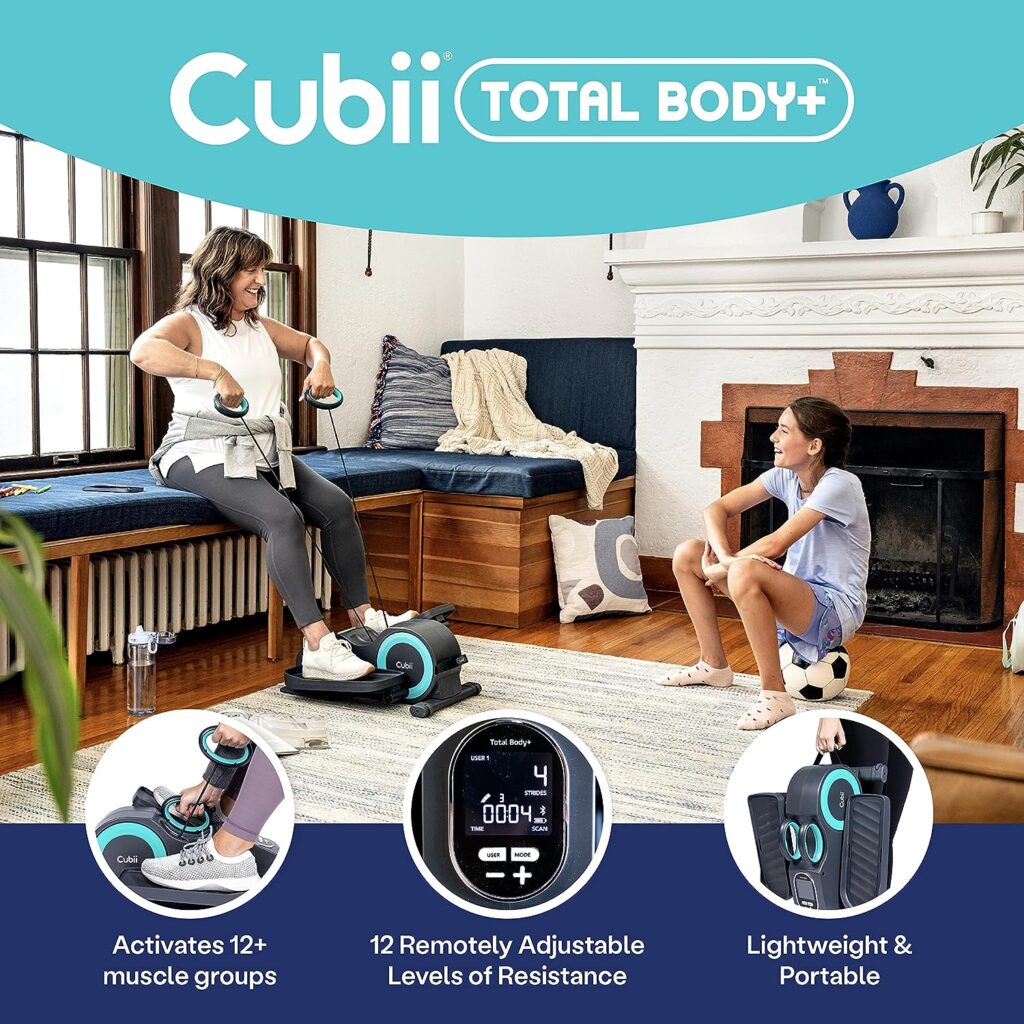
How Bluetooth Works In Cubii Devices
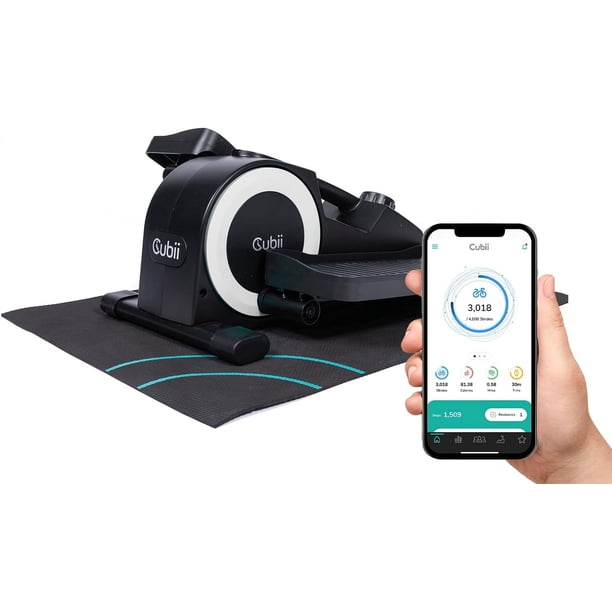
If you’re curious how Bluetooth actually functions in Cubii models that support it, here’s a quick explanation. Bluetooth allows the Cubii device to send your workout data directly to a companion app on your smartphone or tablet.
This app (Cubii App, available for iOS and Android) can:
- Track your daily, weekly, and monthly activity
- Set personal fitness goals and reminders
- Join community challenges or compete with friends
- Sync data with platforms like Apple HealthKit and Fitbit
The process is usually simple: you download the app, pair your device, and start moving. The app collects all your exercise data automatically.
However, not all users are aware that the Bluetooth connection only works with compatible devices. For example, the Cubii Jr1 cannot be upgraded to add Bluetooth later—it’s a hardware limitation. Some buyers mistakenly believe all Cubii models support app syncing, which leads to disappointment.
Always check your model’s features before buying if Bluetooth is important to you.
Manual Tracking Alternatives For Cubii Jr1 Users
Just because the Cubii Jr1 lacks Bluetooth does not mean you can’t keep track of your progress. Here are practical ways to manually record your activity:
- Use the built-in LCD monitor: After each session, write down the time, strides, and calories burned shown on the display.
- Fitness journals or spreadsheets: Create a simple chart to log your activity each day.
- Mobile health apps: Many apps let you enter workout data by hand. This lets you keep all your fitness records in one place, even if you track other activities (like walking or cycling) with your phone or smartwatch.
Some users find that writing down their stats helps them stay more aware of their activity levels. It can also be motivating to see steady progress over time, even without automatic syncing.
Common Myths About Cubii Jr1 And Bluetooth
Many first-time buyers misunderstand the differences between Cubii models. Here are some common myths and the real facts:
- Myth: All Cubii devices support Bluetooth.
- Fact: Only certain models (Jr2, Pro, Go) have Bluetooth. The Jr1 does not.
- Myth: You can add Bluetooth to the Jr1 with a software update.
- Fact: Bluetooth requires physical hardware. The Jr1 cannot be upgraded for wireless connectivity.
- Myth: Bluetooth is needed to use the Cubii Jr1.
- Fact: The Jr1 works perfectly well without any wireless features.
Understanding these differences before you buy can save you time, money, and frustration.
User Experience: Living Without Bluetooth
Does the lack of Bluetooth make the Cubii Jr1 less useful? For many people, the answer is no. Here’s why:
- Simplicity: There’s nothing to set up, pair, or troubleshoot.
- Reliability: The device works every time you pedal, without needing a smartphone or internet connection.
- Focus: Some users actually prefer not having their workouts tracked by an app. This can reduce pressure and let you exercise just for the joy of movement.
However, if you’re someone who loves seeing your progress in charts or sharing achievements with friends, you might find the Jr1’s basic setup limiting.
Comparing Cubii Jr1 To Other Under-desk Ellipticals
How does the Cubii Jr1 compare to other popular under-desk ellipticals, especially regarding Bluetooth and tracking features? Here’s a quick look:
| Device | Bluetooth | Display | Resistance Levels | Price |
|---|---|---|---|---|
| Cubii Jr1 | No | Yes | 8 | $200–$250 |
| Cubii Go | Yes | Yes | 8 | $250–$300 |
| Stamina InMotion | No | Yes | Adjustable | $100–$120 |
| DeskCycle 2 | No | Yes | 8 | $170–$200 |
As you can see, Bluetooth is not a standard feature on all under-desk ellipticals. In fact, many popular and well-reviewed models do not offer wireless connectivity. For most users, the most important features are smooth pedaling, quiet operation, and adjustable resistance.
Who Should Consider The Cubii Jr1?
The Cubii Jr1 is best for:
- People who want a simple, reliable way to move more during the day
- Users who don’t need app syncing or detailed fitness tracking
- Anyone looking for a lower-cost entry into under-desk exercise
- Families or shared office spaces, where easy operation is a plus
You might want to look at Bluetooth models if you:
- Like to track every detail of your workouts automatically
- Want to join online fitness communities or challenges
- Already use health apps and want everything in one place
Two Non-obvious Insights For Buyers
- Bluetooth is not always better. Many users find that the extra features in Bluetooth models are rarely used after the first few weeks. If your main goal is to simply move more, the basic Jr1 may actually lead to more consistent use—there’s no learning curve or setup time.
- Manual tracking can improve awareness. Writing down your activity each day (even if it’s simple) can make you more mindful of your movement habits. Some studies suggest that manual tracking helps reinforce healthy behaviors better than fully automated systems, especially for beginners.
Practical Tips For Getting The Most From Cubii Jr1
Even without Bluetooth, you can enjoy many benefits:
- Set a daily goal: Aim for a certain number of minutes or calories per day, and use the LCD to track your progress.
- Build exercise into routines: Use the Cubii Jr1 during regular activities like watching TV, reading, or working.
- Increase resistance gradually: Start with a lower setting and move up as you get stronger.
- Combine with other exercises: Use the Cubii along with walks, stretches, or other activities for a balanced routine.
- Stay consistent: The real value comes from using the device regularly, not from the number of features.
What To Expect If You Upgrade To A Bluetooth Model
If you decide you want a Cubii with Bluetooth, what will actually change? Here’s what you’ll notice:
- Automatic data syncing: No more manual recording—your stats appear in the app instantly.
- Progress tracking: Easy-to-read graphs and charts show your improvement over time.
- Social motivation: Join Cubii challenges, compete with friends, and share your results.
- Integration with other health data: See your Cubii workouts alongside steps, sleep, and other health stats.
However, you’ll also need to:
- Download and update the Cubii app
- Pair your device and keep Bluetooth enabled on your phone/tablet
- Accept possible software bugs or connection issues (rare, but possible)
For some, these are small trade-offs for the extra features. For others, simplicity is worth more.
Cubii Jr1: Real-world Reviews
Most users who buy the Cubii Jr1 are happy with their purchase, especially if they know what to expect. Here are some common themes from user reviews:
- Easy to use: Most people set up their Cubii Jr1 in minutes and start pedaling right away.
- Sturdy and quiet: Users appreciate how stable and quiet the device is, even in shared or office spaces.
- Good workout: Many are surprised by how much they feel their legs working, even at lower resistance settings.
- Manual tracking is enough: While some users wish for Bluetooth, most say the LCD display is sufficient for their needs.
Negative reviews often come from buyers who expected Bluetooth or app support, highlighting the importance of checking the features before purchase.
Where To Find More Information
If you want more details about Cubii models, Bluetooth features, or user experiences, the official Cubii website has the most up-to-date specs and guides. You can visit Cubii’s official site for further information and support.
Frequently Asked Questions
Is There Any Way To Add Bluetooth To Cubii Jr1?
No, the Cubii Jr1 does not have the hardware needed for Bluetooth. You cannot add Bluetooth through software updates or accessories.
How Do I Track My Progress Without Bluetooth?
You can use the LCD monitor to see your steps, time, and calories burned. Many users write this down in a notebook or enter it into a fitness app manually.
Which Cubii Models Offer Bluetooth?
The Cubii Jr2, Cubii Pro, and Cubii Go all have Bluetooth connectivity. These models can sync with the Cubii app and other health platforms automatically.
Is The Cubii Jr1 Still A Good Option Without Bluetooth?
Yes, the Jr1 is a reliable, easy-to-use device. If you don’t need automatic syncing or app features, it offers great value for its price.
Can I Use The Cubii Jr1 With A Standing Desk?
The Cubii Jr1 is designed for seated use. It’s not recommended for standing desks, as the motion and stability are intended for sitting positions.
Finding the right exercise device depends on your preferences and goals. The Cubii Jr1 may not have Bluetooth, but it delivers on its promise of simple, quiet, and effective exercise you can do anywhere. If you want more tech features, consider a model with Bluetooth—but for many, the Jr1 is all they need to move more and feel better every day.


