
Millions of people want to sleep better, and sleep trackers are now everywhere. You see them in smartwatches, fitness bands, and even as apps on your phone. Many wonder, do these sleep trackers actually work with both Android and iPhone? And if they do, do they give the same experience on both platforms? If you are thinking of buying a sleep tracker or using your phone as one, these questions are important.
Let’s explore how sleep trackers connect with Android and iPhone, what features you can expect, and which devices or apps work well on each system. You’ll also learn about common issues, tips for the best results, and things beginners often miss.
How Sleep Trackers Work
Sleep trackers measure your sleep patterns by detecting movement, heart rate, and sometimes even sounds. Some are wearable devices, like smartwatches or fitness bands. Others are simply apps you install on your phone. A few advanced trackers use sensors you put under your mattress.
Most sleep trackers use actigraphy (monitoring movements) and sometimes combine it with heart rate or breathing data. The tracker uses this information to guess when you are awake, in light sleep, deep sleep, or REM sleep. While not as accurate as medical sleep studies, good trackers can give you useful insights.
Compatibility With Android And Iphone
Wearable Devices
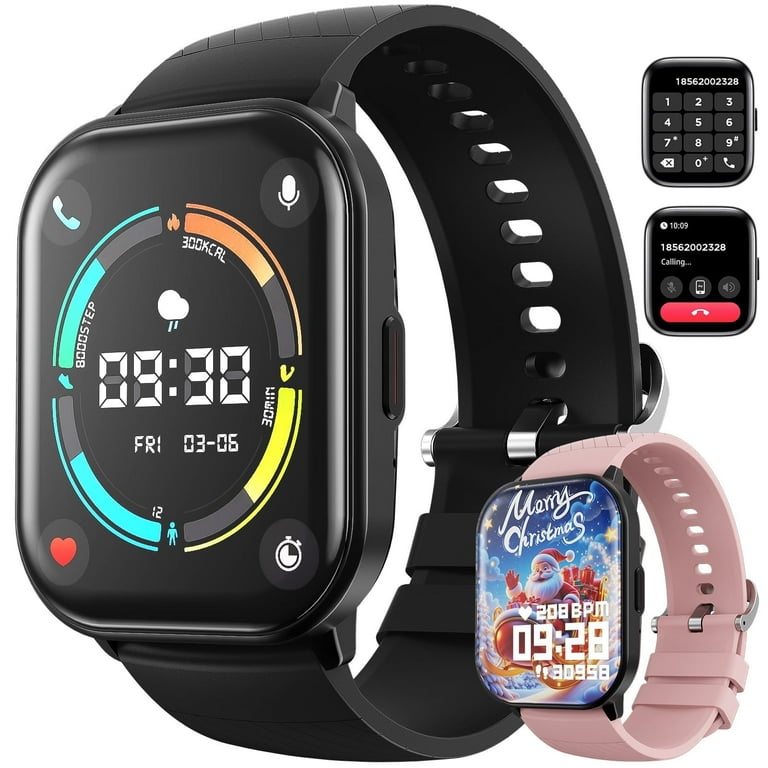
Most popular sleep trackers are designed to work with both Android and iPhone. This includes brands like Fitbit, Garmin, and Samsung Galaxy Watch. They often use Bluetooth to sync data with your phone via a companion app.
However, features may differ. For example, Apple Watch sleep tracking is made for iPhone and does not sync with Android phones. Some devices have small differences in how they connect or what data you can see, depending on your phone’s operating system.
Phone Apps
Many sleep tracking apps are available for both Android and iPhone. Examples include Sleep Cycle, Sleep as Android, and Pillow. These apps use your phone’s sensors (like the accelerometer and microphone) to track your sleep.
But not all features are the same. Some apps offer extra tools or deeper integration on one platform. For example, Sleep Cycle works on both systems but lets iPhone users link with Apple Health, while Android users can connect with Google Fit.
Under-mattress And Bedside Trackers
Some trackers, like Withings Sleep Analyzer or Beddit, use sensors you place under your mattress. These usually connect to your Wi-Fi and have apps for both Android and iPhone. However, setup and syncing can sometimes be easier on one platform than the other.
Leading Sleep Trackers And Their Compatibility
Let’s compare some of the top sleep trackers and see how they work with Android and iPhone.
| Device/App | Works With Android | Works With iPhone | Key Features |
|---|---|---|---|
| Fitbit Charge Series | Yes | Yes | Detailed sleep stages, heart rate, smart alarm |
| Apple Watch | No | Yes | Native sleep tracking, integration with Apple Health |
| Samsung Galaxy Watch | Yes | Yes (limited features) | Sleep score, blood oxygen, snore detection |
| Sleep Cycle App | Yes | Yes | Sleep analysis, smart alarm, sound recording |
| Withings Sleep Analyzer | Yes | Yes | Under-mattress sensor, breathing detection |
Notice that almost all major trackers support both systems, but some features—especially health integrations—can be limited by the phone you use.
Key Differences: Android Vs. Iphone Experience
App Ecosystem
iPhone users have access to Apple Health, which lets you see all your health and sleep data in one place. Many sleep trackers and apps can send their data to Apple Health, making it easy to get a full picture.
Android users have Google Fit, but not all sleep trackers support it. Some brands, like Fitbit, use their own app and don’t always send sleep data to Google Fit, which can make it harder to combine all your information.
Device Integration
If you use an Apple Watch, you need an iPhone to get the full sleep tracking experience. The watch does not sync with Android at all.
If you use a Fitbit or Garmin device, you can use either Android or iPhone, but sometimes notifications or extra features (like answering texts) may work better on Android.
Voice And Smart Home Features
iPhone users can use Siri to ask about their sleep if they use Apple Health-compatible trackers. Android users can use Google Assistant with some apps, but support varies.
Data Sharing And Export
Exporting sleep data is often easier on iPhone because Apple Health allows export. On Android, it depends more on the app or device.
Popular Sleep Tracking Apps: Android Vs. Iphone
Let’s look at a few well-known sleep tracking apps and how they compare on each platform.
| App Name | iPhone Features | Android Features | Limitations |
|---|---|---|---|
| Sleep Cycle | Apple Health, smart alarm, snore detection | Google Fit, smart alarm, snore detection | Apple Health integration not on Android |
| Pillow | Works with Apple Watch, detailed analytics | Not available | iPhone only |
| Sleep as Android | Limited version, not official | Full features, smart alarm, wearable sync | Best on Android |
| AutoSleep | Deep integration with Apple Watch | Not available | iPhone only |
If you want the best sleep tracking experience, choose an app that is made for your phone’s system. Some apps, like Pillow and AutoSleep, are only on iPhone. Others, like Sleep as Android, work best on Android.
Common Issues And Limitations
Accuracy
Most sleep trackers give a good general idea of your sleep, but they are not 100% accurate. Movements in bed, pets, or sleeping with a partner can confuse the sensor. Trackers using heart rate are usually better than those using only movement.
Battery Life
Using your phone or watch to track sleep can drain the battery. Some users forget to charge their device and miss tracking a night. If you use a wearable, get in the habit of charging it during the day.
Privacy And Data Sharing
Sleep data is personal. Check how your app or device handles your data. Some apps upload data to the cloud. Always read the privacy policy and use strong passwords.
Syncing Problems
Sometimes, trackers do not sync well between the device and the phone, especially after software updates. Restarting both devices can help. Make sure you update your app and firmware regularly.
Platform-specific Bugs
Some features might work well on iPhone but have bugs on Android, or vice versa. Always check recent user reviews in the app store before choosing a sleep tracker.
Two Insights Beginners Often Miss
- Not all wearables have the same sleep tracking accuracy. For example, Fitbit uses heart rate and movement, which is more reliable than devices that only use one sensor. Cheaper trackers often skip advanced sensors, so their results may be less accurate.
- App permissions matter. Sleep apps need access to your microphone, location, or health data to work well. If you deny permissions, your tracking can fail or give wrong results. Always check the app’s permission settings after installation.
How To Choose The Right Sleep Tracker
Decide What Data Matters To You
Some people want to know only how long they sleep. Others want to see deep sleep, REM, and even snoring patterns. Make a list of what you want to track before buying.
Check Device Compatibility
Not all trackers work with all phones. For example, Apple Watch does not work with Android. If you switch phones often, choose a tracker that supports both.
Look For Health Integration
Do you want your sleep data in Apple Health or Google Fit? Not all trackers offer this. Check the app description or website before buying.
Consider Comfort
If you hate wearing a watch at night, look at under-mattress or bedside trackers. If you travel often, a phone app might be easier.
Read Recent Reviews
Sleep tracking apps and devices are updated often. Features can change. Always read recent reviews to spot bugs or missing features.
Practical Tips For Better Sleep Tracking
- Wear your device snugly on your wrist if it’s a wearable. Loose bands can give wrong results.
- Keep your phone plugged in if you use a sleep app all night. This avoids battery drain.
- Try for at least a week. One night’s data isn’t enough. Patterns matter more than single results.
- Use the smart alarm if your app offers it. Waking during light sleep feels better.
- Update your apps and firmware regularly. This fixes bugs and improves accuracy.
Real-world Example: Fitbit Charge Series
The Fitbit Charge 5 is a popular choice for both Android and iPhone users. You wear it at night, and it tracks your sleep stages, heart rate, and even skin temperature. The data syncs to the Fitbit app, available for both platforms. On iPhone, you can send data to Apple Health; on Android, data stays in the Fitbit app.
Some users report that the Fitbit app is a bit faster on iPhone, but all major features are present on both systems. This makes Fitbit a safe choice if you might switch between Android and iPhone in the future.

The Future Of Sleep Tracking
As technology improves, sleep trackers are getting more accurate and smarter. Some new devices can now measure blood oxygen, detect snoring, or even watch your breathing. Both Android and iPhone are adding deeper health integrations. The gap between the two platforms is getting smaller, but small differences will likely remain.
Should You Trust Sleep Trackers?
Sleep trackers are helpful for spotting trends, such as if you are getting less sleep during stressful weeks. However, they are not a replacement for medical sleep studies, especially if you have serious problems like sleep apnea. Always talk to a doctor if you notice big changes in your sleep or feel tired all the time.
For most people, sleep trackers are a great way to get more aware of their sleep habits and make small improvements.

Frequently Asked Questions
Do All Sleep Trackers Work With Both Android And Iphone?
Most popular sleep trackers and apps work with both Android and iPhone. However, some devices, like the Apple Watch, only work with iPhone. Always check compatibility before buying.
Is Sleep Data From Android And Iphone Sleep Trackers Accurate?
Sleep trackers give a good estimate of your sleep, but they are not as accurate as medical tests. Devices that use both movement and heart rate are usually more reliable.
Can I Switch My Sleep Tracker From Android To Iphone?
If your tracker supports both systems (like Fitbit or Garmin), you can switch by installing the app on your new phone. Some data may not transfer, so back up your account first.
What Features Might I Miss If I Use Android Instead Of Iphone?
Some apps offer deeper integration with Apple Health on iPhone. Certain sleep tracking apps, like Pillow and AutoSleep, are only available on iPhone. Android users may have fewer choices for advanced sleep apps.
Are Free Sleep Tracking Apps Good Enough?
Free sleep tracking apps can work well for basic tracking. However, advanced features (like snore detection or detailed analysis) often require a paid upgrade. Check what features you really need.
For more in-depth research on sleep trackers, you can visit the Sleep Monitor Wikipedia page.
Sleep tracking technology is improving every year. Whether you use Android or iPhone, you have many choices to monitor and improve your sleep. With a little care in choosing the right device or app, you can get valuable insights and work toward better rest every night.

