
Can Fitness Trackers Be Worn While Sleeping?
Fitness trackers have become a daily companion for millions of people. These small devices help us count steps, measure heart rate, and even remind us to move. But what about when the day ends? Many users wonder if it’s safe, helpful, or even necessary to wear a fitness tracker while sleeping.
This question might seem simple, but the answer is much deeper. Understanding what happens when you wear a fitness tracker at night can change how you use technology for your health.
Sleep is one of the most important parts of health. We spend almost one-third of our lives sleeping, so tracking that time matters. Fitness trackers promise to measure sleep quality, duration, and patterns. But is it really smart to keep them on your wrist all night?
Are there risks? Will you get true benefits, or just more data that’s hard to use? In this article, we’ll explore the science, the real-life experiences, and the practical side of sleeping with a fitness tracker. You’ll get clear answers, expert tips, and important details that most people miss.
How Fitness Trackers Monitor Sleep
Most fitness trackers use a mix of motion sensors, heart rate monitors, and sometimes even blood oxygen sensors to estimate your sleep stages. When you wear a tracker, it watches how you move, your pulse changes, and sometimes even your breathing.
Some advanced models can use pulse oximetry to measure how much oxygen is in your blood. Others include temperature sensors or even microphones for snoring detection. Still, the main tools are usually accelerometers (to see if you’re moving) and optical heart rate sensors.
During the night, the tracker’s sensors collect data. This data is then sent to your phone or computer, where it is shown as graphs and numbers. You might see terms like light sleep, deep sleep, REM sleep, and wake times. While these numbers are not as accurate as a sleep study done in a medical lab, they give you a snapshot of your night.
Example: How Data Is Collected
If you turn over, your tracker notices. If your heart rate slows down, it marks this as deep sleep. If you move a lot, it may think you’re awake. Each company has its own way of turning this data into sleep stages.
That’s why two different trackers might give you slightly different results for the same night.
Benefits Of Wearing A Fitness Tracker While Sleeping
Wearing a fitness tracker to bed can give you insights that are hard to get in other ways. Here are the main benefits:
- Sleep Duration: You can see how many hours you actually sleep, not just how long you spend in bed.
- Sleep Quality: Many trackers estimate how much deep, light, and REM sleep you get.
- Sleep Patterns: Trackers show when you wake up during the night, even if you don’t remember it.
- Consistency: You can spot trends. Are you going to bed late every weekend? Are you waking up earlier on weekdays?
- Heart Rate Tracking: Some trackers watch for changes in heart rate that might signal stress, illness, or even sleep problems like apnea.
- Snoring and Breathing: A few advanced trackers can notice snoring or changes in breathing patterns.
- Daily Feedback: Some devices use your sleep data to suggest when to move, rest, or change your routine.
Real-world Example
Imagine you feel tired every morning. Your tracker might show that you wake up many times each night, or that your deep sleep is very short. With this information, you can talk to a doctor or try new habits.

Common Concerns About Wearing Trackers During Sleep
While there are clear benefits, many people worry about the safety or comfort of sleeping with a device on their wrist or finger. Here are some common concerns:
1. Comfort And Skin Irritation
A major issue is comfort. Some people find the strap uncomfortable, especially if it’s too tight or made from a material that doesn’t breathe. Wearing a tracker all night can also cause sweating or skin redness. In rare cases, people develop rashes or pressure marks.
2. Battery Life And Charging
Trackers need power. Wearing them all night means you must find time to charge them during the day. Some users forget to charge and lose data, or have to take the tracker off during the day instead.
3. Accuracy Of Data
No consumer tracker is 100% accurate. They can mistake lying still for being asleep, or miss short wakes. Medical sleep studies use more tools to measure sleep stages, so don’t expect perfect accuracy. Still, for most people, the trends are helpful.
4. Health And Safety
Some people worry about radiation from Bluetooth or the effects of wearing electronics all night. The signals from fitness trackers are very weak, much less than a cell phone. Health experts consider them safe for most people, but you can turn off Bluetooth at night if you prefer.
5. Wearing Styles
Some people wear their tracker on the non-dominant wrist, others switch wrists at night for comfort. Some prefer finger trackers or use adhesive patches instead of bands.
Types Of Fitness Trackers And Sleep Features
There are many kinds of fitness trackers, and not all are equal when it comes to sleep tracking. The table below compares some popular brands and models, focusing on their sleep tracking abilities.
| Brand & Model | Sleep Stages Detected | Blood Oxygen Tracking | Battery Life (Days) | Wear Location |
|---|---|---|---|---|
| Fitbit Charge 5 | Light, Deep, REM | Yes | 7 | Wrist |
| Apple Watch Series 8 | Light, Deep, REM | Yes | 1-2 | Wrist |
| Oura Ring Gen3 | Light, Deep, REM | Yes | 7 | Finger |
| Garmin Vivosmart 5 | Light, Deep, REM | No | 7 | Wrist |
| Xiaomi Mi Band 7 | Light, Deep, REM | Yes | 14 | Wrist |
As you can see, most major brands now offer advanced sleep tracking. Battery life and comfort may be more important for sleep than which brand you choose.
Practical Tips For Sleeping With A Fitness Tracker
If you decide to wear your tracker at night, a few simple habits can help you get the best results and avoid problems.
1. Choose A Comfortable Band
Pick a band that is soft, flexible, and doesn’t pinch. Silicone and fabric straps are usually better than hard plastic or metal.
2. Adjust The Fit
The tracker should be snug, but not tight. You should be able to fit one finger under the band. Too tight can cause marks or stop the sensors from working well.
3. Clean Your Skin And The Band
Wash your wrist and the tracker band often. Sweat and dirt can cause irritation. Some people use hypoallergenic bands if they have sensitive skin.
4. Charge During The Day
Find a time each day, maybe while showering or eating breakfast, to charge your tracker. This way, it’s always ready for sleep.
5. Try Different Wearing Positions
If your wrist feels sore, try the other wrist, or use a finger tracker. Some people even switch hands at night for comfort.
6. Turn Off Unneeded Features
You can turn off notifications or Bluetooth at night if you’re worried about radiation or just want fewer distractions.
7. Update Your Tracker’s Software
Manufacturers often improve sleep tracking with updates. Make sure your device is running the latest version.
What Data Can You Trust From Sleep Tracking?
Fitness trackers are not medical devices, but they can still provide useful information. Here’s what you can usually trust, and what you should be careful with.
Reliable Data
- Total sleep time: Most trackers are good at showing how long you sleep, if you wear them all night.
- Sleep trends: Over weeks or months, you can see if your sleep is getting better or worse.
- Wake times: Trackers often notice when you wake up during the night, even if you forget.
Less Reliable Data
- Sleep stages: Light, deep, and REM sleep are hard to measure without special equipment. Use these numbers as rough guides, not exact facts.
- Breathing problems: Some trackers alert for possible breathing issues, but only a doctor can diagnose sleep apnea or other disorders.
- Snoring detection: This is new in trackers, and may not be as accurate as a microphone or partner’s report.
Comparing Fitness Tracker Sleep Data To Medical Sleep Studies
It’s important to know the difference between what a fitness tracker shows and what you’d get from a professional sleep study (polysomnography). The table below highlights key differences.
| Feature | Fitness Tracker | Sleep Lab Study |
|---|---|---|
| Sleep Duration | Estimated by movement/heart rate | Measured with brain waves & sensors |
| Sleep Stages | Estimated, not precise | Very accurate (EEG, EOG, EMG) |
| Breathing Events | Some estimate, not diagnostic | Fully monitored (oxygen, airflow, chest movement) |
| Heart Rate | Good for trends | Medically precise |
| Cost | Low (one-time device) | High (lab fees) |
| Convenience | Easy, at home, every night | One night, in a clinic/hospital |
For most people, fitness trackers provide enough information to improve sleep habits. But if you suspect a serious sleep disorder, a doctor’s test is needed.
Who Should Avoid Wearing Fitness Trackers At Night?
While fitness trackers are safe for most people, there are a few exceptions.
- Allergy to materials: If you react to the band or sensors, stop using the device at night.
- Serious sleep problems: If you have sleep apnea or another disorder, don’t rely only on your tracker.
- Skin conditions: People with eczema or other skin problems may want to avoid wearing trackers for long periods.
- Children under 13: Most fitness trackers are not designed for young children.
- Medical devices: If you have a pacemaker or other implanted device, check with your doctor before using a fitness tracker.
Potential Downsides Of Sleep Tracking
Some beginners think more data is always better. But there are some downsides:
1. Sleep Anxiety (orthosomnia)
Some people become obsessed with getting “perfect” sleep scores. This can actually make sleep worse, not better. If you worry too much about your tracker’s data, try not to check it every morning.
2. False Alarms
Trackers sometimes say you slept badly when you feel fine, or miss real problems. Trust your feelings more than the numbers.
3. Overcharging Or Forgetting To Charge
If you wear your tracker 24/7, you might forget to charge it or wear it out faster.
4. Privacy Concerns
Sleep data is personal. Check your tracker’s privacy settings to control who can see your data, especially if you share it with family or health apps.
How To Use Fitness Tracker Sleep Data For Better Health
Having sleep data is just the start. The real value comes from using it to make changes.
- Spot patterns: Look for trends—do you sleep less on weekends? Are you awake longer after eating late?
- Set goals: Aim for 7–9 hours of sleep, or try to reduce the number of times you wake up.
- Test habits: Try going to bed earlier, limiting caffeine, or turning off screens before bed. See if your tracker shows better sleep after a few weeks.
- Share with your doctor: If your tracker shows you wake up often or have a very low sleep score, talk to your doctor. Bring your data to the visit.
- Don’t stress over small changes: Night-to-night changes are normal. Watch for big trends over weeks, not daily ups and downs.
Example Of Real-life Use
A busy office worker used her fitness tracker and noticed she always woke up at 3 a. m. She moved her phone charger away from the bed, turned off notifications, and stopped waking up at night. Small changes, guided by her tracker, improved her sleep and energy.
Advanced Tracker Features For Sleep
Some newer fitness trackers offer advanced features that can help you understand your sleep even better.
- Smart alarms: Wake you up at the lightest stage of sleep, so you feel less groggy.
- Temperature tracking: Can show if you’re too hot or cold at night.
- HRV (Heart Rate Variability): Shows how restful your sleep is.
- Blood oxygen tracking: Alerts for possible breathing problems.
- Sleep score: Gives you a single number to sum up your sleep quality.
These features are usually found in premium models, but more affordable devices now include them too.
Real-world Results: Do People Sleep Better With Trackers?
Studies show mixed results. Some people find they sleep better after using a tracker, because they become more aware of bad habits and can fix them. Others find the data confusing or stressful.
A 2021 survey found about 30% of users changed their bedtime after seeing their tracker’s reports. Around 15% visited a doctor after noticing problems like frequent waking or low oxygen levels.
However, about 10% of users reported more anxiety about sleep. The key is to use the data as a guide, not a rulebook.
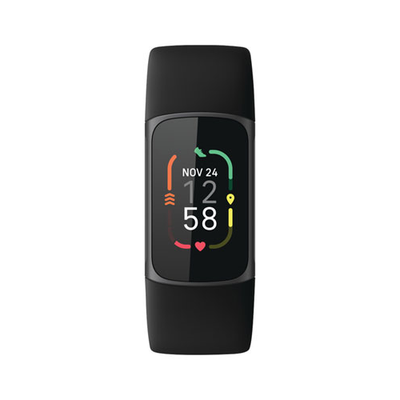
Are There Any Risks From Wearing A Tracker All Night?
For most healthy adults, the risks are very low. Trackers use low-power sensors, and the Bluetooth signal is weak. The main risks are skin irritation and, for some, anxiety about data.
There’s no proof that sleeping with a tracker increases cancer risk or harms your health. If you are very sensitive to electronic devices, you can turn off Bluetooth or airplane mode at night.
How To Decide If You Should Sleep With A Fitness Tracker
Ask yourself these questions:
- Do you want to improve your sleep?
- Will sleep data help you change your habits?
- Are you comfortable wearing a device all night?
- Are you worried about skin irritation?
If you answer “yes” to the first two, and “no” to the others, sleeping with a tracker could help you.

User Experiences: What Do People Say?
People’s experiences vary. Some love the feedback and find it helps them get more rest. Others find the band annoying or stop checking the data after a few weeks.
Here’s a quick overview:
| User Type | Positive Experience | Negative Experience |
|---|---|---|
| Data-lovers | Track progress, find patterns | May become obsessed with numbers |
| Casual users | Notice sleep duration, set goals | Forget to check data, lose interest |
| Sensitive skin users | Switch to soft/fabric bands | May stop using if irritation happens |
| Health-focused | Spot issues, get medical advice | Frustrated by inaccuracy |
Non-obvious Insights Most Beginners Miss
- Your sleep data is only as good as your routine. If you always wear the tracker loosely or keep moving your arm, the data may be off. Consistency matters more than the device brand.
- Sleep tracking can show health problems early. If your tracker keeps showing a drop in oxygen or a fast heart rate at night, it’s worth talking to a doctor. Don’t ignore trends just because you feel “fine.”
When To See A Doctor About Your Sleep Data
If your tracker shows:
- You sleep less than 6 hours most nights
- Your heart rate is very high or low at night
- You stop breathing or have very low oxygen often
- You wake up tired every day, even after 8 hours
These could be signs of a health problem. Bring your data to your doctor, but remember, only a medical test can make a diagnosis.
Useful Further Reading
For more details on how trackers work and the science of sleep, visit the Wikipedia page on fitness trackers. It explains the technology, the benefits, and the research behind these devices.
Frequently Asked Questions
Can Fitness Trackers Disturb My Sleep?
Most people do not notice their tracker once they get used to it. For some, lights or vibrations can be distracting. You can turn off notifications or use “do not disturb” mode at night.
Is It Safe To Wear A Fitness Tracker Every Night?
Yes, for most people. The devices use low-power sensors and weak Bluetooth. Skin irritation is the most common problem, but it can be avoided with clean, soft bands.
Will My Sleep Data Be Private?
Most major brands allow you to set privacy controls. Check your device’s app for options. Some share data with health apps, but you can turn this off.
What If My Tracker Shows Very Little Deep Sleep?
Don’t panic. Trackers estimate deep sleep and can be wrong. Look for trends, not single nights. If you always have low deep sleep and feel tired, talk to your doctor.
Can Children Use Sleep Tracking?
Trackers are usually designed for adults and teens. For children under 13, ask your doctor before using a tracker at night.
Wearing a fitness tracker while sleeping can give you useful data to improve your health. For most people, the benefits are greater than the risks. Use your tracker as a tool, not a judge—let it guide you to better habits and better rest.

