
Smartwatches have changed the way people interact with technology on a daily basis. These small, wearable devices do much more than just tell time. They help you stay healthy, informed, and connected—even when your phone is in your pocket or bag.
But how does a smartwatch actually work? Understanding the technology behind these devices can help you choose the right one and use it better in daily life. Let’s explore what makes smartwatches tick, the features they offer, and why they have become so popular.
What Is A Smartwatch?
A smartwatch is a digital watch with advanced computing abilities. It pairs with your smartphone and offers features like notifications, fitness tracking, GPS, music control, and even mobile payments. Most smartwatches use a touchscreen, but some models also have physical buttons or rotating bezels for extra control.
Smartwatches are part of the “wearable” technology family. They are designed to be worn all day, giving you constant access to information and tools you need. Many people use smartwatches for health monitoring, time management, and quick replies to messages. Some models can even make phone calls or connect to Wi-Fi on their own.
Key Hardware Components Of A Smartwatch
To understand how a smartwatch works, you first need to know what’s inside. Every smartwatch contains several important hardware parts that work together to deliver its features.
1. Processor And Memory
The processor is the “brain” of the smartwatch. It handles all tasks, from running apps to responding to your touch. Most smartwatches use special processors that balance speed and power-saving. Popular examples include the Qualcomm Snapdragon Wear and Apple S-series chips.
The smartwatch also contains memory (RAM) to help it run multiple apps at once. Storage memory (often 4–32 GB) saves your music, photos, and app data. High-end models have more storage for advanced features.
2. Display
Most smartwatches use a touchscreen display. Common types are OLED, AMOLED, and LCD. OLED and AMOLED screens offer deep blacks and bright colors, which look good outdoors and use less battery. The screen may be round or square, depending on the brand.
Some watches have always-on displays. This means you can see the time or notifications without tapping the screen.
3. Battery
Smartwatches are powered by small, rechargeable lithium-ion batteries. Battery life depends on the screen type, processor, and features used. Some watches last just one day, while others can go up to a week on a single charge. Charging is often wireless—just place the watch on a magnetic dock.
4. Sensors
Sensors are what make smartwatches so useful. Common sensors include:
- Accelerometer: Detects movement and counts steps.
- Gyroscope: Measures rotation and direction.
- Heart rate sensor: Monitors your pulse.
- GPS: Tracks your location for exercise or maps.
- Barometer: Measures air pressure, useful for altitude tracking.
- Ambient light sensor: Adjusts screen brightness automatically.
- SpO2 sensor: Measures blood oxygen level.
Some advanced watches include ECG (electrocardiogram) sensors or temperature sensors for extra health data.
5. Connectivity Modules
To connect with your phone and the internet, smartwatches use several wireless modules:
- Bluetooth: Main method to pair with your smartphone.
- Wi-Fi: For internet access without your phone nearby.
- NFC: Allows for contactless payments.
- Cellular (LTE/4G): Some watches have SIM cards for calls and data.
With these modules, you can receive notifications, stream music, and make calls straight from your wrist.
6. Microphone And Speaker
Many smartwatches have a microphone for voice assistants and calls. Some also include a small speaker so you can answer calls, get voice feedback, or listen to music without headphones.
7. Vibration Motor
A tiny vibration motor lets your watch alert you silently. You feel a gentle buzz when you get a message or reminder.
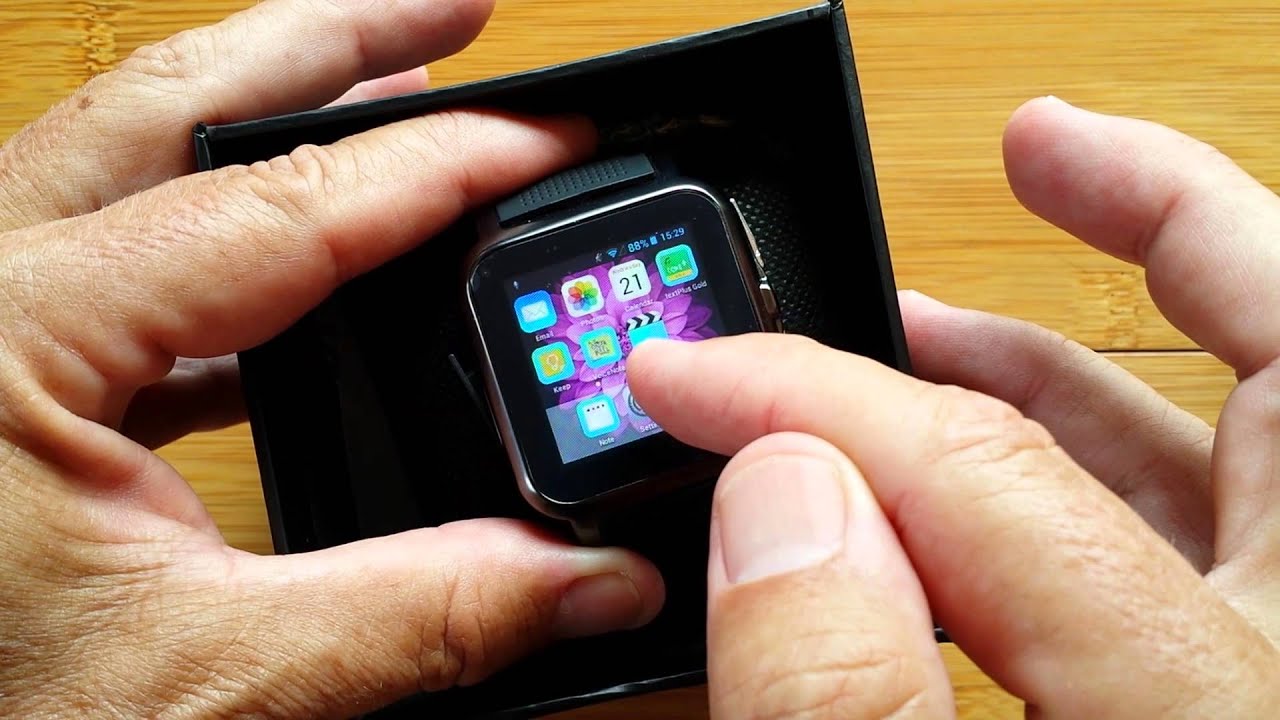
How A Smartwatch Connects To Your Smartphone
A smartwatch is most useful when it’s connected to your phone. This connection happens mainly through Bluetooth. The watch acts as an extra screen for your phone, showing notifications, calls, and app alerts.
When you get a text or email, the phone sends the message to the watch. You can read, reply, or dismiss it with a tap. Some watches let you answer calls or send quick voice replies.
If the watch has Wi-Fi or cellular, it can work alone for some tasks. For example, you can stream music or use maps without your phone nearby.
The Operating System: The Heart Of Smartwatch Functionality
A smartwatch’s operating system (OS) controls how it works. The OS manages apps, sensors, notifications, and more. The most popular smartwatch operating systems are:
- WatchOS (Apple Watch)
- Wear OS (Google-powered watches)
- Tizen OS (Samsung Galaxy Watch)
- Proprietary OS (Fitbit, Garmin, Huawei, and others)
Each system has its own look, feel, and app store. For example, Apple Watch works best with iPhones, while Wear OS watches work with both Android and iPhone (with some limits).
The OS also manages how the watch saves power, syncs data, and connects to health apps on your phone.
How Smartwatches Track Health And Fitness
One of the most important uses of smartwatches is health and fitness tracking. Here’s how they do it:
Step Counting And Activity Tracking
The accelerometer and gyroscope measure your wrist movement. The watch uses this data to count steps, estimate calories burned, and track exercises like running or cycling. Some watches even detect when you start a workout and log it automatically.
Heart Rate Monitoring
A green LED shines light into your skin, and a sensor measures changes in light reflection. This is called photoplethysmography. When your heart beats, the blood flow changes the reflection. The watch uses this to measure your heart rate all day and during workouts.
Advanced watches use extra sensors for more accurate readings during intense exercise.
Sleep Tracking
At night, the watch tracks your movement and heart rate to estimate how long you spend in light, deep, and REM sleep. Some models also notice if you wake up during the night. This helps you understand your sleep quality.
Blood Oxygen And Ecg
Some smartwatches measure your blood oxygen (SpO2) using red and infrared LEDs. This can warn you if your oxygen drops too low during sleep or exercise.
High-end models can even record an ECG. You touch the watch with your finger for 30 seconds, and it records your heart’s electrical signals. This can help spot irregular heartbeats.
Gps And Route Tracking
For runners, cyclists, and walkers, the watch’s GPS records your route, distance, and speed—even if you leave your phone at home.
Swim Tracking
Waterproof smartwatches can track swimming laps, strokes, and distance in the pool. They use special algorithms to detect swimming motion.
Non-obvious Insight: Data Accuracy Varies
It’s important to know that health tracking is only as accurate as the sensors and algorithms allow. Wrist-based heart rate can be off during fast exercise or with tattoos. Step counting may not work well if you push a stroller or bike.
For medical decisions, always consult a healthcare professional.
Notifications And Communication
One big reason people wear smartwatches is to stay connected without constantly checking their phones. Here’s how smartwatches manage notifications and messages:
- Notifications: When your phone gets a message, email, or app alert, the watch vibrates and shows a summary.
- Quick Replies: Some watches let you reply with pre-set messages or emojis. Advanced models support voice replies or on-screen keyboards.
- Calls: With a microphone and speaker, you can answer calls on your wrist. Cellular models work even if your phone is not nearby.
- Apps: Many messaging and social media apps have smartwatch versions.
You can choose which notifications appear on your watch. This helps reduce distractions and keeps you focused.
:max_bytes(150000):strip_icc()/GettyImages-492655340-5bd79e4046e0fb00515754d0.jpg)
Everyday Features Beyond Fitness
Smartwatches offer many features for daily life, not just health and fitness.
Alarms And Timers
You can set silent alarms that wake you with a gentle vibration. Timers and stopwatches are handy for cooking or workouts.
Weather Updates
Most smartwatches show current weather and forecasts. Some send warnings for storms or air quality.
Music Control
Control your phone’s music, change songs, or adjust the volume. Some watches store songs so you can listen with Bluetooth headphones during exercise—no phone needed.
Contactless Payments
With NFC, you can pay at stores just by holding your watch near the reader. Apple Pay, Google Pay, and Samsung Pay are popular options.
Maps And Navigation
Built-in GPS and mapping apps give you turn-by-turn directions on your wrist. This is useful for walking, biking, or driving.
Voice Assistants
Many smartwatches have voice assistants like Siri, Google Assistant, or Bixby. Ask questions, set reminders, or control smart home devices with your voice.
Emergency Features
Some watches detect hard falls or crashes. If you don’t respond, they call emergency contacts or services automatically.
App Ecosystem
You can add apps for news, travel, shopping, and more. App stores are different for each OS.
How Data Syncing And Cloud Storage Work
A smartwatch collects a lot of data—steps, heart rate, workouts, and more. This data syncs with your phone’s health apps (like Apple Health or Google Fit) using Bluetooth or Wi-Fi. From there, it may upload to cloud storage so you can see trends over time, even if you change devices.
Syncing also backs up your watch settings and app data. For privacy, most brands let you choose what information is stored and shared.
Power Management And Battery Life
Because a smartwatch is small, battery life is always a concern. Here’s how smartwatches manage power:
- Screen type: OLED and AMOLED screens use less power, especially with dark watch faces.
- Processor efficiency: Newer chips are designed for low power use.
- Software settings: Features like “raise to wake,” always-on display, and background app refresh can be turned off to save battery.
- Charging: Most smartwatches last 1–3 days. Some fitness-focused models last a week or more by using simpler screens.
Non-Obvious Insight: Battery life depends a lot on how you use the watch. GPS, LTE, and music playback drain power quickly. If you travel or exercise a lot, choose a model with longer battery life or fast charging.
Comparing Popular Smartwatch Brands
To help you understand the differences, here’s a simple comparison of three leading smartwatch brands:
| Brand | Best For | Battery Life | Unique Features | Price Range (USD) |
|---|---|---|---|---|
| Apple Watch | iPhone users, health features | 1–2 days | ECG, fall detection, tight iOS integration | $199–$799 |
| Samsung Galaxy Watch | Android users, style, battery | 2–4 days | Rotating bezel, sleep score, LTE option | $179–$399 |
| Garmin | Athletes, outdoor use | Up to 7 days | Advanced GPS, long battery, rugged design | $149–$649 |
Smartwatch Vs. Fitness Tracker: What’s The Difference?
Some people confuse smartwatches with fitness trackers. Both are worn on the wrist and track activity, but they have different strengths.
| Feature | Smartwatch | Fitness Tracker |
|---|---|---|
| Display | Color touchscreen, apps | Simple screen, basic info |
| Notifications | Full notifications, replies | Limited alerts, no replies |
| Apps | Many third-party apps | Few or none |
| Battery Life | 1–3 days | 5–14 days |
| Price | Higher ($150+) | Lower ($30–$150) |
Smartwatches are more versatile, while fitness trackers focus on health and last longer on a charge.
Security And Privacy In Smartwatches
Smartwatches collect sensitive health and personal data. Here’s how they protect your information:
- Data encryption: Health and payment data is encrypted on the device and when sent to your phone.
- PIN codes: Many watches require a PIN or password for payments.
- App permissions: You can control which apps access your health or location data.
- Software updates: Regular updates fix security flaws.
Non-Obvious Insight: If you lose your smartwatch, use the “find my device” feature or erase its data remotely. Always keep your watch software up to date for the best security.

Common Issues And Troubleshooting
Even the best smartwatches have problems. Here are solutions for common issues:
- Short battery life: Lower screen brightness, close unused apps, or turn off always-on display.
- Syncing problems: Restart both your phone and watch. Make sure Bluetooth and apps are up to date.
- Inaccurate health data: Wear the watch snugly, clean the sensors, and update the firmware.
- Notification delays: Check app permissions and background activity settings on your phone.
- App crashes: Uninstall and reinstall the app or check for software updates.
If problems continue, visit the official support site or contact customer service.
Smartwatch Use Cases: Real-world Examples
Smartwatches are more than just gadgets—they’re tools that help people every day. Here are examples:
- Fitness motivation: A busy office worker uses a smartwatch to remind them to move every hour. By tracking steps and setting goals, they improve their health.
- Medical alerts: An older adult wears an Apple Watch for its fall detection. After a slip, the watch calls emergency services, possibly saving a life.
- Travel convenience: A traveler uses their smartwatch to get boarding passes, weather alerts, and currency rates at their destination.
- Parents and kids: Some watches let parents track their child’s location and send messages, giving peace of mind.
The Future Of Smartwatches
Smartwatches are still evolving. In the future, expect:
- Better health sensors: More accurate blood pressure, glucose, and hydration tracking.
- Longer battery life: New battery tech and solar charging.
- More independence: Watches that do not need a phone for setup or updates.
- Expanded app ecosystem: More apps for work, travel, and entertainment.
As technology advances, smartwatches will become even more helpful in daily life.
Frequently Asked Questions
How Accurate Are Smartwatch Health Measurements?
Smartwatches provide good estimates for steps, heart rate, and sleep, but they are not medical devices. Accuracy can drop during intense exercise or with certain skin types. Always use smartwatch data as a guide, not a diagnosis.
Can Smartwatches Work Without A Smartphone?
Most smartwatches need a phone for setup and some features. However, models with Wi-Fi or LTE can make calls, stream music, and use apps without a phone nearby. Full independence depends on the brand and model.
Are Smartwatches Waterproof?
Many smartwatches are water-resistant and safe for hand washing or rain. Some are rated for swimming. Always check the specifications—look for “5 ATM” or higher for swimming.
How Do I Keep My Smartwatch Secure?
Set a PIN code, enable “find my device,” and keep your watch’s software updated. Only install trusted apps, and review app permissions regularly. If lost, erase the watch data remotely using your phone.
What Should I Consider Before Buying A Smartwatch?
Think about your phone type (iPhone or Android), battery life, fitness needs, and price. Make sure the watch supports the features you want (like GPS, NFC, or LTE). Check reviews and compare specs for the best fit.
For more technical details about wearable technology, you can visit the Wikipedia Smartwatch page.
Smartwatches are powerful tools that help you stay connected, healthy, and efficient. With the right knowledge, you can get the most from your device—and maybe even discover features you never knew existed.

