
Do Fitness Trackers Work On Treadmills?
Fitness trackers have become a part of daily life for millions of people. Whether you are a beginner wanting to lose weight or an athlete training for a marathon, you probably use a fitness tracker to count steps, measure distance, and monitor your heart rate.
But what happens when you step onto a treadmill? Many people wonder if these devices are still accurate indoors, especially when you’re not actually moving forward. If you use treadmills often, it’s important to know if your fitness tracker gives you real results or just rough guesses.
This article explains how fitness trackers work on treadmills, what data you can trust, why some readings may be off, and how to improve accuracy. You’ll learn what to expect from different brands and models, get tips to fix common problems, see how treadmill data compares to tracker data, and discover which features matter most if you love indoor running.
Let’s explore whether you can rely on your fitness tracker when your workout stays in one place.
How Do Fitness Trackers Measure Activity?
To understand if fitness trackers work on treadmills, you need to know how they measure your movement. Most trackers use a combination of accelerometers (tiny sensors that detect movement), gyroscopes, and sometimes GPS. Here’s how they work:
- Accelerometers sense every movement—side to side, up and down, or forward and back. They count steps based on the patterns of your wrist or arm.
- Gyroscopes help figure out the direction of your movement, adding more detail.
- GPS provides exact location and distance, but it only works outside with a clear view of the sky.
When you walk or run outside, your tracker combines these sensors to count steps and measure distance. On a treadmill, however, your body isn’t moving forward, and GPS won’t work indoors. The tracker must rely only on your body’s motion.
Many people are surprised that their step counts or distance seem off after a treadmill workout. Some see more steps than they expected, while others see fewer. This happens because arm movement is often different when running on a treadmill compared to walking outside.
Some people hold onto the treadmill rails, which affects the tracker’s ability to count steps.
Example: Step Counting On A Treadmill
Imagine you run one mile on a treadmill, swinging your arms naturally. Your fitness tracker may record almost exactly one mile and the correct number of steps. But if you hold the handrails, your arms do not move as much.
The tracker may count fewer steps and show a shorter distance—even though your legs did all the work.
Fitness Tracker Data: What’s Accurate On A Treadmill?
The accuracy of fitness trackers on treadmills depends on what you are measuring. Here’s how the most common data points hold up:
Step Count
Most trackers count steps fairly well on treadmills if you swing your arms normally. But if you:
- Hold the rails
- Place the tracker in your pocket instead of on your wrist
- Have an unusual running style
…then your tracker may miss steps or count extra ones. Tests show that popular devices like the Apple Watch and Fitbit are usually within 5-10% of actual steps, as long as you don’t grip the treadmill.
Distance
Unlike running outside, treadmills don’t allow GPS to help your tracker. Instead, trackers estimate distance based on your stride length—the average distance per step. If you have not set your stride length in your tracker’s app, or if your stride changes on the treadmill, distance can be way off. For example, if you take shorter, quicker steps indoors, your tracker may think you traveled farther than you did.
Heart Rate
Most trackers with optical heart rate sensors (the green lights on the back) still work well on treadmills. Since your wrist stays steady, you may even get more accurate readings than when running outside. However, sweat or a loose band can still cause problems.
Calories Burned
Trackers estimate calories using heart rate, movement, age, weight, and sex. On treadmills, the calorie count is often close, but not perfect. If your tracker misses steps or measures distance wrong, calorie data may be less reliable.
Floors Climbed
Most trackers use a barometer to count floors, looking for changes in air pressure as you go up. On a flat treadmill, this reading will not change. If you use the treadmill’s incline feature, some trackers might detect a few “floors,” but usually, they don’t.
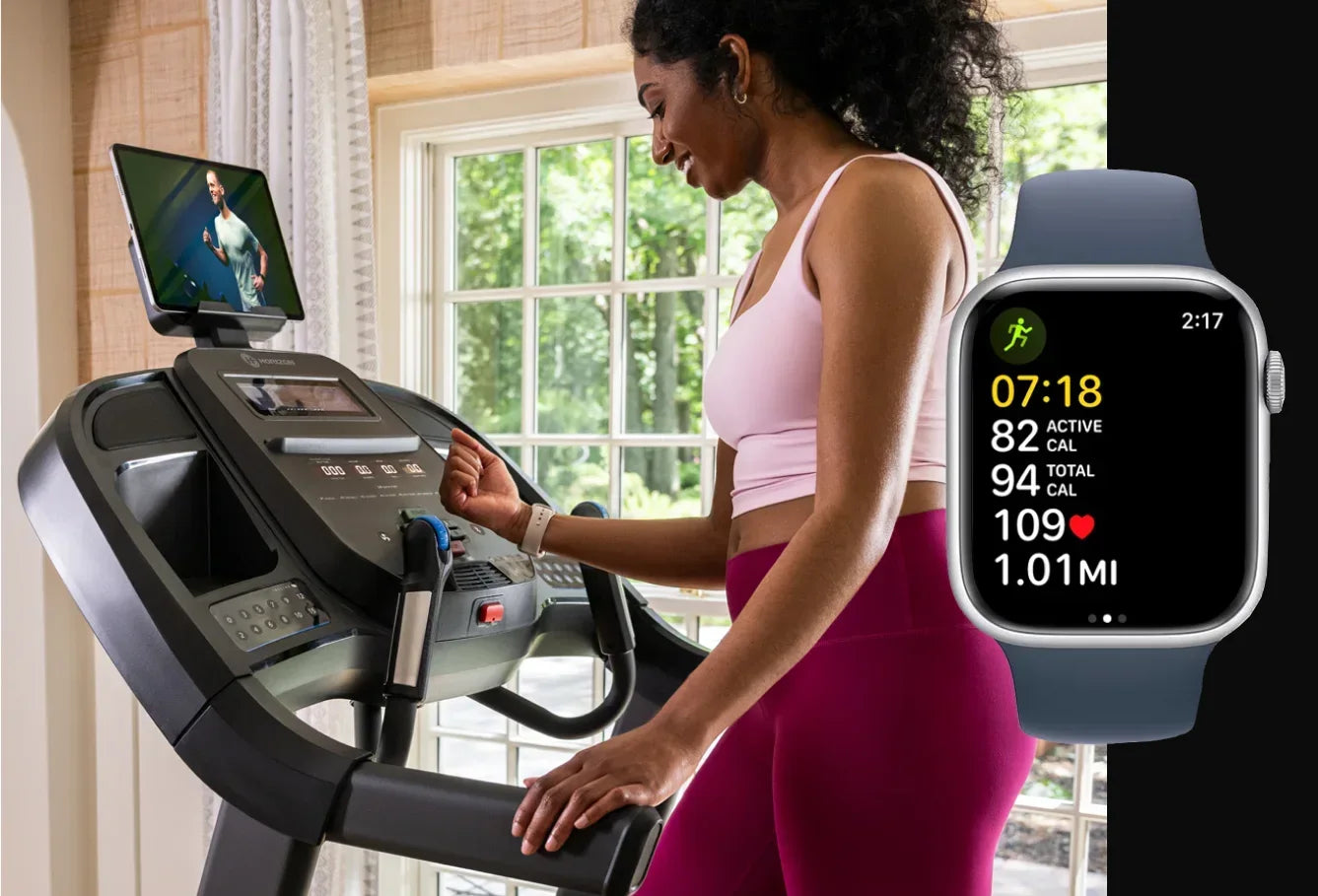
Why Fitness Trackers Can Be Inaccurate On Treadmills
Even the best fitness trackers have trouble with treadmill workouts. Here are some common reasons why:
- No GPS Indoors: Treadmills don’t allow real movement through space, so trackers lose their most accurate sensor.
- Arm Movement Changes: Holding rails, reading a phone, or adjusting your stride changes the movement pattern. The tracker may miss steps or count random wrist movements as steps.
- Stride Length Differences: Many people run or walk differently on a treadmill. Some take shorter steps, others go faster than outside. If your tracker uses your outdoor stride length, the distance estimate is often wrong.
- Tracker Placement: Wearing your tracker on your non-dominant hand, or in a pocket, can affect accuracy.
- Treadmill Settings: Some treadmills are not perfectly calibrated, so the treadmill’s own distance reading may also be off.
Non-obvious Insight: Impact Of Pace Changes
Beginners often change their speed several times during a treadmill workout. Every change in pace can affect your stride length and arm movement. Trackers can get confused, especially if you switch from a slow walk to a fast run. This is something many users don’t realize—consistency helps with accuracy.
Non-obvious Insight: Software Algorithms
Each brand uses its own software to guess how many steps you take and how far you go. Some algorithms are trained for outdoor running and may not adjust well to treadmill patterns. That’s why two different trackers can show very different results for the same workout.
Comparing Tracker Data To Treadmill Readings
Many people notice their fitness tracker and treadmill give different numbers after a workout. Which one is correct?
Here’s a comparison of how each device measures distance and steps:
| Device | How It Measures Distance | Potential Issues |
|---|---|---|
| Fitness Tracker | Counts steps + stride length | Misses steps if arms don’t move, wrong stride length means wrong distance |
| Treadmill | Belt revolutions (belt sensor) | Needs regular calibration, can drift over time |
Most experts agree: treadmill distance is usually more reliable than tracker distance for indoor workouts. The treadmill measures exactly how far the belt moves, while trackers only guess based on your body movement.
Example: A 3-mile Run
You run 3 miles on the treadmill, but your tracker says 2. 7 miles. This gap is normal. Your tracker probably used your outdoor stride length, which is usually longer than your indoor stride. Unless you manually calibrate your device, you may always see this difference.
Ways To Improve Fitness Tracker Accuracy On Treadmills
If you want your fitness tracker to work better on treadmills, try these proven steps:
1. Swing Your Arms Naturally
Always move your arms as if you were running outside. Don’t hold the rails unless you need support for safety.
2. Wear The Tracker On Your Dominant Hand
Most people move their dominant arm more. Some trackers let you select which wrist you wear it on in the app—set this correctly.
3. Manually Enter Treadmill Distance
After your workout, many tracker apps (like Fitbit and Garmin) let you edit the distance to match the treadmill’s reading. This helps keep your fitness records accurate.
4. Calibrate Your Stride Length
If your tracker app offers this feature, walk or run a known distance (like a track) and enter the results. This helps your tracker learn your real stride, improving treadmill distance accuracy.
5. Use Treadmill Mode (if Available)
Some trackers, especially smartwatches, offer a “Treadmill” or “Indoor Run” mode. These modes use special algorithms to better estimate your activity indoors.
6. Keep Your Tracker Snug
Make sure the band fits well, especially for heart rate readings. A loose band can cause errors.
7. Update Device Software
Brands often release updates to improve accuracy. Keep your tracker’s software current.
8. Avoid Unusual Movements
Don’t wave your arms randomly or stop to check your phone too often, as this can add false steps.
Which Fitness Trackers Work Best On Treadmills?
Not all fitness trackers are equal when it comes to treadmill workouts. Some models have better indoor algorithms or special treadmill features. Here’s a quick look at how popular brands perform:
| Brand / Model | Treadmill Mode | Distance Accuracy | Step Count Accuracy |
|---|---|---|---|
| Fitbit Charge Series | Yes | Good with calibration | Good, if arms move |
| Apple Watch | Yes | Very good after calibration | Excellent, if not holding rails |
| Garmin Forerunner Series | Yes | Good, needs manual adjustment | Good |
| Xiaomi Mi Band | No (basic tracking only) | Fair, less accurate | Fair |
If treadmill workouts are your main form of exercise, consider a tracker with a dedicated treadmill or indoor run mode. Apple Watch, for example, allows users to calibrate indoor runs and edit distances, which can make a big difference over time.
Common Mistakes When Using Trackers On Treadmills
Many people make simple errors that reduce the accuracy of their fitness trackers. Here are mistakes to avoid:
- Always Holding the Rails: This stops your arms from swinging, so the tracker can’t detect steps.
- Ignoring Stride Length Settings: If you never calibrate your stride, your tracker’s distance estimates will always be off.
- Wearing the Tracker Too Loose: A loose band can mess up both step counting and heart rate.
- Not Updating the Device: Old software may have bugs or poor algorithms.
- Trusting Calories Burned Blindly: Remember, calorie numbers are just estimates, not exact science—especially if step or distance data is wrong.
Practical Tips For Treadmill Enthusiasts
If you are serious about treadmill workouts and want your tracker to give you the best possible data, try these additional tips:
- Log Your Workouts: Keep a simple record of treadmill distance and tracker distance. Over time, you’ll spot patterns and know how much your tracker over- or under-estimates.
- Try Both Wrists: Some people get better readings on their left or right wrist. Test both and see which is more accurate for you.
- Test with Different Speeds: Walk, jog, and run at different paces to see how your tracker responds. This can help you find the most accurate speed range.
- Use Manual Entry Features: If your tracker allows, enter treadmill distance after each session. This keeps your fitness history accurate.
- Check Manufacturer Guides: Some brands offer detailed guides for treadmill tracking—read these for hidden tips.
- Compare with Friends: If possible, compare your results with others using the same treadmill. Consistent differences may mean your tracker needs calibration.
The Role Of Advanced Sensors And New Technology
Newer fitness trackers and smartwatches are getting better at tracking indoor exercise. Some use extra sensors, like:
- Barometers for detecting stairs or incline
- 3D accelerometers for more precise movement detection
- Machine learning algorithms that learn your personal movement patterns
These improvements help, but even the best trackers can’t match the treadmill’s belt sensor for pure distance accuracy. However, as technology advances, the gap is closing.
A recent study from the Journal of Sports Sciences found that Apple Watch Series 6 and Fitbit Sense had average treadmill distance errors of less than 5% after calibration. This is much better than older models, which sometimes had errors above 15%. For most people, this small difference is acceptable.
When To Trust Your Fitness Tracker—and When Not To
Trust your fitness tracker for heart rate, general step count (if you swing your arms), and overall workout time. Be cautious with distance and calorie data unless you have calibrated your device. If you are training for a specific goal, like a 5K race, use the treadmill’s own display for distance, and use your tracker for everything else.
It’s also important to know that fitness trackers are not medical devices. If you need exact numbers for health reasons, like heart conditions or rehabilitation, talk to your doctor about the best way to monitor your progress.
User Stories: Real Experiences
Many treadmill users share similar stories:
- Maria, a daily walker, found her steps were always low on her Fitbit. She realized she was gripping the handrails the whole time. After letting go and swinging her arms, her step count matched the treadmill perfectly.
- John runs at different speeds on his treadmill. His Garmin always showed less distance than the treadmill. He discovered that his outdoor stride was longer, so he adjusted his stride length setting in the app. The numbers are now much closer.
- Lina uses an Apple Watch. She edits her indoor run distance after every workout to match the treadmill. She likes how this keeps her monthly reports accurate for tracking her training progress.
These examples show that with a little adjustment, most people can get better results from their fitness tracker on a treadmill.
How To Calibrate Your Fitness Tracker For Treadmill Use
Calibration is the key to improving accuracy. Here’s a simple way to calibrate your device:
1. Walk Or Run A Known Distance
Use a treadmill with a reliable distance reading. Walk or run one mile at your normal pace.
2. Record Your Tracker’s Data
After the mile, check how far your tracker thinks you went.
3. Update Your Tracker Settings
In your tracker’s app, look for stride length or treadmill calibration settings. Enter the actual distance from the treadmill.
4. Repeat Occasionally
If your running style changes, or you use a new treadmill, recalibrate your tracker.
Some advanced trackers, like the Apple Watch, automatically ask you to calibrate after your first few treadmill runs. Others require you to enter the data manually.
Pros And Cons Of Using Fitness Trackers On Treadmills
Every tool has its strengths and weaknesses. Here’s a summary:
| Pros | Cons |
|---|---|
| – Tracks your overall activity level – Monitors heart rate easily – Motivates you to stay active – Offers progress tracking and history |
– Distance may not match treadmill – Can miss steps if holding rails – Calories burned is only an estimate – Needs calibration for best results |
External Resources
For more details on how fitness trackers work and the science behind activity tracking, see this Wikipedia overview.

Frequently Asked Questions
Do All Fitness Trackers Work The Same On Treadmills?
No, different brands and models use different sensors and algorithms. Some have special treadmill or indoor run modes that improve accuracy. Others may not track treadmill workouts well at all. Always check your tracker’s features and, if possible, calibrate it for indoor use.
Why Is My Step Count So Low When I Use The Treadmill?
This usually happens if you hold the rails or keep your arms still. Fitness trackers count steps based on arm movement. To get an accurate step count, swing your arms naturally while walking or running.
How Can I Get Accurate Distance On My Fitness Tracker While On A Treadmill?
The best way is to calibrate your tracker. Walk or run a known distance and update your stride length in the tracker’s app. Some devices also let you manually enter the treadmill’s distance after each workout.
Should I Trust The Treadmill Or My Fitness Tracker For Distance?
For treadmill workouts, trust the treadmill’s distance reading. The treadmill measures the actual belt movement. Trackers estimate distance based on your arm movement and stride, which can be off indoors.
Can I Use My Fitness Tracker For Interval Training On The Treadmill?
Yes, but be aware that changing speeds and holding the rails between intervals can confuse the tracker’s sensors. Try to swing your arms during each interval and calibrate your device for the best results.
Fitness trackers are useful tools for treadmill workouts, but they have limits. By understanding how they work and making a few adjustments, you can get more accurate results and better track your progress. If you want the best data, use your tracker and the treadmill display together.
This way, you get a full picture of your fitness, indoors or out.

