
Are Smartwatches Good For Kids?
Smartwatches for kids are everywhere now. You see them in schools, parks, and even on playgrounds. Some parents buy them hoping for more safety, others think they are just fun gadgets. But are smartwatches really good for kids? This question is not simple.
There are many things to consider—safety, health, learning, and even privacy.
In this article, you’ll get a clear look at what smartwatches can do for children, the real benefits, the possible risks, and honest advice on how to decide if they are right for your child. You’ll also find comparisons, practical tips, and answers to the most common questions parents ask.
If you want to feel confident about making this choice, keep reading.
What Are Kid’s Smartwatches?
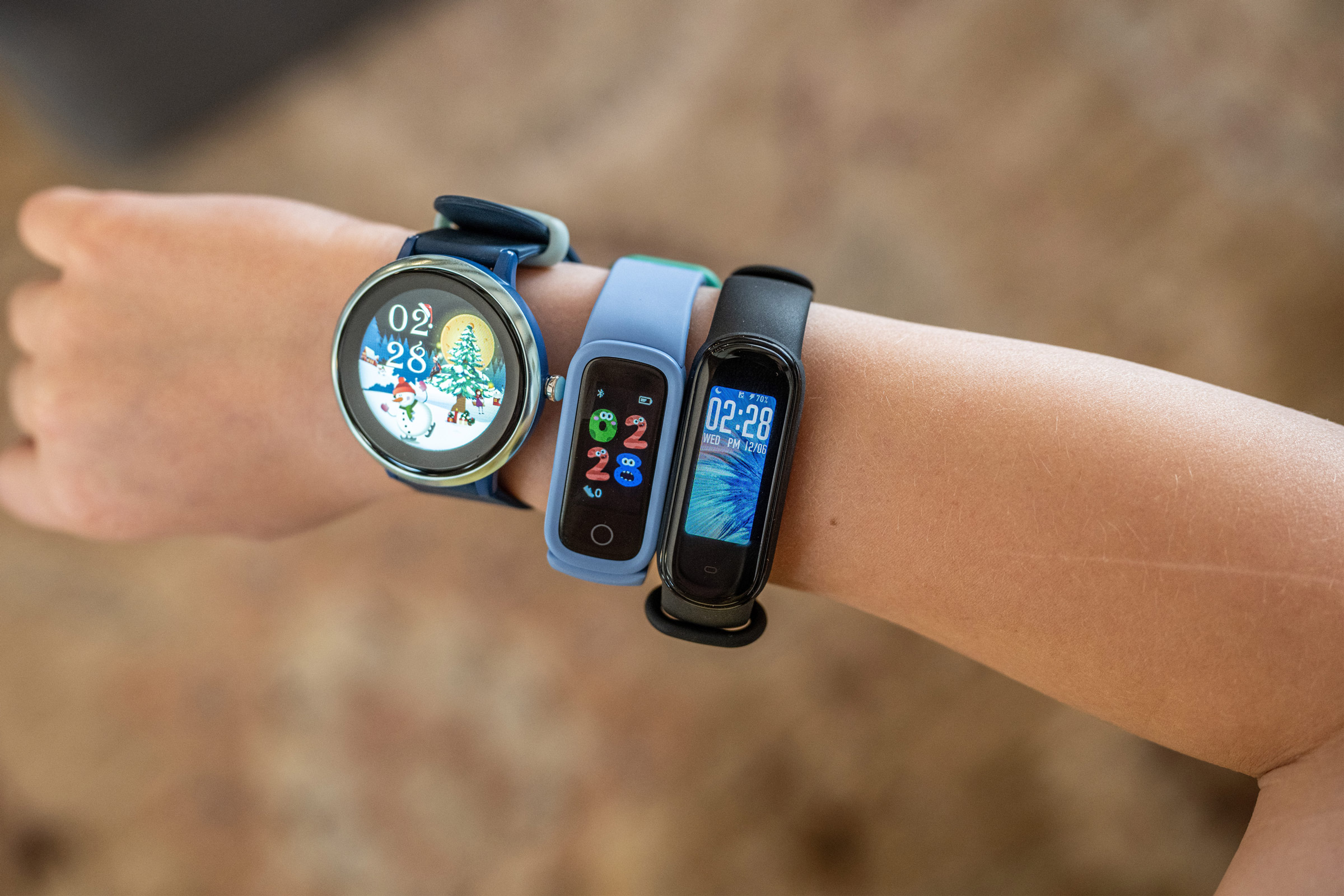
A kid’s smartwatch is a wearable device designed for children. It usually looks like a small watch but comes with many features you’d find on a smartphone or a fitness tracker. There are basic models that just tell time and count steps, and more advanced ones that can make calls, send messages, track location, and play games.
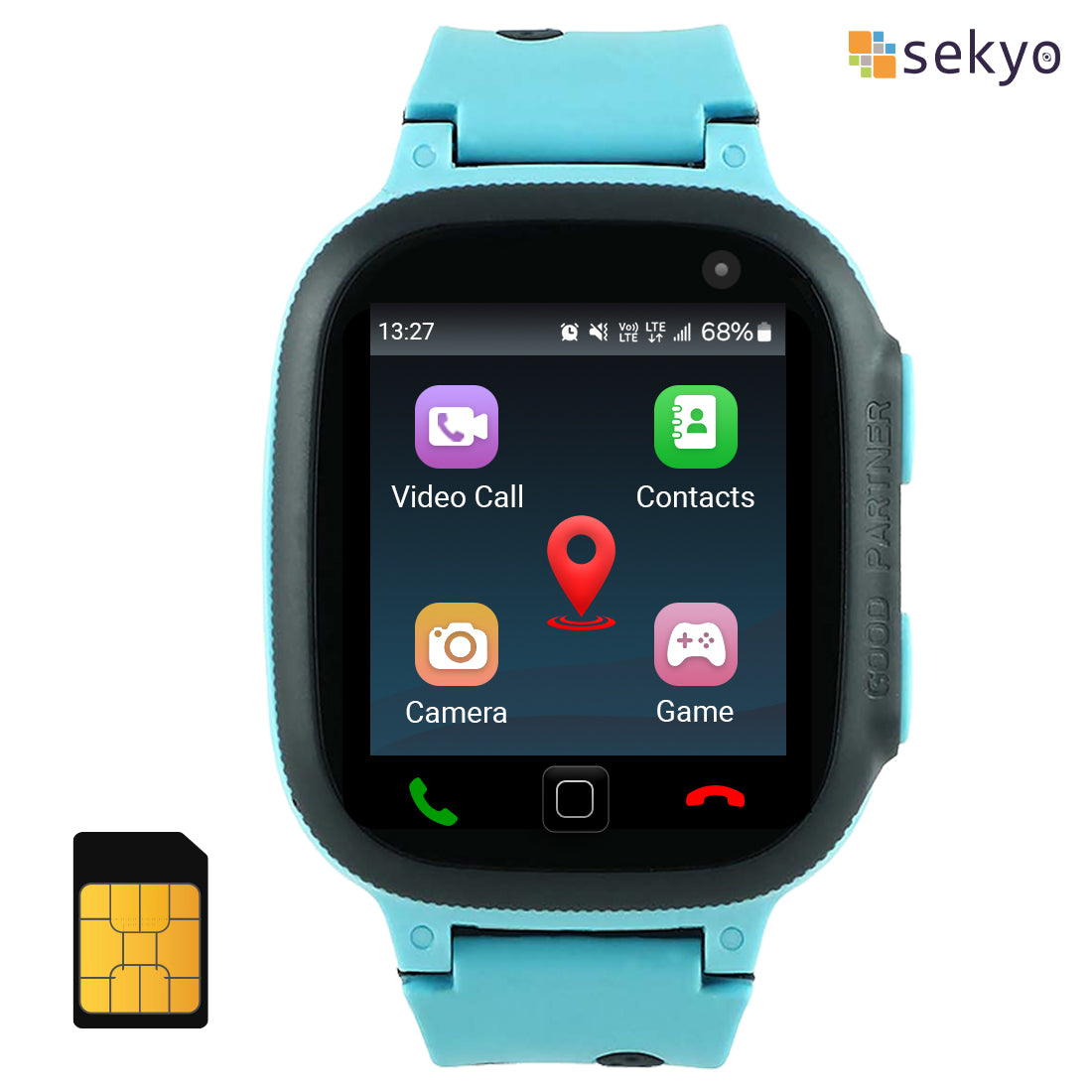
Most kid’s smartwatches have bright colors, durable straps, and simple controls. Many can connect to a parent’s phone using an app. This way, parents can check where their child is or send them a quick message. Some models even include features like SOS buttons, cameras, and educational games.
Smartwatches for kids are usually made for ages 5 to 12, but there are options for younger and older children too. The main idea is to give kids a mix of fun, safety, and communication without giving them a full smartphone.
Main Features Of Kids’ Smartwatches
Understanding what these devices offer helps you see their value and possible downsides.
1. Gps Tracking
Most popular kids’ smartwatches include real-time GPS tracking. Parents can check their child’s location using an app. Some models allow setting safe zones. If the child leaves this area, parents get a notification.
2. Calling And Messaging
Many smartwatches can make voice calls and send texts. Usually, they only allow contact with numbers the parent approves. This limits who can reach the child and helps keep them safe.
3. Sos/emergency Button
This is a common feature. When pressed, the watch sends a message or calls for help. It often shares the child’s location with parents or emergency contacts.
4. Fitness And Health Tracking
Step counting, sleep tracking, and even reminders to move are popular. Some watches track heart rate or other health data, but accuracy can vary.
5. Games And Educational Apps
Basic math, spelling games, or memory tests are common. These can be fun but also help learning.
6. Camera And Photo Sharing
Many smartwatches let kids take photos and share them with family. Some have video calling.
7. Water Resistance And Durability
Kids are active and watches get bumped. Water resistance and strong cases are important.
8. Parental Controls
Most devices come with an app for parents. You can control contacts, set usage limits, or monitor activity.

Benefits Of Smartwatches For Kids
Let’s look at why many parents choose smartwatches for their children.
1. Safety And Peace Of Mind
The biggest reason parents buy smartwatches is for safety. GPS location means you can check where your child is any time. If your child walks to school or plays outside, you know their location. The SOS button adds an extra layer—kids can ask for help fast if something feels wrong.
2. Easy Communication
Smartwatches allow quick calls or texts. This is helpful if your child is too young for a phone, or if phones are not allowed at school. Some watches can send voice messages, which is easier for young kids.
3. Encourages Healthy Habits
Fitness tracking motivates children to move more. Some watches reward kids for walking a certain number of steps or being active. This turns exercise into a game.
4. Teaches Responsibility
Wearing a smartwatch helps kids learn about time management. They see reminders for homework, bedtime, or chores. Some watches even have alarms for daily routines.
5. Fun And Learning
Educational games and activities can help kids learn math, spelling, or problem-solving. Simple cameras let kids explore photography in a safe way.
6. Controlled Device Access
Smartwatches give some of the benefits of a smartphone, but with much tighter limits. Kids can’t browse the web freely or install new apps without approval.
7. Social Connection
Some watches allow kids to connect with friends or family members who also have smartwatches. This can help shy children build social confidence.
Risks And Concerns With Kids’ Smartwatches
Smartwatches are not perfect. There are concerns every parent should know.
1. Privacy And Data Security
Most smartwatches use the internet to share data. This means your child’s location, messages, or photos could be stored online. In some cases, there have been reports of security flaws that let strangers track the watch. Always check the company’s privacy policy and read reviews.
2. Distraction And Overuse
Games, messaging, and notifications can distract kids. Even educational apps can be used too much. Some children may focus more on their watch than on schoolwork, friends, or family.
3. Health Effects
There is little evidence that smartwatches are dangerous, but wearing electronics all day is still new. Some children may develop skin irritation from the strap. Others might check their watch too often, leading to stress or anxiety.
4. Cost And Upgrades
Smartwatches are not cheap. Good models can cost $50 to $200 or more. Some need a monthly data plan. Also, kids may lose or break their watch. Many parents find themselves buying upgrades as children grow.
5. False Sense Of Security
GPS tracking is not perfect. Signals can be blocked inside buildings or underground. If a child forgets the watch or the battery dies, parents may not know. It’s important not to rely only on technology for safety.
6. Early Introduction To Tech
Some experts worry about introducing screens and digital communication too early. Kids may become dependent on technology for socializing or entertainment.
Comparing Kids’ Smartwatch Features
To help you see the differences, here’s a comparison of common features in kids’ smartwatches.
| Feature | Basic Models | Advanced Models |
|---|---|---|
| GPS Tracking | No/Basic | Real-time, with safe zones |
| Calls & Messaging | No/Only preset messages | Voice calls, text, voice messages |
| Fitness Tracking | Steps only | Steps, sleep, heart rate |
| Games/Education | Few, basic | More, advanced learning apps |
| Parental Controls | Limited | Comprehensive, app-based |
| Price Range | $20 – $60 | $70 – $200+ |
How To Choose The Right Smartwatch For Your Child
Not all smartwatches are the same. Here’s how to pick the best one for your family.
1. Consider Your Child’s Age
Younger children (5-7) need simple watches: just time, step counting, and maybe an SOS button. Older kids might want calling and messaging. Teens may prefer advanced features and style.
2. Decide What Features Matter
Think about what is most important. For some families, GPS tracking is a must. Others care more about educational apps or fitness. Make a list before shopping.
3. Check Parental Controls
A good kids’ smartwatch should let you control who can contact your child, set limits on use, and see activity reports. Test the parent app before buying if possible.
4. Test Comfort And Durability
Kids are rough on gadgets. Look for water resistance, tough straps, and a screen that won’t scratch easily. Let your child try it on if you can.
5. Understand Costs
Some watches need a SIM card and a monthly data plan. Ask about all costs—watch price, app fees, and service charges.
6. Privacy And Security
Choose brands with strong privacy policies and good reviews. Avoid models that have had security problems in the past. Read news stories or check watchdog websites for updates.
7. Battery Life
Kids may forget to charge their smartwatch. Look for models with long battery life—at least 2-3 days between charges.
8. Ease Of Use
Young children need simple menus and buttons. Complicated controls can frustrate them and parents.
9. Compatibility
Some watches only work with iPhones or Android phones. Make sure the smartwatch works with your own device.
10. Customer Support
Kids break things. Good customer service and a warranty are worth the extra cost.
Comparing Top Kids’ Smartwatch Brands
Here’s a look at how popular brands compare on key features.
| Brand | GPS Tracking | Calling | Games | Durability | Monthly Fee |
|---|---|---|---|---|---|
| TickTalk | Yes | Yes | Yes | High | Yes |
| VTech Kidizoom | No | No | Yes | High | No |
| Garmin Vivofit Jr. | No | No | Yes | High | No |
| GizmoWatch | Yes | Yes | Some | Medium | Yes |
| Apple Watch SE (Family Setup) | Yes | Yes | Yes | High | Yes |
Real-world Examples
Example 1: Safety During School Commute
A parent in London uses a GPS smartwatch for their 9-year-old who walks to school. The parent checks the app to make sure the child arrives safely. One day, the child was late, and the parent saw on the app they had stopped at a friend’s house.
A quick call through the watch solved the worry.
Example 2: Fitness Motivation
An 8-year-old girl in Texas wanted to walk more steps than her brother. Their fitness watches tracked their steps, and their parents gave small rewards for meeting daily goals. The children became more active and even started helping with chores to get extra steps.
Example 3: Missed Sos Call
A 7-year-old pressed the SOS button during a playground argument. The parent got the alert and called, but the watch battery was dead. This showed the parent the importance of regular charging and teaching the child when to use the SOS feature.
Common Mistakes Parents Make
1. Not Explaining Rules
Some parents give the smartwatch but do not set clear rules. Kids need to know when and how to use the features, especially calling and the SOS button.
2. Ignoring Privacy Settings
Many leave default privacy settings, which may share too much data. Always check and adjust them.
3. Forgetting About Charging
Watches with many features use more battery. Kids may forget to charge, making features useless when needed.
4. Choosing Too Many Features
More features are not always better. Young kids may get confused or overwhelmed. Simpler is often best.
5. Relying Only On Technology
A smartwatch is only one part of keeping kids safe. Talk to your child about safety, trust, and what to do if they need help.
Are Smartwatches For Kids Safe?
The safety of smartwatches depends on the model, how it’s used, and whether parents stay involved. Most problems come from poor privacy controls or too much screen time—not from the watch itself.
The European Union even banned some models for weak security in 2017. Since then, most big brands improved their safety, but parents should always check for the latest information. For most families, a well-chosen smartwatch used with rules is safe.
For more details on privacy and product recalls, see resources like the official European Commission RAPEX.
Non-obvious Insights
Here are two things many parents do not think about:
- School Policies: Many schools ban smart devices, including smartwatches, because of cheating or distraction risks. Always ask your child’s school before buying.
- Social Pressure: If one child in a group gets a smartwatch, others may ask for one too. This can create competition or jealousy. It’s smart to talk as a family about why you are (or are not) getting a smartwatch.
When Is A Smartwatch Not A Good Idea?
There are times when a smartwatch may not be right for your child:
- If your child loses or breaks things often, wait until they are more responsible.
- If your family is not comfortable with digital tracking, skip GPS watches.
- If your child is already distracted by screens, adding another device may not help.
- If the main use is for fun and games, a regular watch and more family time might be better.
Tips For Healthy Smartwatch Use
- Set screen time limits. Encourage kids to use the smartwatch for communication or fitness, not just games.
- Review privacy settings together. Explain to your child why privacy matters.
- Charge the watch together as part of a daily routine.
- Discuss when to use the SOS or call functions.
- Check the watch’s location and message history regularly, but also trust your child.
- Keep talking about online safety and responsible device use.
- Update the watch’s software to get the latest security patches.
Frequently Asked Questions
What Is The Best Age For A Child To Get A Smartwatch?
Most experts suggest ages 7 to 12 are ideal. At this age, kids are old enough to follow rules but still need parent supervision. Younger children may not use the features well, and teens often prefer smartphones.
Can A Smartwatch Replace A Smartphone For Kids?
For younger children, a smartwatch can cover basic needs like calling and GPS tracking. It does not replace a smartphone for older kids who need internet access, social media, or advanced apps. For safety and communication, though, a smartwatch is a good middle ground.
Are Smartwatches Allowed In Schools?
Many schools ban smartwatches, especially those with cameras or calling. Always check your school’s policy before buying. Some allow simple fitness watches but not models with communication features.
How Do I Keep My Child’s Data Private?
Choose watches from trusted brands with clear privacy policies. Set up parental controls, use strong passwords, and keep software updated. Teach your child not to share personal information through the watch.
What Should I Do If My Child Loses Their Smartwatch?
Most smartwatches have a location tracking feature. Use the parent app to try to find it. If lost outside and the battery is dead, contact the school or places your child visited. Some brands offer a replacement plan for lost devices.
Final Thoughts
Smartwatches for kids are useful tools, but they are not magic solutions. They can help parents feel safer and help kids learn about responsibility and time. However, there are real risks—privacy, distraction, and cost. The key is to choose the right device, set clear rules, and stay involved.
If you treat a smartwatch as a tool—not a babysitter—it can be a positive part of your child’s life. Remember, the best safety still comes from open talk and trust between parents and kids.

