
Many people today own a smartwatch, but not everyone knows whether it’s safe or helpful to wear one while sleeping. Maybe you want to track your sleep, or you simply forget to take it off at night. But is it a good idea?
Let’s dig deep into what happens if you wear a smartwatch to bed, what the benefits and risks are, and how to do it right if you decide to try.
Why People Wear Smartwatches While Sleeping
One reason smartwatches are popular is their ability to track sleep. Most modern smartwatches come with sleep tracking features. These features use sensors to monitor your heart rate, movement, and sometimes even blood oxygen levels. People want to learn about their sleep patterns, spot problems, or improve their health.
Some people also use their smartwatch as an alarm clock. The gentle vibration on your wrist can wake you up without disturbing a partner. Others like to keep their watch on to receive important notifications, especially if they are waiting for urgent calls or alerts during the night.
Additionally, smartwatches can track other health data overnight, like heart rate variability or signs of sleep disorders. For some, wearing a smartwatch at night is about safety—certain watches can detect falls or irregular heartbeats and send alerts.
How Smartwatches Track Sleep
Smartwatches use different sensors and algorithms to understand your sleep. Here’s a closer look at how they work:
- Accelerometer: This sensor detects movement. If you’re tossing and turning, the watch knows you’re probably not in deep sleep.
- Heart Rate Sensor: Measures your pulse during the night. Changes in heart rate help the watch guess when you’re in light, deep, or REM sleep.
- SpO2 Sensor: Some watches check your blood oxygen level, which can reveal breathing issues during sleep.
- Microphone: Rarely, some watches use a microphone to listen for snoring or breathing irregularities.
All this data is processed to create a sleep report. This shows when you fell asleep, how many times you woke up, and the quality of your sleep cycles. For example, the Fitbit Sense and Apple Watch Series 8 both offer advanced sleep tracking, including estimated time in each sleep stage.
Benefits Of Wearing A Smartwatch While Sleeping
Wearing a smartwatch at night can offer several advantages. Let’s break down the most important ones:
1. Sleep Quality Tracking
Knowing how well you sleep is the first step to improvement. Smartwatches help you see:
- Sleep duration: How many hours you actually rest
- Sleep cycles: Time spent in light, deep, and REM sleep
- Awakenings: Number of times you wake up
With regular tracking, you can spot patterns. Maybe you sleep better on weekends or wake up often after heavy dinners. This information can lead to better habits.
2. Identifying Sleep Disorders
Many people suffer from problems like sleep apnea without knowing it. Watches with SpO2 sensors can alert you if your blood oxygen drops during sleep—a possible sign of a breathing disorder. Some even monitor your heart rhythm to detect irregularities.
3. Smart Alarm Features
A vibration alarm can wake you without a loud sound. Some smartwatches use “smart” alarms that wake you during a light sleep stage, so you feel less groggy.
4. Nighttime Health Monitoring
If you have health concerns, a smartwatch provides peace of mind. For example, people with heart conditions can monitor their pulse all night. Some watches can even alert emergency contacts if they detect a fall or abnormal heart rate.
5. Motivation For Healthy Habits
Seeing sleep data every morning can encourage you to maintain good bedtime routines. Many apps offer tips, bedtime reminders, or breathing exercises to help you relax.
Potential Risks And Downsides Of Wearing Smartwatches Overnight
While there are clear benefits, there are also possible drawbacks to sleeping with a smartwatch. Here are the main concerns:
1. Skin Irritation
Wearing a watch all night, especially a snug one, can cause skin irritation. Sweat, friction, or even soap trapped under the band may cause redness or itching. This is more common with cheaper bands or sensitive skin.
2. Discomfort And Sleep Disruption
Some people find it uncomfortable to wear a device on their wrist while sleeping. The size, weight, or shape of the watch might press into your skin, especially if you move a lot. This discomfort can disturb your sleep.
3. Battery Life
Sleep tracking uses sensors all night, which drains battery. If you forget to charge your watch during the day, you might run out of power before evening or the next day.
4. Data Privacy
Collecting health data means trusting your smartwatch company with sensitive information. Not everyone is comfortable sharing this data, even when it’s stored securely.
5. Exposure To Radiofrequency (rf) Signals
Smartwatches use Bluetooth and Wi-Fi to sync data. Some people worry about sleeping with a device that emits RF signals close to the body. While no strong evidence shows harm at the low levels smartwatches use, the concern exists for some users.
6. False Sense Of Security
Smartwatch sleep data is helpful, but not perfect. It may misread movements or miss some sleep problems. Relying only on a watch could delay real medical advice if you have a sleep disorder.
Which Smartwatches Are Best For Sleep Tracking?
Not all smartwatches are created equal when it comes to sleep tracking. The table below compares popular models on key sleep features:
| Smartwatch | Sleep Stages | SpO2 Monitoring | Smart Alarm | Battery Life (Days) |
|---|---|---|---|---|
| Apple Watch Series 8 | Yes | Yes | Yes | 1-1.5 |
| Fitbit Sense 2 | Yes | Yes | Yes | 6+ |
| Samsung Galaxy Watch 5 | Yes | Yes | No | 1.5-2 |
| Garmin Venu 2 | Yes | Yes | Yes | 10-11 |
| Xiaomi Mi Band 7 | Yes | Yes | No | 10-14 |
Fitbit and Garmin are often chosen for their long battery life and accurate sleep tracking. The Apple Watch has advanced sensors, but shorter battery life means you must plan charging times. If you want to wear your watch every night, battery life is a key factor.
How To Wear A Smartwatch Comfortably All Night
If you decide to keep your smartwatch on while sleeping, a few tips can help you avoid discomfort and skin problems:
- Choose a soft, breathable band. Silicone or cloth bands are usually more comfortable than metal or hard plastic.
- Adjust the fit. The watch should be snug enough to get good sensor readings, but not tight enough to leave marks.
- Clean your watch and band regularly. Sweat, lotion, or dirt can cause irritation.
- Wear on the non-dominant wrist. This is less likely to be pressed on during sleep.
- Take breaks. If you notice redness or irritation, skip a night or two.

Battery Life And Charging Strategies
One big challenge with sleep tracking is battery management. Watches with short battery life may need to be charged daily. Here’s how to handle it:
- Charge during your morning routine. Many people charge their watch while showering or getting dressed.
- Charge before bed. If you have time, top up your battery in the evening.
- Choose a watch with multi-day battery. If you want to track sleep every night, look for models that last at least 5-7 days on a charge.
Here’s a comparison of typical battery life for popular models:
| Model | Battery Life (Typical Use) | Sleep Tracking Impact |
|---|---|---|
| Apple Watch Series 8 | Up to 18 hours | May need daily charging |
| Fitbit Versa 4 | 6+ days | Minimal impact |
| Garmin Forerunner 255 | 14 days | Minimal impact |
| Samsung Galaxy Watch 5 | Up to 50 hours | Needs charging every 2 days |
Some users make a routine of charging their watch when it’s least inconvenient, such as while making breakfast or during a short afternoon nap.
How Accurate Is Sleep Tracking With Smartwatches?
Sleep tracking with a smartwatch is good for spotting general patterns, but it’s not as precise as a polysomnography test in a sleep lab. Watches estimate sleep stages based on movement and heart rate. They can usually tell when you’re asleep or awake, but can struggle with:
- Short naps (some watches don’t track naps at all)
- Distinguishing deep vs. REM sleep
- Detecting brief awakenings
Research shows that most modern smartwatches are about 78-88% accurate compared to medical sleep tests for total sleep time. However, their readings of sleep stages (light, deep, REM) are less reliable.
For most people, smartwatch sleep data is “good enough” to learn about habits and trends, but not for diagnosing medical conditions.
Are Smartwatches Safe To Wear All Night?
The safety of wearing a smartwatch while sleeping is a common question. Here’s what you need to know:
Radiation And Health
Smartwatches use Bluetooth and sometimes Wi-Fi to connect to your phone. The RF energy they emit is very low—much less than a mobile phone. According to the World Health Organization, there is no evidence that low-level RF exposure from devices like smartwatches causes harm.
If you’re still concerned, you can:
- Switch to Airplane Mode at night (many watches still track sleep offline)
- Turn off Bluetooth before bed and sync in the morning
Battery And Heat
Quality smartwatches are designed to be worn overnight, and their batteries are safe. If your watch gets unusually hot, stop using it and contact the maker.
Allergies And Materials
Some people are allergic to certain band materials. Look for hypoallergenic options if you notice irritation.
Privacy And Data Security
Your sleep data is stored on the watch and in the cloud. Most major brands use strong encryption. Still, check privacy settings and only share data with trusted apps.
Who Should Not Wear A Smartwatch To Bed?
While most people can safely wear a smartwatch at night, there are exceptions:
- Children: Young kids should avoid wearing electronic devices overnight unless prescribed by a doctor.
- People with sensitive skin: If you often have rashes or irritation, skip wearing the watch to sleep.
- Those with sleep anxiety: If checking your sleep data makes you anxious or obsessed, it’s better to take a break.
- People with pacemakers or implanted devices: Ask your doctor before using a smartwatch overnight.
How To Get The Most From Sleep Tracking
If you decide to use your smartwatch for sleep tracking, these strategies can help you get better results:
- Wear your watch consistently. Track at least a week to spot patterns.
- Check your sleep environment. Make your bedroom cool, dark, and quiet for better sleep.
- Follow the tips in your sleep report. Many apps offer advice based on your data.
- Don’t stress about “perfect” scores. Use the data as a guide, not a judgment.
- Consult a doctor if you notice ongoing sleep problems. Watches can’t replace professional help.
Real-world Experiences: What Users Say
Many smartwatch owners enjoy checking their sleep data. For example, some notice that going to bed earlier or reducing screen time improves their sleep quality score. Others use the vibration alarm to wake up gently for early shifts.
However, some users report that wearing a watch to bed feels odd at first, or that they sometimes wake up with marks on their wrist. A few people become too focused on the numbers, which can increase anxiety.
A non-obvious insight: Sleep tracking is most useful when combined with a sleep diary. Write down your bedtime, wake time, and any factors like caffeine, stress, or exercise. Compare this with your watch data for more accurate trends.
Another tip: Check for app updates. Sleep tracking algorithms improve over time. Keeping your watch and app updated can give you better results.
Alternatives To Wearing A Smartwatch While Sleeping
If you find smartwatches uncomfortable at night, consider these options:
- Fitness bands: Smaller and lighter than full smartwatches, but still track sleep.
- Under-mattress sensors: Devices like the Withings Sleep Analyzer track sleep without touching your body.
- Smart rings: Compact devices like the Oura Ring offer advanced sleep tracking and are less noticeable.
Each method has pros and cons. Some are more accurate, others more comfortable. Choose what fits your needs and lifestyle.
How To Set Up Sleep Tracking On Popular Smartwatches
Here’s a quick guide for starting sleep tracking on common devices:
Apple Watch
- Open the Health app on your iPhone.
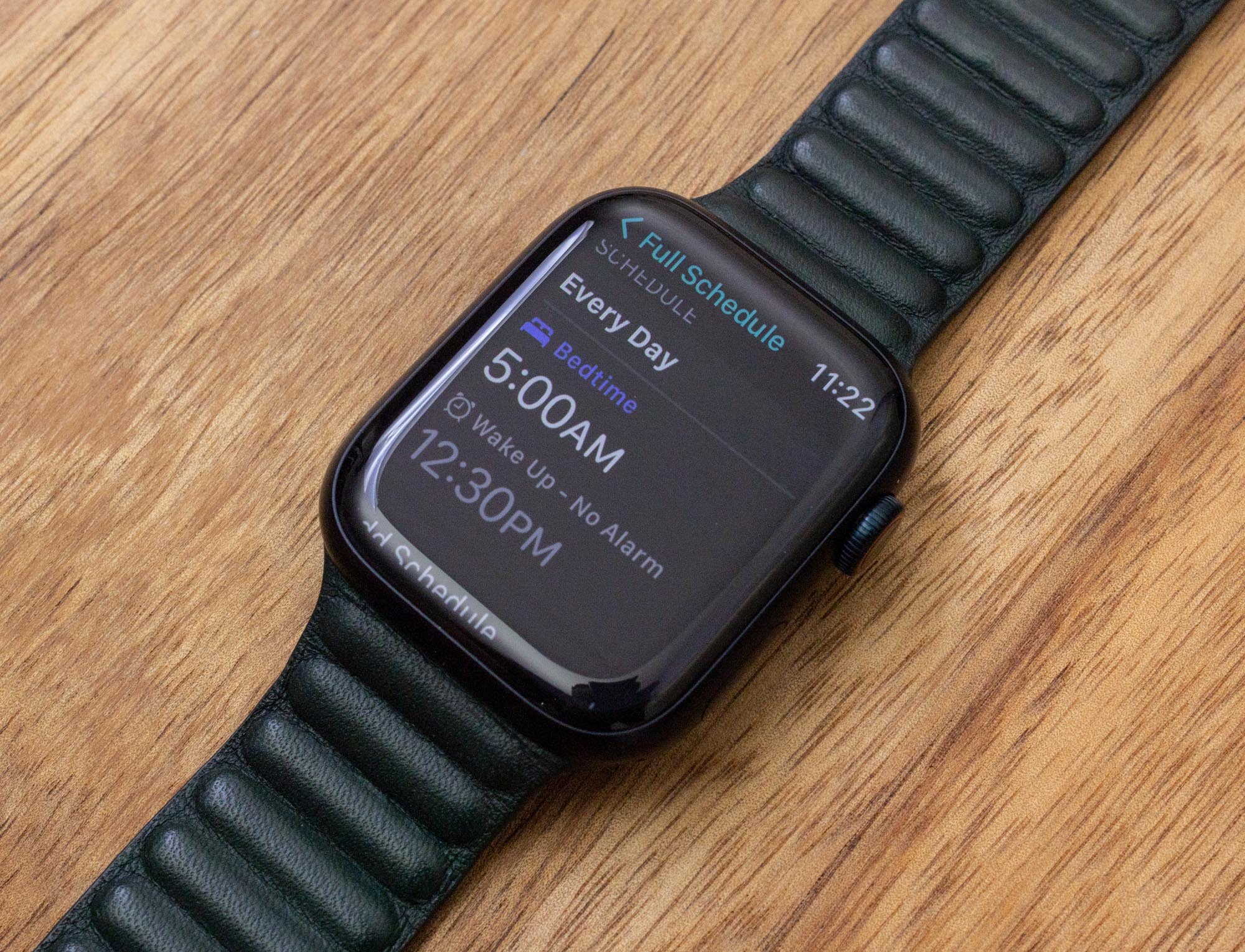
- Set up a Sleep Schedule and choose “Track Sleep with Apple Watch.”
- Wear your watch to bed; it will track automatically.
Fitbit
- Sync your Fitbit to the Fitbit app.
- Wear your device snugly on your wrist at night.
- Check your sleep data in the app in the morning.
Samsung Galaxy Watch
- Open the Samsung Health app.
- Go to Sleep and set your preferences.
- Wear your watch to bed; the app will record data overnight.

Sleep Tracking Vs. Medical Sleep Studies
It’s important to know the difference between consumer sleep tracking and medical-grade sleep studies.
- Smartwatches are designed for trends and wellness, not diagnosis.
- Sleep studies (polysomnography) are done in clinics and measure brain waves, breathing, and more.
If you have serious sleep problems, such as loud snoring, choking, or extreme tiredness, see a doctor. Your smartwatch can show patterns, but only a sleep specialist can diagnose conditions like sleep apnea.
The Bottom Line: Should You Wear A Smartwatch While Sleeping?
If you want to learn more about your sleep, wearing a smartwatch overnight can be helpful. It’s safe for most people, as long as you watch for skin irritation and manage battery life. The data can help you spot bad habits and make healthy changes.
However, smartwatches are not perfect. Don’t rely on them for medical advice, and remember that comfort is personal. If you find it distracting or uncomfortable, try another method.
For those who love data and want to improve their rest, a smartwatch is a simple, practical tool. Just use the information wisely and keep your health as the top priority.
For more details on sleep tracking technology, check this Sleep Foundation article.
Frequently Asked Questions
Can I Wear My Smartwatch Every Night?
Yes, most people can wear their smartwatch to bed every night. Just make sure to clean the band often and take breaks if you notice irritation.
Does Sleeping With A Smartwatch Affect My Health?
There is no strong evidence that smartwatches harm your health during sleep. Their radiation is very low. If you’re worried, use Airplane Mode at night.
How Accurate Is Smartwatch Sleep Tracking?
Smartwatches are good at measuring total sleep time and general patterns but are less accurate for sleep stages. Use them for guidance, not diagnosis.
What Should I Do If My Wrist Gets Irritated?
Take the watch off for a few nights and clean the band. Try a different material, like a cloth or silicone band, which is softer on the skin.
Are There Better Alternatives To Smartwatches For Sleep Tracking?
Yes, fitness bands, under-mattress sensors, and smart rings are good alternatives. They may be more comfortable and still provide useful sleep data.
If you want to improve your sleep, a smartwatch can be a helpful tool—as long as you use it wisely and listen to your body.

