
Charging a smartwatch may seem easy, but small mistakes can lead to problems like slow charging, battery drain, or even a dead device. If you just bought your first smartwatch or want to make sure you are caring for your device in the best way, it’s smart to learn how to charge it correctly.
Smartwatches today are packed with features like heart rate tracking, GPS, and notifications, but all of these need power. Knowing the right charging method helps your smartwatch last longer and work better.
Let’s explore how to charge a smartwatch from start to finish. This guide will walk you through different types of chargers, common charging steps, troubleshooting tips, and best practices to protect your battery health. Whether you have an Apple Watch, Samsung Galaxy Watch, Fitbit, Garmin, or another brand, you’ll find clear steps and practical advice.
Understanding Smartwatch Charging Basics
Before you start, it’s important to know the basics of how smartwatch charging works. Most smartwatches use one of three main charging technologies:
- Magnetic charging – The most common type today. Small magnets help the watch align with the charging cable or dock.
- Wireless charging (Qi standard) – Uses electromagnetic fields to charge without direct contact.
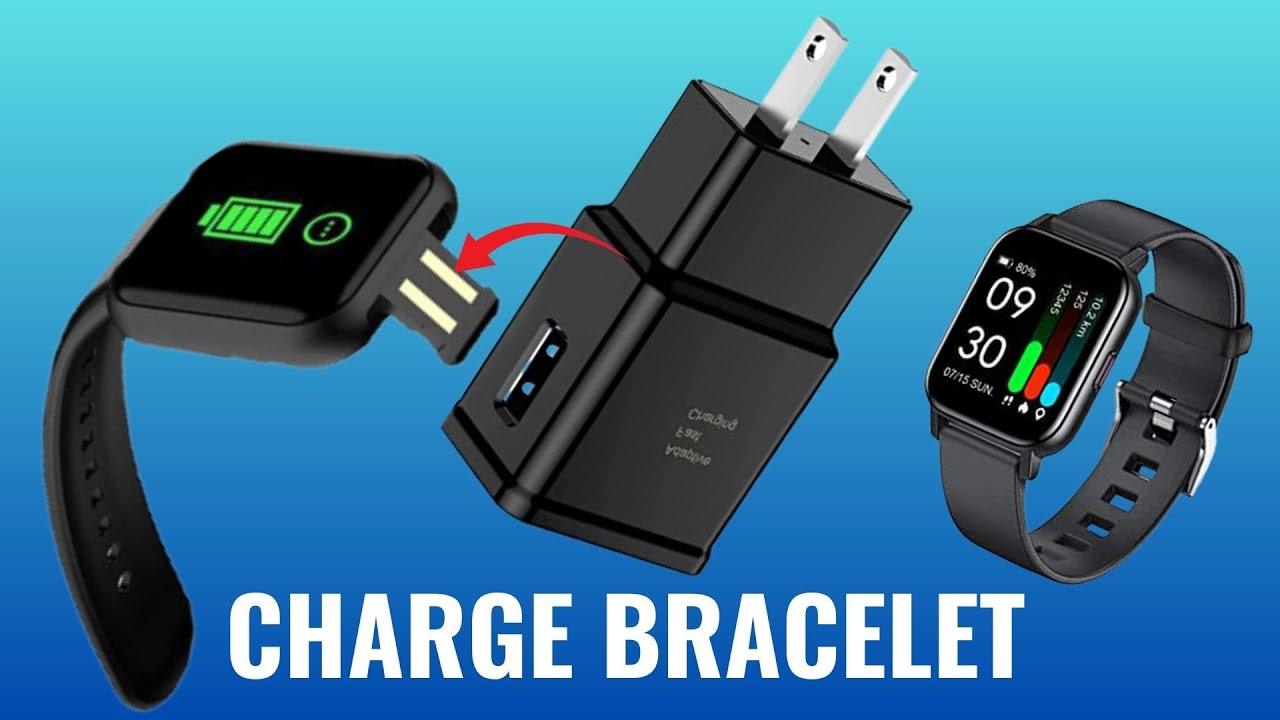
- Proprietary charging pins – Some brands use a special cable with pins that line up with contacts on the watch.
Knowing your smartwatch’s charging style makes everything easier, especially if you need to buy a replacement cable or charger.
Why Charging Methods Matter
Not all chargers are equal. Using the wrong charger may charge your smartwatch slowly, heat it up, or even damage the battery. For example, using a phone charger with a much higher voltage can hurt a watch designed for low power.
Always check your user manual or the official website for the recommended charger.
What You Need Before Charging
Getting ready to charge your smartwatch is simple, but missing one small item can stop the process. Here’s what you should have:
- Smartwatch charging cable or dock (usually comes with your watch)
- Power adapter (wall plug or USB port)
- Clean charging contacts on both the watch and charger
For some smartwatches, you can also use a wireless charging pad. Make sure your model supports this before trying.

Step-by-step: How To Charge Your Smartwatch
Every brand has small differences, but the main steps are usually the same. Here’s a clear guide that applies to most smartwatches:
1. Find The Right Charger
Use the original charger if possible. If you lost it, buy an official replacement. Third-party chargers sometimes do not fit well or deliver the wrong power. For example, Apple Watches use a special magnetic charger, while Garmin watches have charging pins.
2. Check The Charging Port
Look for dust, sweat, or dirt on the charging contacts of both your watch and charger. A dirty port can stop charging or make it very slow. Use a soft cloth or a cotton swab with a little rubbing alcohol to clean the contacts gently. Never use water or sharp objects.
3. Connect The Charger To Power
Plug the charging cable into a USB power adapter or a computer USB port. Most smartwatches need only a small amount of power (usually 5V, 1A), so you do not need a high-wattage charger. Avoid using fast-charging phone adapters unless your watch’s manual says it is safe.
4. Attach The Watch To The Charger
- For magnetic chargers, the magnets will pull the charger into place. Make sure it snaps on firmly.
- For charging pins, line up the pins with the contacts. You may need to press gently until you feel a click.
- For wireless charging pads, place the watch flat on the pad. The screen should show a charging symbol.
5. Wait For The Charging Symbol
Check your smartwatch screen for a charging icon (usually a lightning bolt or battery symbol). Some watches vibrate or make a sound when charging begins. If you don’t see a symbol after 10 seconds, check the charger and try again.
6. Let It Charge Fully
Most smartwatches take 1 to 2 hours to charge from zero to 100%. Some models charge very quickly for the first 50% and then slow down to protect the battery. Avoid removing the watch before it reaches at least 80% unless you need to use it.
7. Remove And Unplug
When the watch is fully charged, remove it from the charger. Unplug the charger from the wall if you are not using it. This saves energy and reduces the risk of overheating.
Charging Different Smartwatch Brands: Key Differences
Each brand has its own way of charging. Here’s a closer look at the most popular models and what makes them unique.
Apple Watch
Apple Watch uses a magnetic charging cable. All recent models support fast charging, but only with an Apple USB-C charger. Older Apple Watches may charge slower with a standard USB-A cable. The back of the watch is glass or ceramic, so be gentle when cleaning.
Samsung Galaxy Watch
Samsung’s watches support both magnetic charging and, on some models, Qi wireless charging. The Galaxy Watch4 and later can charge on many wireless pads, but the original charger is still best for speed and safety.
Fitbit
Fitbit’s smartwatches use proprietary charging pins. Each model (like Versa, Sense, or Inspire) has a different charger, so they are not interchangeable. The charging cable clips onto the watch, and you often hear a click.
Garmin
Garmin watches use charging clips with pins. The cable snaps into place on the side or back of the watch. Be careful not to bend the pins, as they are delicate.
Other Brands
Brands like Huawei, Amazfit, and Fossil may use magnetic chargers or USB charging cradles. Always check the manual for your specific model.
Here is a quick comparison of popular brands and their charging types:
| Brand | Charging Type | Charging Time (0-100%) |
|---|---|---|
| Apple Watch | Magnetic / Wireless | 60–90 mins |
| Samsung Galaxy Watch | Magnetic / Qi Wireless | 90–120 mins |
| Fitbit | Proprietary Pins | 60–120 mins |
| Garmin | Charging Pins | 90–150 mins |
| Huawei | Magnetic | 60–120 mins |
Common Charging Problems And How To Fix Them
Even with the right charger, sometimes your smartwatch won’t charge as expected. Here are the most common problems and what to do:
1. Watch Not Charging At All
- Check the power source: Try a different outlet or USB port.
- Inspect the cable: Look for bends, frays, or broken connectors.
- Clean the contacts: Dirt or sweat can block the connection.
- Restart your watch: Sometimes, a simple reboot helps.
2. Charging Slowly
- Use the correct charger: Some third-party cables charge slowly.
- Close unused apps: Running GPS or music can slow charging.
- Cool down the watch: If it’s hot, let it cool before charging.
3. Watch Gets Hot
- Unplug immediately: Overheating can damage the battery.
- Move to a cooler place: Avoid charging in direct sunlight.
- Check for software updates: Sometimes, a bug can cause heat.
4. Charger Not Recognized
- Try a different cable: The charger may be faulty.
- Update firmware: Old software can cause connection issues.
- Contact support: If nothing works, reach out to the manufacturer.
5. Battery Drains Fast After Charging
- Check for background features: Turn off always-on display or GPS.
- Calibrate the battery: Fully discharge and recharge once.
- Replace the battery: Old batteries lose capacity over time.
How Often Should You Charge Your Smartwatch?
How often you need to charge depends on your model and how you use it. Some watches last only one day, while others run for weeks. Here’s what to consider:
- Apple Watch and Samsung Galaxy Watch: Usually need daily charging if you use many features.
- Fitbit and Garmin: Some models last 5–14 days on a single charge.
- Always-on display and GPS: These features use more battery. Turn them off to extend time between charges.
- Notifications: More alerts mean more charging.
A good rule: Charge your smartwatch before it drops below 20%. This prevents deep discharge, which can harm battery health.

Best Practices To Prolong Battery Life
Good charging habits can help your smartwatch battery last longer, both daily and over the life of the device.
1. Avoid Extreme Temperatures
Heat and cold both damage batteries. Charge your smartwatch in a cool, dry place. Never leave it in a hot car or direct sunlight.
2. Do Not Overcharge
Most modern smartwatches stop charging when full, but it’s still smart to unplug once charged. Leaving it on the charger overnight every day can slowly reduce battery health over time.
3. Use Official Chargers
Cheap or counterfeit chargers may charge too fast or unevenly, leading to battery swelling or shorter life.
4. Keep Software Updated
Manufacturers often release updates that improve battery use and charging. Check for updates regularly.
5. Charge Before Completely Dead
Letting your battery drop to 0% often is not healthy. Try to keep your charge between 20% and 80% for the longest battery life.
6. Remove Protective Cases When Charging
Some cases or covers can block proper contact, especially for magnetic chargers. Remove them before charging.
Charging On The Go: Portable Solutions
Sometimes you need to charge away from home. Here are some smart ways to keep your watch powered:
Power Banks
Many companies now make portable power banks with low power output designed for smartwatches. These are small and fit in a bag or pocket.
Wireless Power Sharing
Some smartphones (like Samsung’s) can share battery power with your smartwatch by placing the watch on the back of the phone. This is handy if you forget your cable.
Usb Charging From Laptops
Most smartwatches can charge from a laptop USB port. Charging may be slower, but it is safe and convenient when traveling.
Travel Docks
Mini charging docks or keychain chargers are available for many models. These are small, lightweight, and perfect for business trips.
Here’s a look at the pros and cons of portable charging options:
| Charging Method | Pros | Cons |
|---|---|---|
| Power Bank | Fast, reliable, reusable | Must remember to charge power bank |
| Wireless Power Sharing | No extra cable needed | Drains phone battery quickly |
| USB Charging (Laptop) | Easy access, universal | Slower charging |
| Travel Dock | Compact, always with you | Easy to lose, may charge slower |
Safety Tips When Charging Your Smartwatch
Charging is safe if you follow some simple rules. Here are tips to avoid damage or accidents:
- Never use a broken or frayed cable: Replace it right away.
- Do not cover the watch while charging: Let heat escape.
- Avoid water or sweat near the charger: Always dry your watch before charging.
- Do not force the charger: If it doesn’t fit, check the model.
- Keep away from children and pets: Small chargers can be a choking hazard.
Non-obvious Insights Most Beginners Miss
Many new smartwatch owners make the same mistakes. Here are two key insights:
Charging Position Matters
With magnetic and pin chargers, the watch must be perfectly aligned. Even a small misalignment can stop charging or cause the battery to heat up. If your watch charges slowly or not at all, try re-seating it or adjusting the charger.
Charging Notifications And Apps
Some watches turn off notifications while charging by default, while others stay connected. If you need to get calls or alerts while your watch is on the charger, check your settings. For example, the Apple Watch can still show notifications if you are nearby, but some Fitbit models go into “charging mode” and disconnect.
What To Do If Your Smartwatch Won’t Charge
If your smartwatch refuses to charge even after cleaning and using the original charger, try these advanced steps:
- Restart the Watch: Hold the side button until you see the restart option.
- Try a Different Charger: Borrow a friend’s charger of the same model.
- Update the Software: Use the companion phone app to check for updates.
- Factory Reset: As a last resort, reset your watch (note: this erases data).
- Contact Support: If under warranty, the manufacturer may replace the watch.
For further reading on smartwatch charging standards, see Wikipedia.
Frequently Asked Questions
How Long Does It Take To Fully Charge A Smartwatch?
Most smartwatches take 1 to 2 hours to charge from 0% to 100%. Charging speed depends on the brand and charger type. Fast charging is available on some newer models, but older devices may take longer.
Can I Use My Phone Charger To Charge My Smartwatch?
It depends. If your phone charger matches the voltage and connector of your smartwatch, it’s usually safe. However, using a charger with too much power can damage your watch. Always check the manual or use the original charger for best results.
Is It Bad To Leave My Smartwatch Charging Overnight?
Modern smartwatches are designed to stop charging when full. Still, leaving your watch on the charger every night can slowly reduce battery life over years. If possible, unplug once it’s fully charged, or at least a few times per week.
What Should I Do If My Smartwatch Gets Hot While Charging?
Stop charging immediately. Overheating can damage your battery or even cause burns. Let the watch cool down, and try again in a cooler location. If the problem continues, contact customer support.
How Can I Make My Smartwatch Battery Last Longer?
Turn off features you don’t use, like GPS, Wi-Fi, or always-on display. Lower screen brightness and limit notifications. Keep your software up to date, and avoid charging to 100% or draining to 0% all the time.
Smartwatches are great tools for health, work, and life, but they need proper care to work their best. With the right charging habits and a little attention, you can keep your smartwatch powered up and ready for anything.

